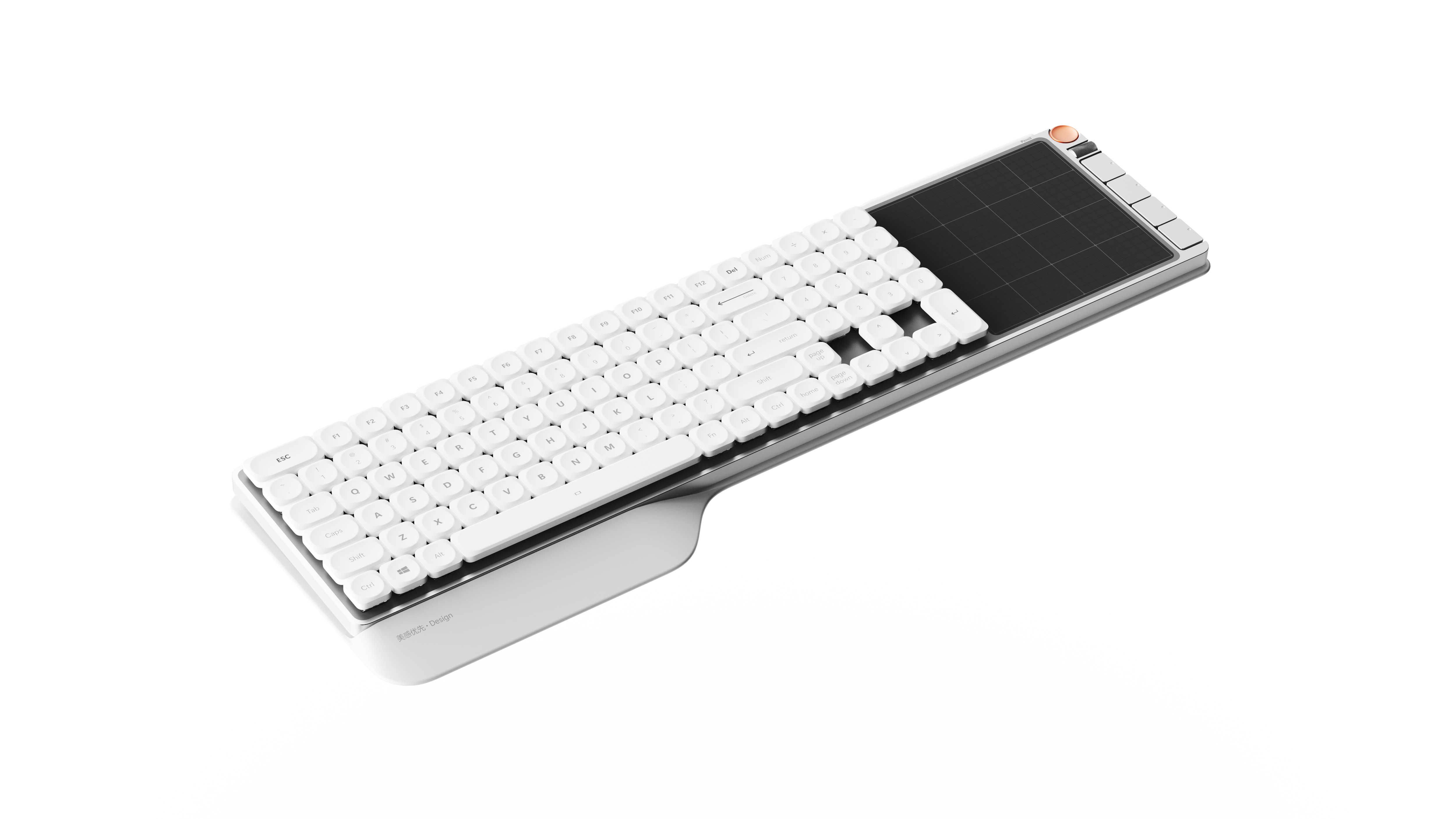
STROKE 97 is a keyboard designed for design professionals.
With the continuous evolution and iteration of AI technology, "real-time painting and real-time generation of renderings" is becoming an important way for designers to improve their work efficiency. In the past, designers used to sketch and refine the plan on a flat panel or paper, and then use the mouse to depict and refine the plane in the Photoshop. However, under the impact of new creative software such as Krita, this method of repeatedly switching between multiple devices and tools gradually appears inefficient and fragmented.
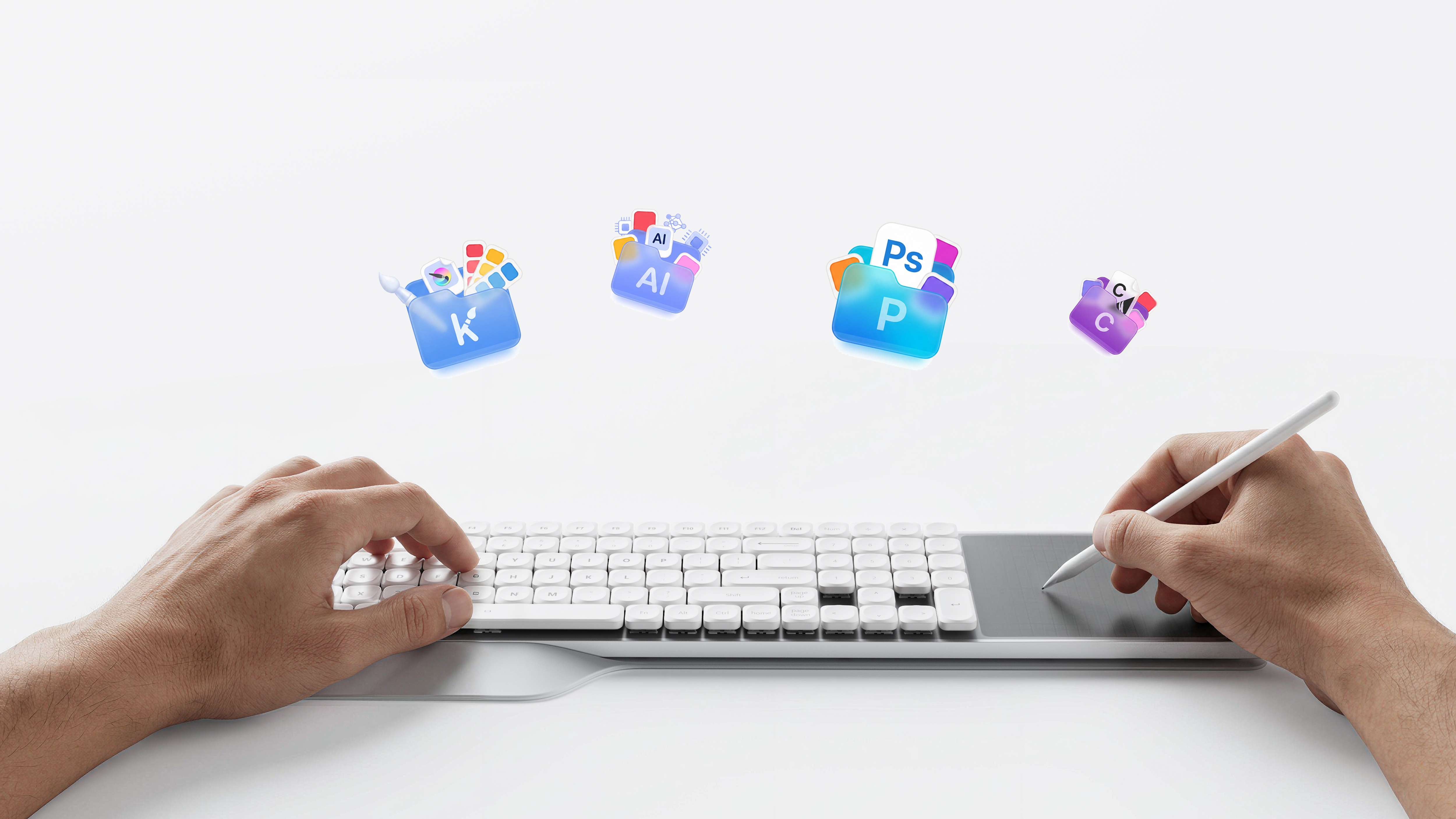
In fact, with the help of computer drawing, we do not necessarily need an absolutely professional independent digital drawing equipment, and the desktop does not need to add additional items to the mouse and keyboard. For this reason, STROKE 97 integrates a digital painting area that can be linked with the computer on the right side of the keyboard-integrates the necessary hand-painted functions in a restrained form, which not only does not increase the desktop burden, but also can effectively meet the daily creative needs of designers, and becomes one of the solutions that take into account efficiency, aesthetics and workflow integrity.
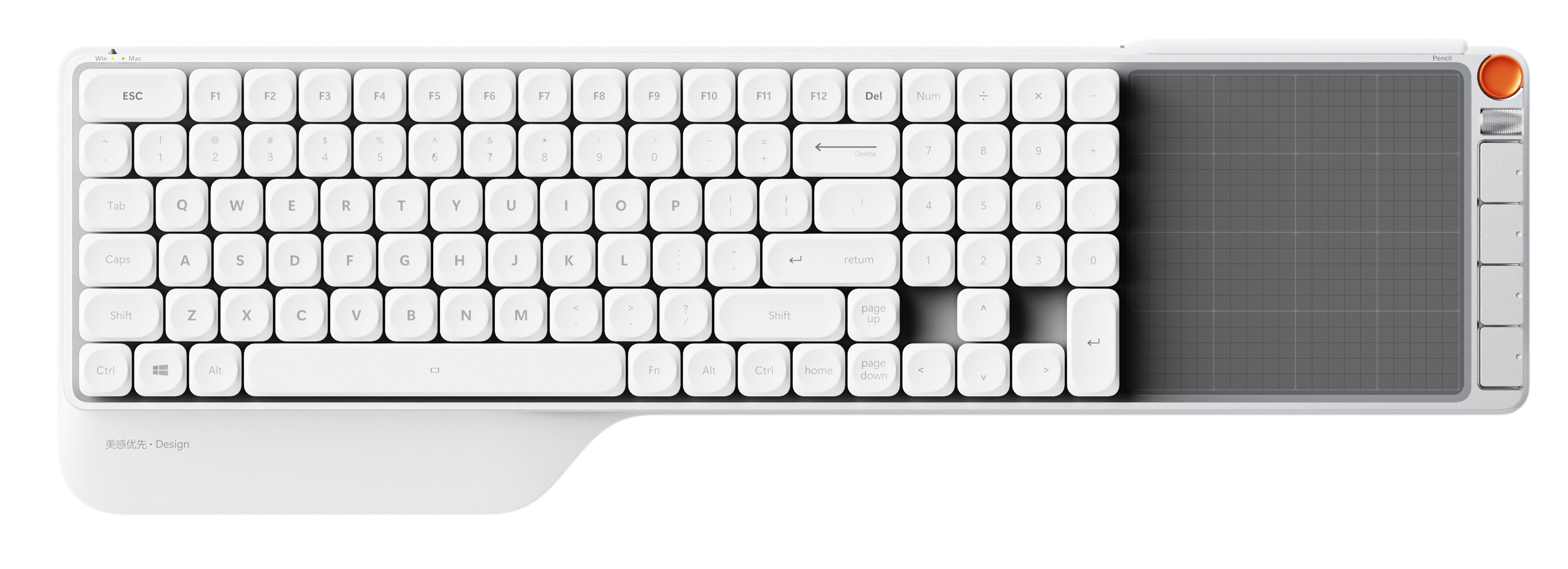
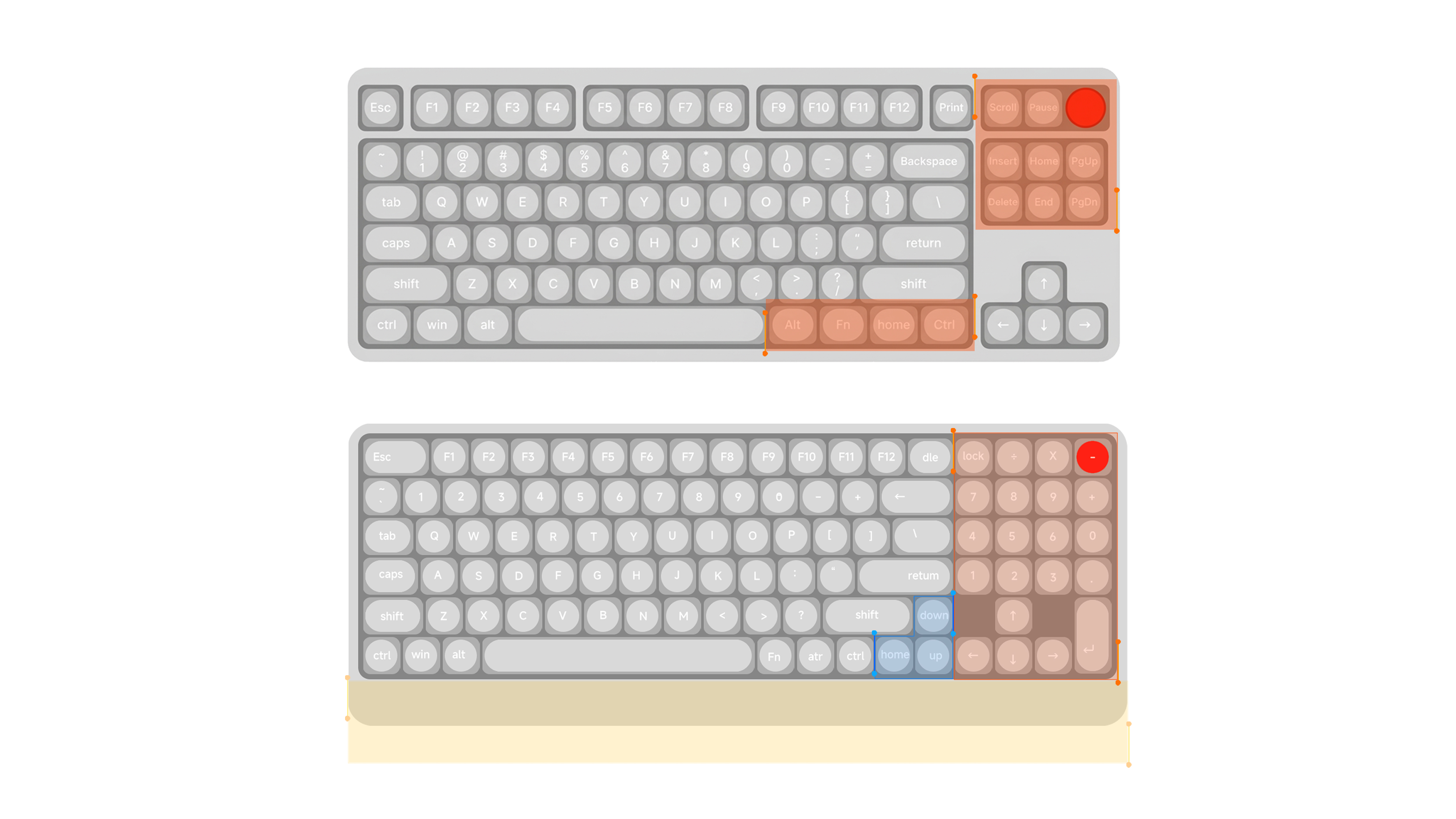
Key layout
STROKE 97 is based on the most common arrangement of key positions.
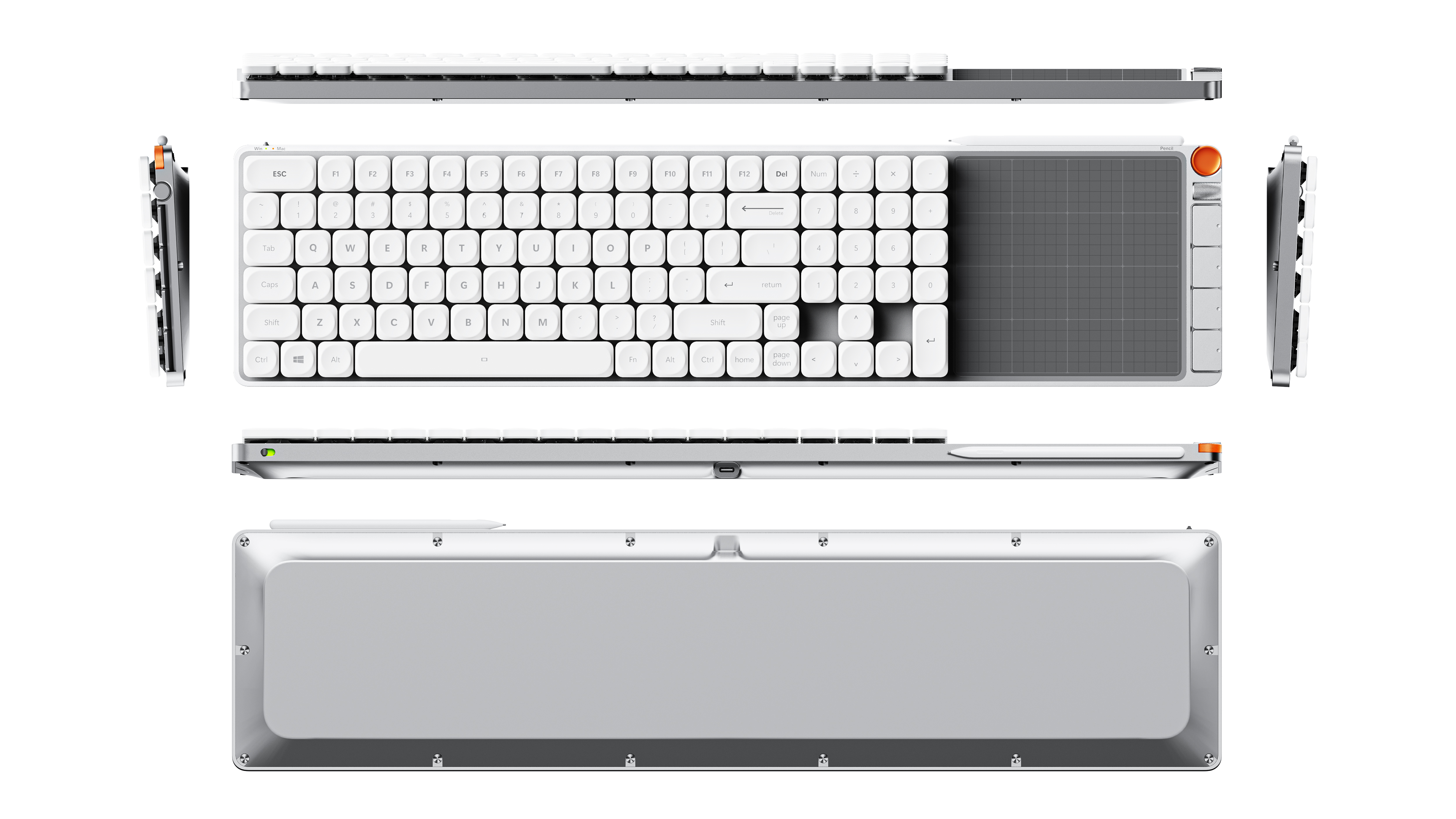
In long-term use, about 90% of the key positions have been solidified into muscle memory. Therefore, the key to the design is not to overturn, but to examine: is there a low-frequency area that is almost never touched? We leave all high-frequency key positions unchanged, only delete and integrate low-frequency key positions, and reallocate the space to the right full number keypad and bottom magnetic handle.
Digital input is a frequent task for designers: dimension coordinates during modeling and parameter adjustments during layout both require continuous, rapid entry. Compared with the number row above the letter, the right independent number area allows the wrist to maintain a fixed posture and the finger to operate continuously, which is more flexible and efficient.
Which keys were removed?
Scroll Lock: A key inherited from early text terminals that has virtually no function in modern software.
Pause / Break: The DOS era was used to interrupt the program, which has been replaced today.
Menu key: Used to bring up the right-click menu, now replaced by the right-click, touchpad and pen side switches.
Insert: Switch the insert/rewrite mode, which is extremely easy to touch by mistake and hardly enabled.
Rearrangement of the navigation keys:
Arrow keys and Delete remain intact; Home, PgUp and PgDn are still independent keys, but they no longer occupy the whole navigation area on the right side -- PgUp moves to the right side of the main key area, Home and PgDn moves to the bottom row, closer to the thumb and right hand operation path; Only the End with the lowest frequency is used to merge into Fn key combination layer. The space thus freed up is just enough to accommodate the numeric keypad on the right.
Deletion is not the purpose, but let every inch of layout, are left to the real high-frequency action.
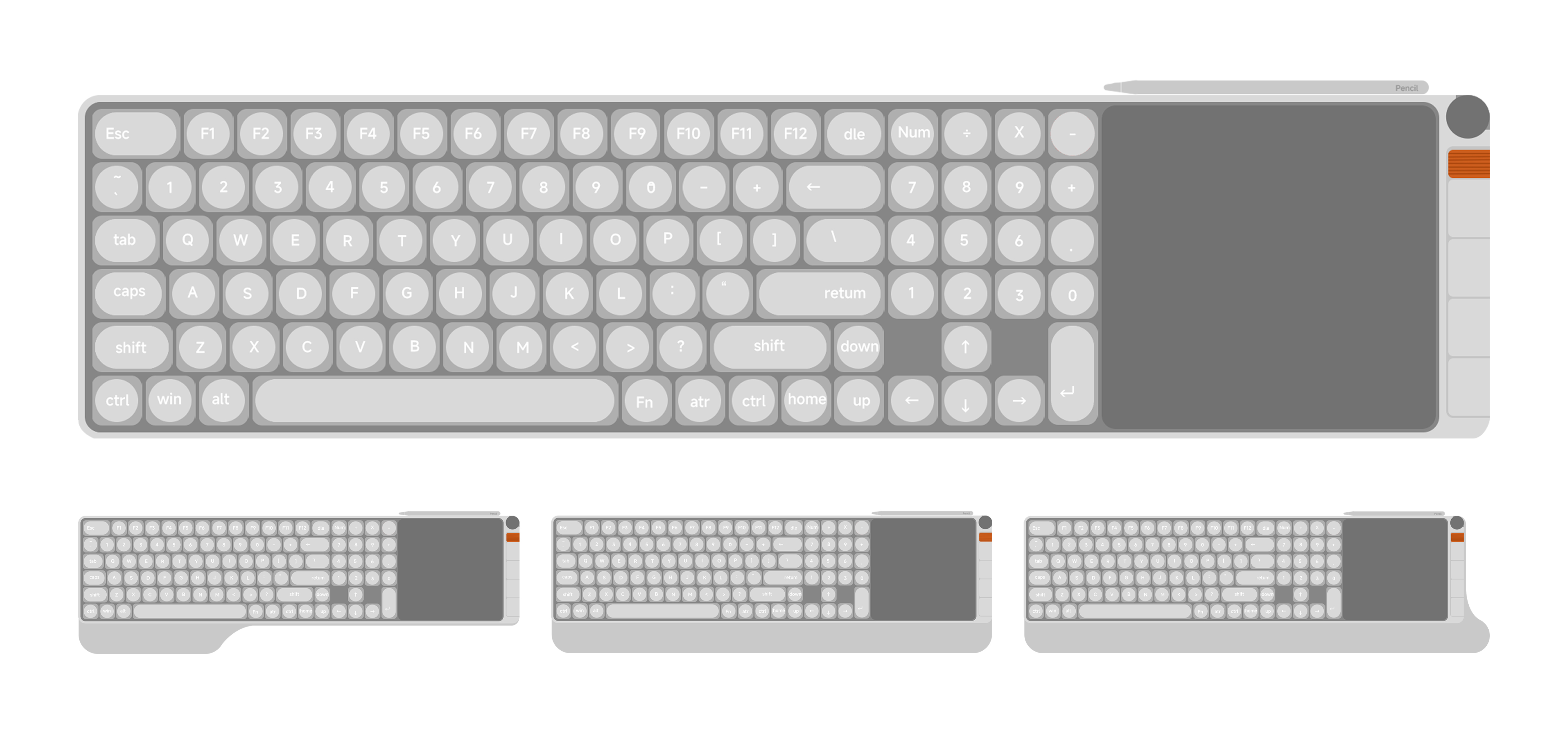
Digital drawing area and hand rest
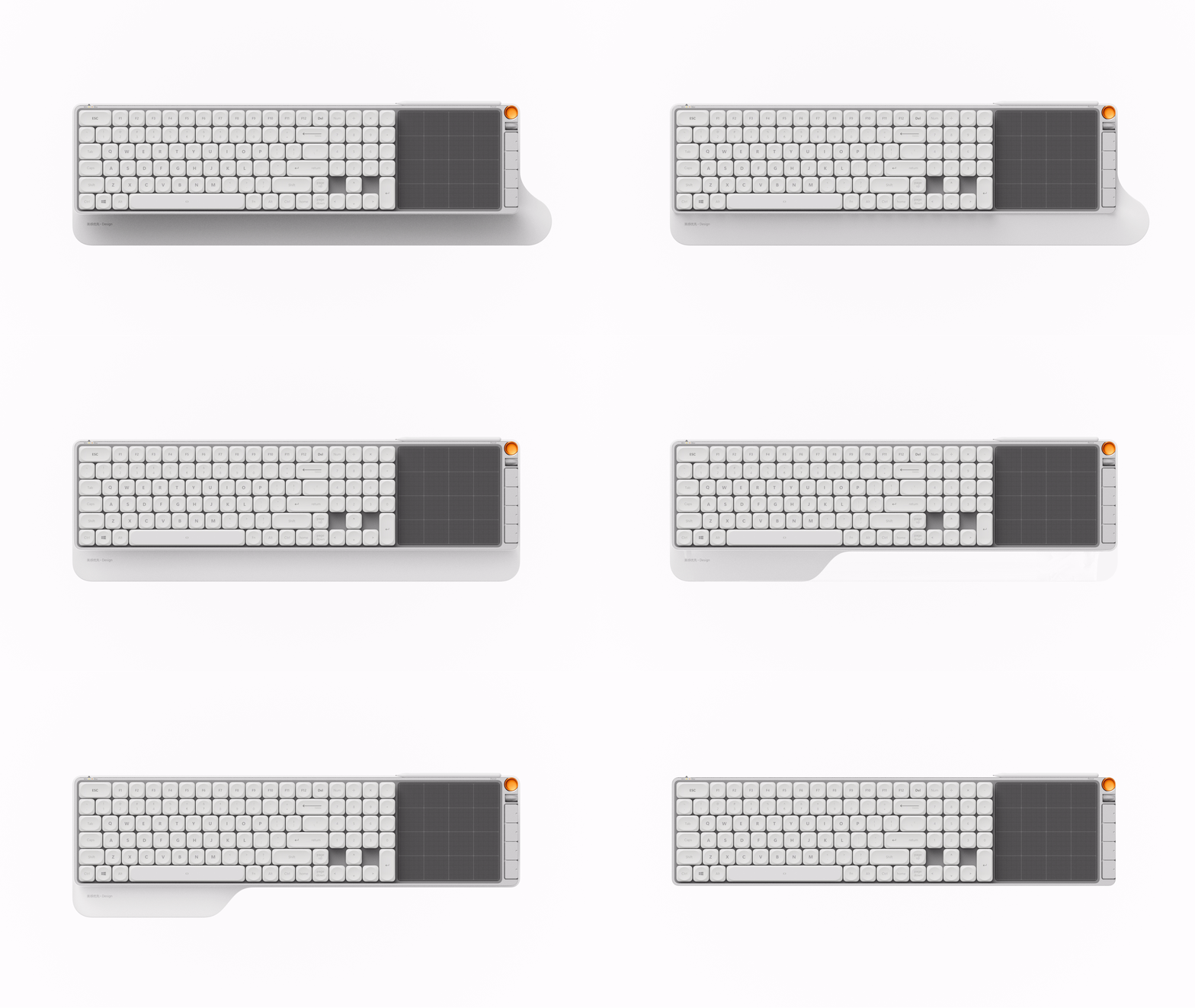
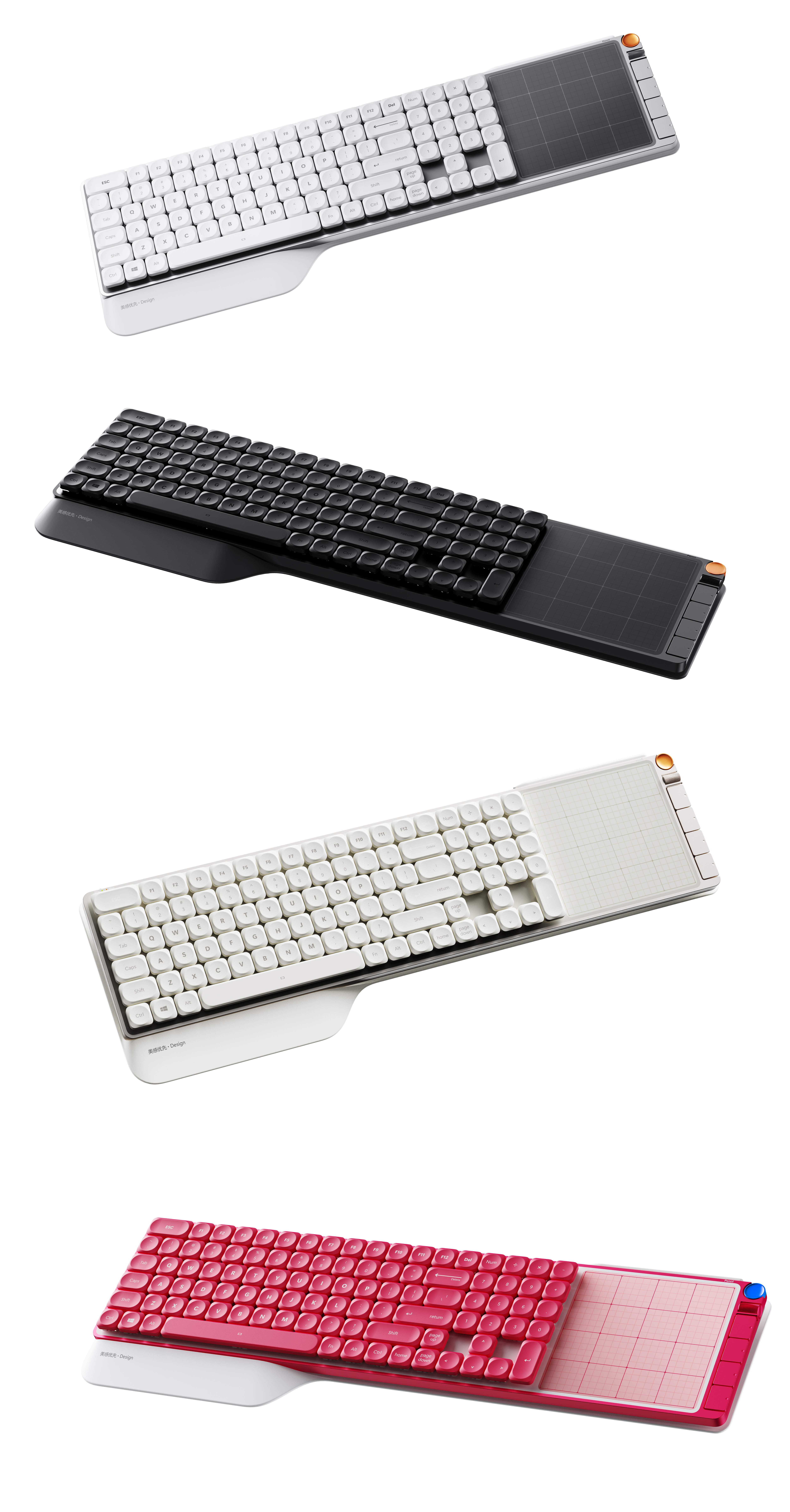
On the layout of the right-hand digital drawing area and three possible forms of the hand rest.
Right side: Rezone in a restrained manner.
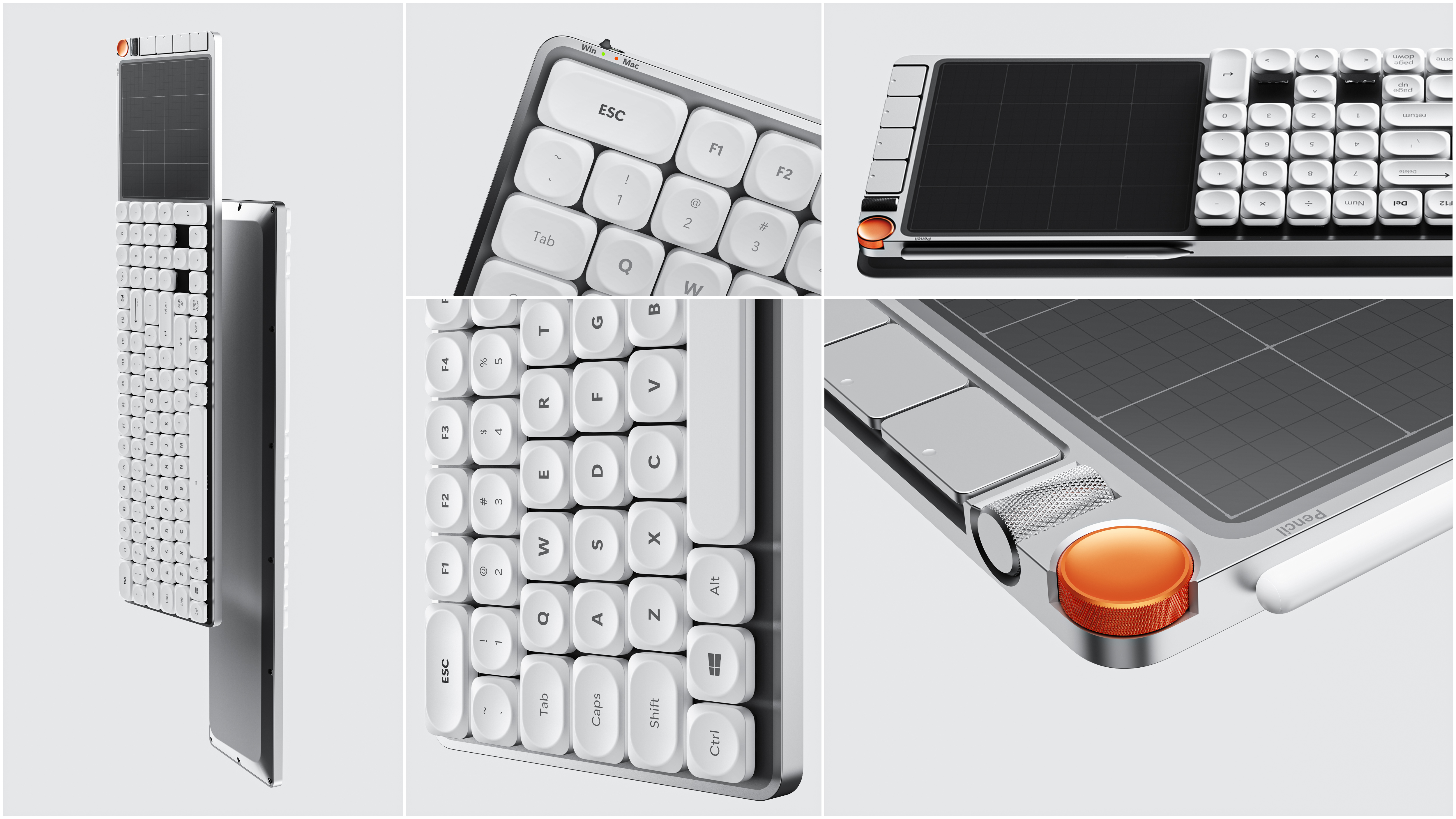
Above the digital drawing area is the magnetic absorption storage position of the hand-painted pen-the pen is easily taken and fixed when it is returned, which does not occupy the desktop or damage the cleanliness of the top surface of the keyboard. At the rightmost end of the digital drawing area, a shortcut function key area is separately drawn, which is completely separated from the main keyboard and the digital drawing board. Placing these keys at the end of the number drawing area instead of mixing them between the keys not only clearly demarcates the functional boundary, so that the keyboard input of the left hand and the pen operation of the right hand do not interfere with each other, but also avoids accidental touch when switching eraser and other functions quickly, and the hand movement path is shorter and more convenient.
Three kinds of deduction of hand support
Considering that the designer's hands do not always stay on the keyboard, the form of the hand rest does not have to have only one answer:
Method 1 | Left-hand support: Only supports the left hand. The left hand stays on the keyboard for a long time, while the right hand spends more time holding the mouse or hand-painted pen, so this one concentrates the support on the side of the button that really lasts for a long time. If you prioritize overall proportions and a sense of lightness and elegance, it is the most minimalist choice.
Mode 2 | Bilateral support: while supporting the left hand, it also provides a reliable landing point for the right hand holding the pen during digital painting, which is a safe scheme to give consideration to both working conditions.
Mode 3 | Extension Support: As an extension of Style 2, it extends another part on the right side-different people have different writing angles and wrist heights, and the extended curved surface covers as many holding habits as possible so that the right hand can be relied on in various postures.
From "only supporting the hand that should be supported", to "giving consideration to both hands", and then to "adapting to different writing angles", three kinds of hand supports correspond to three kinds of trade-offs: the difference in form is essentially the respect for different creative postures.
There is no single right answer when it comes to hand supports, because there is never just one way to pose while creating.
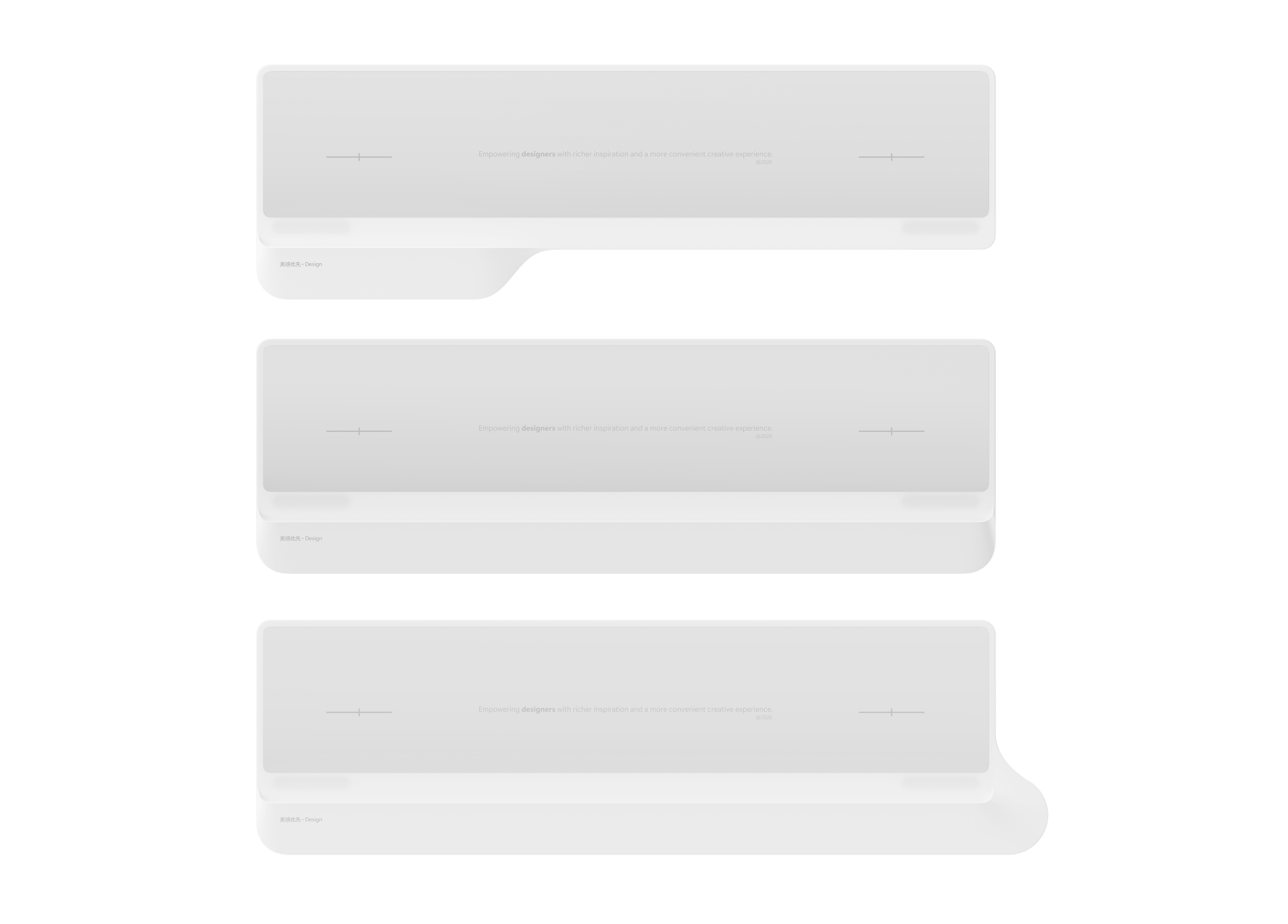
The hand support adopts the double-layer structure of "soft rubber on the outer ring and hard rubber on the inner ring"-the outer ring in contact with the wrist is soft, soft to the touch, close to the palm and wrist, and it is not easy to be tired for a long time. The inner ring is a hard rubber skeleton, providing stable support and neat form, making it soft and not collapse, taking into account the feel and structure.

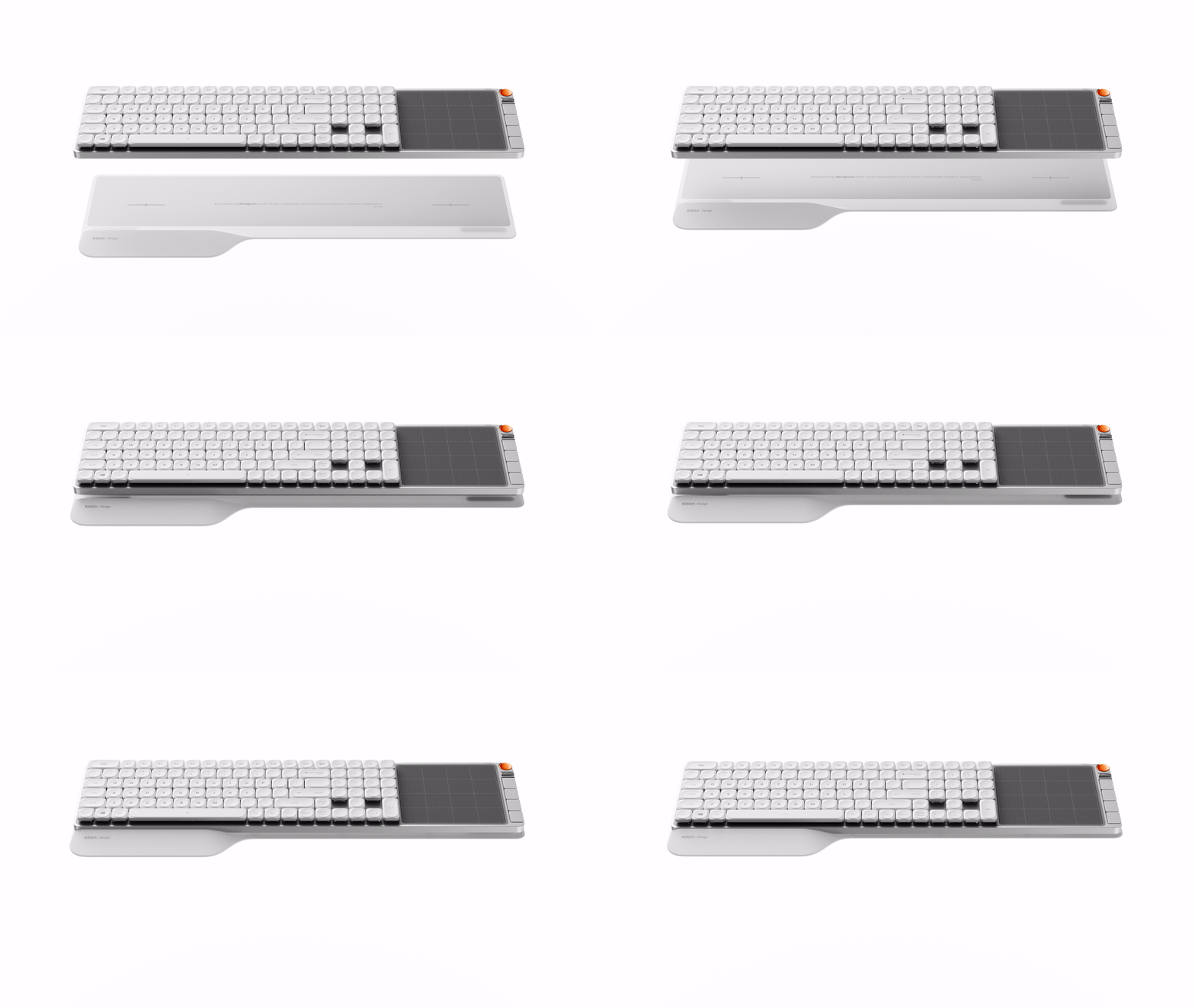
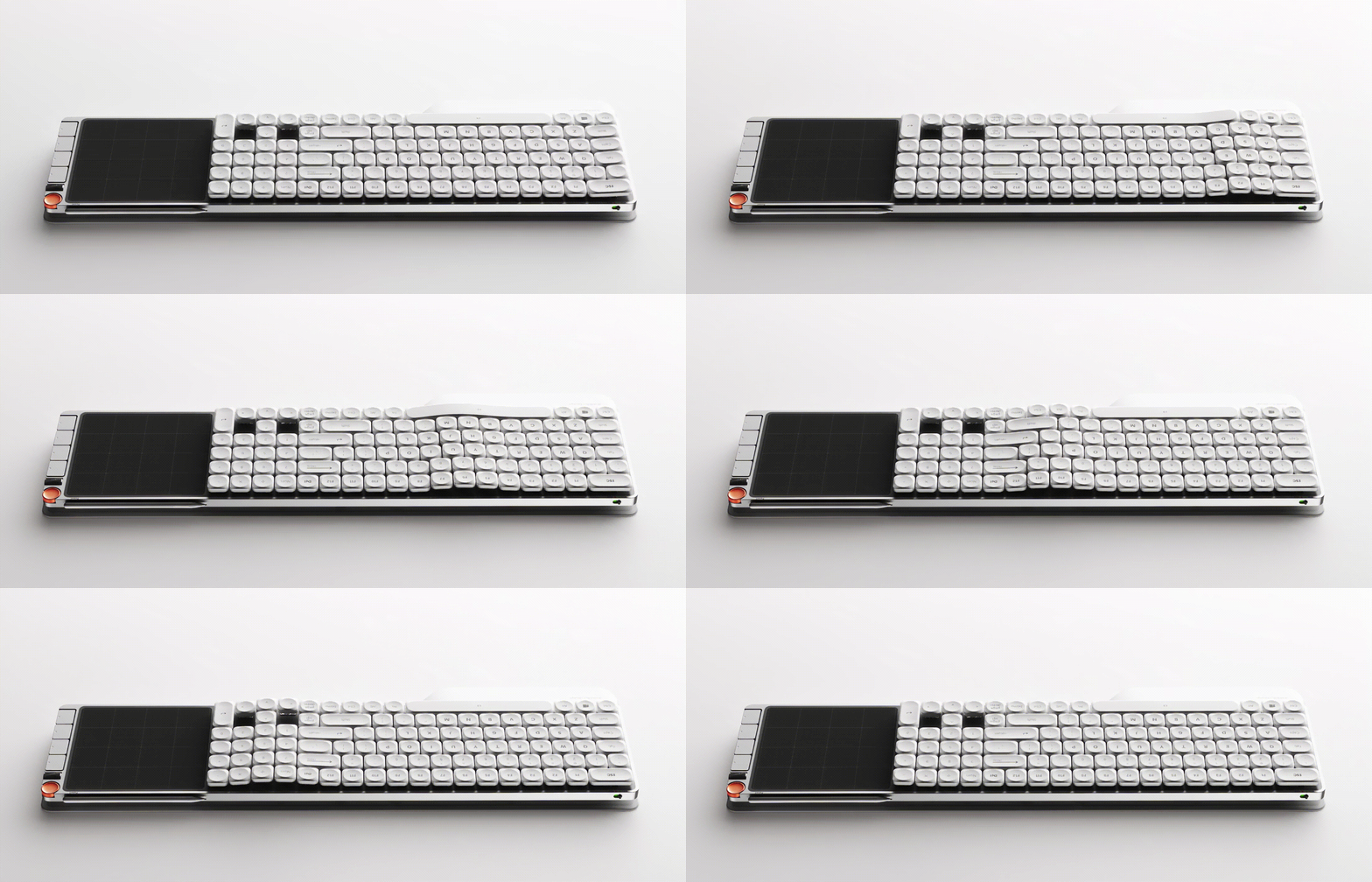
The hard glue is equipped with magnetic attraction positioning inside, which can be automatically adsorbed and accurately aligned close to the keyboard base. There is no need for buckle or alignment for disassembly and assembly, and it can be closed as soon as it is placed and separated as soon as it is taken. It also allows the hand rest to be easily replaced between the three styles. The bottom of the hand rest is equipped with an anti-skid pad to increase the friction with the desktop. Even when the hand rest is knocked quickly or moved with a pen, the hand rest can be firmly and quietly fitted.
Pen down in the digital drawing area and the screen will be synchronized to the computer immediately. Whether it's sketching in Photoshop or real-time hand-drawn generation by Krita and other software, the wrist does not have to leave the keyboard, and inspiration has reached the canvas.
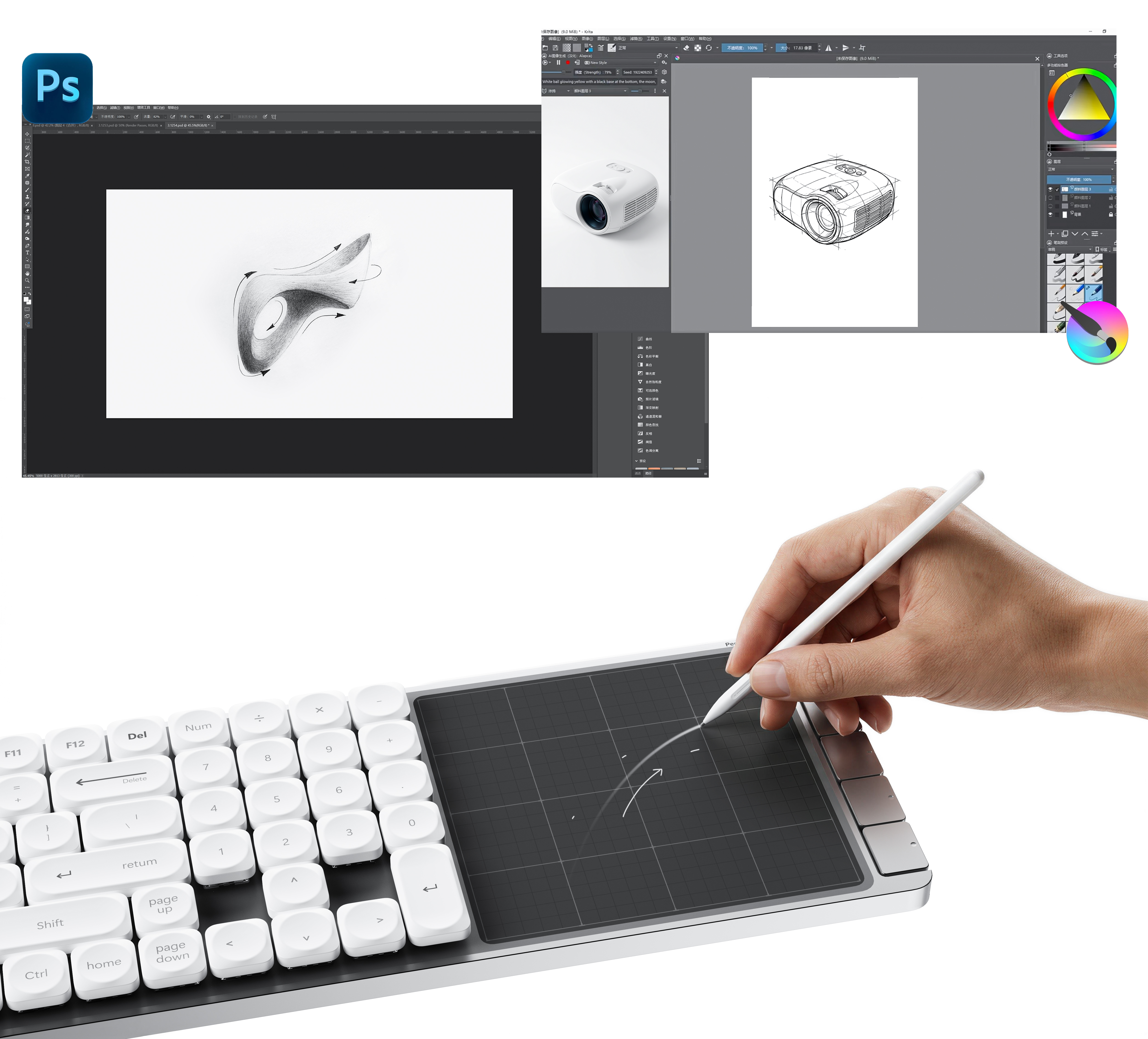
Writing down, that is, synchronization; Touch, that is, control, do not have to switch equipment, just switch ideas.
A keyboard holds the designer's two languages: precision and imagination.
Stylus
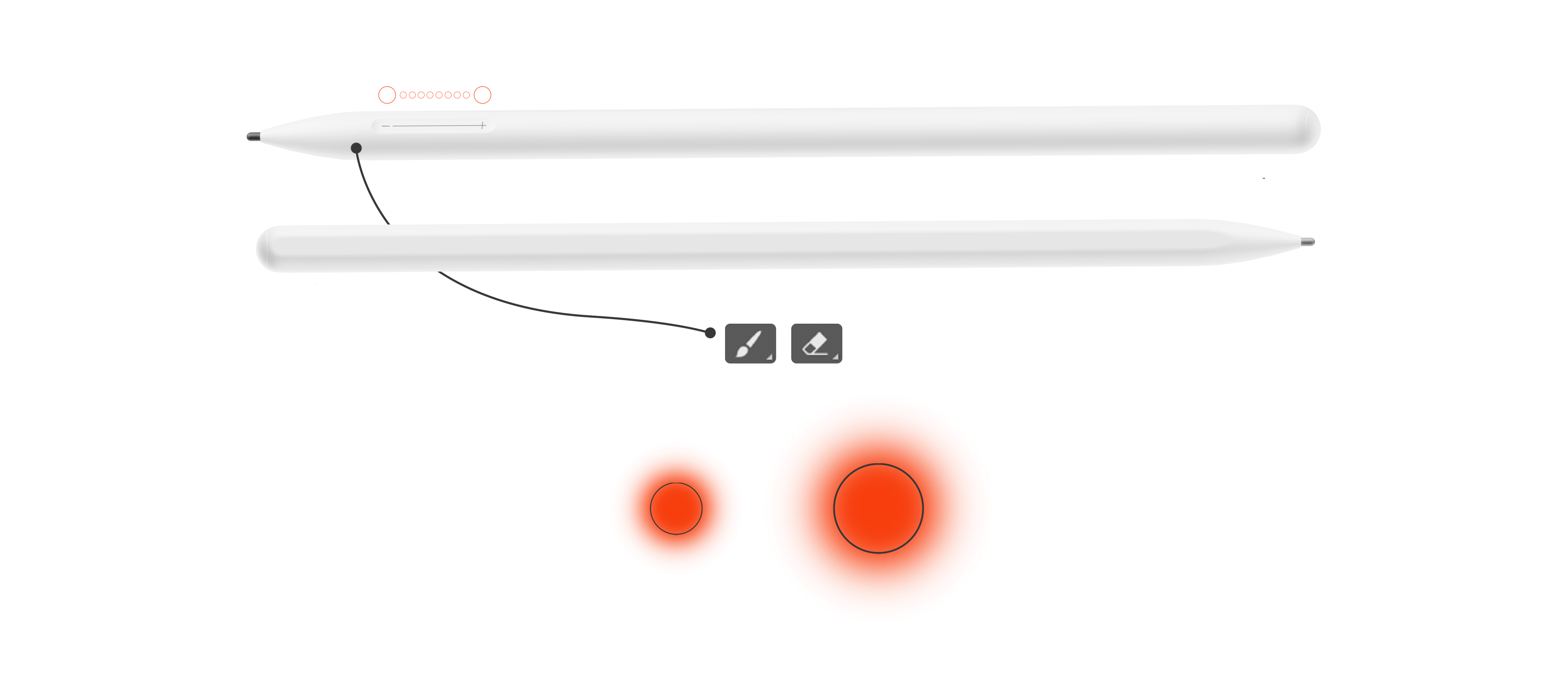
Slippery, that is, to adjust the stroke
Gently slide along the pen body to synchronously adjust the size of the brush and eraser in the software-no need to put down the pen, no need to find the menu, and the thickness of the brush stroke can be freely controlled between fingertips, making the drawing more focused and smooth.
One suction, that is, take and fill
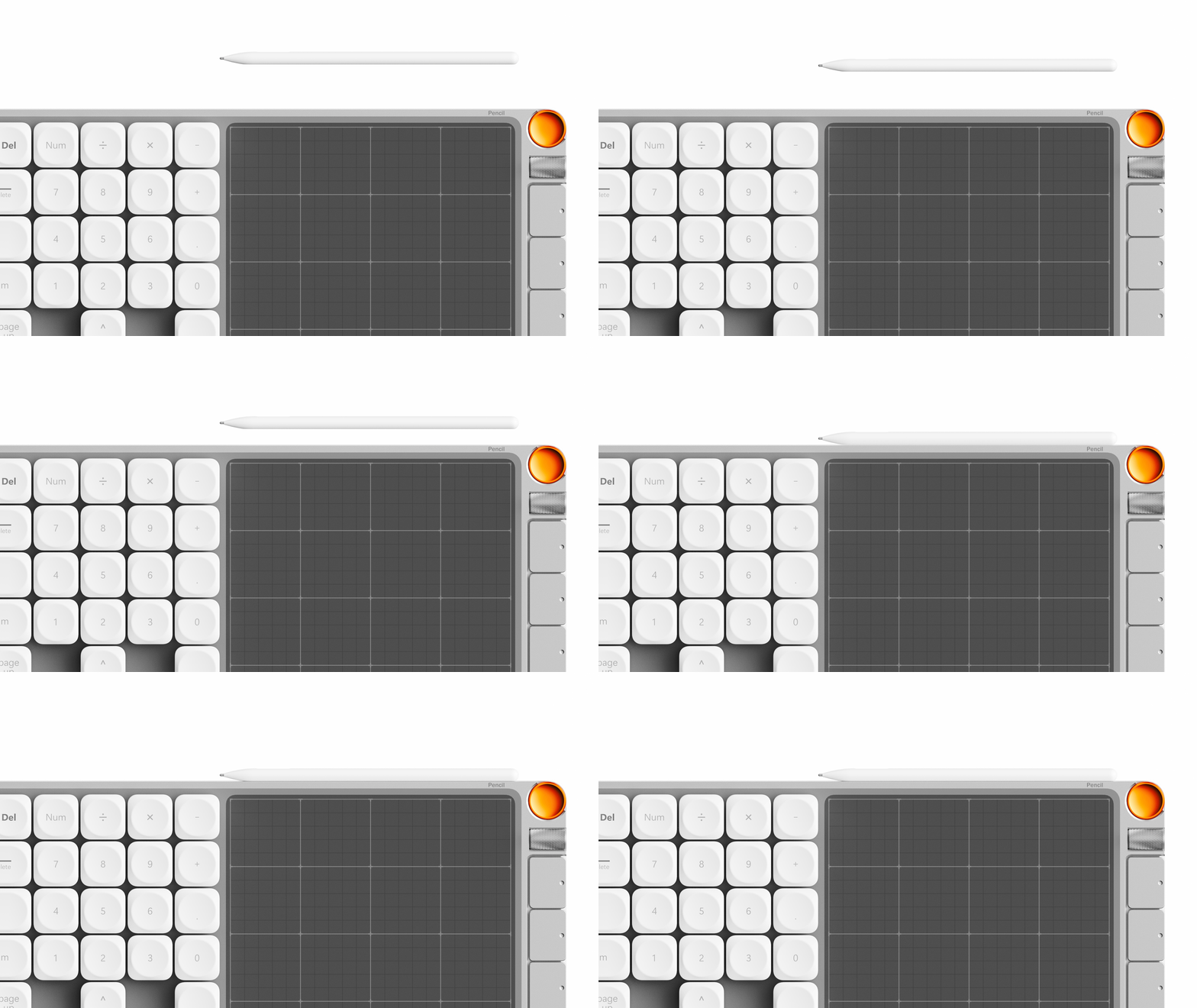
The stylus is placed on the top of the digital drawing board through magnetic attraction, and is fixed when it is conveniently taken and returned. When adsorbed, the power will be automatically renewed without an interface or deliberate charging. The next time it is picked up, it will always be fully charged in the hand.
Customize the Ribbon
One key, direct to your high-frequency operation
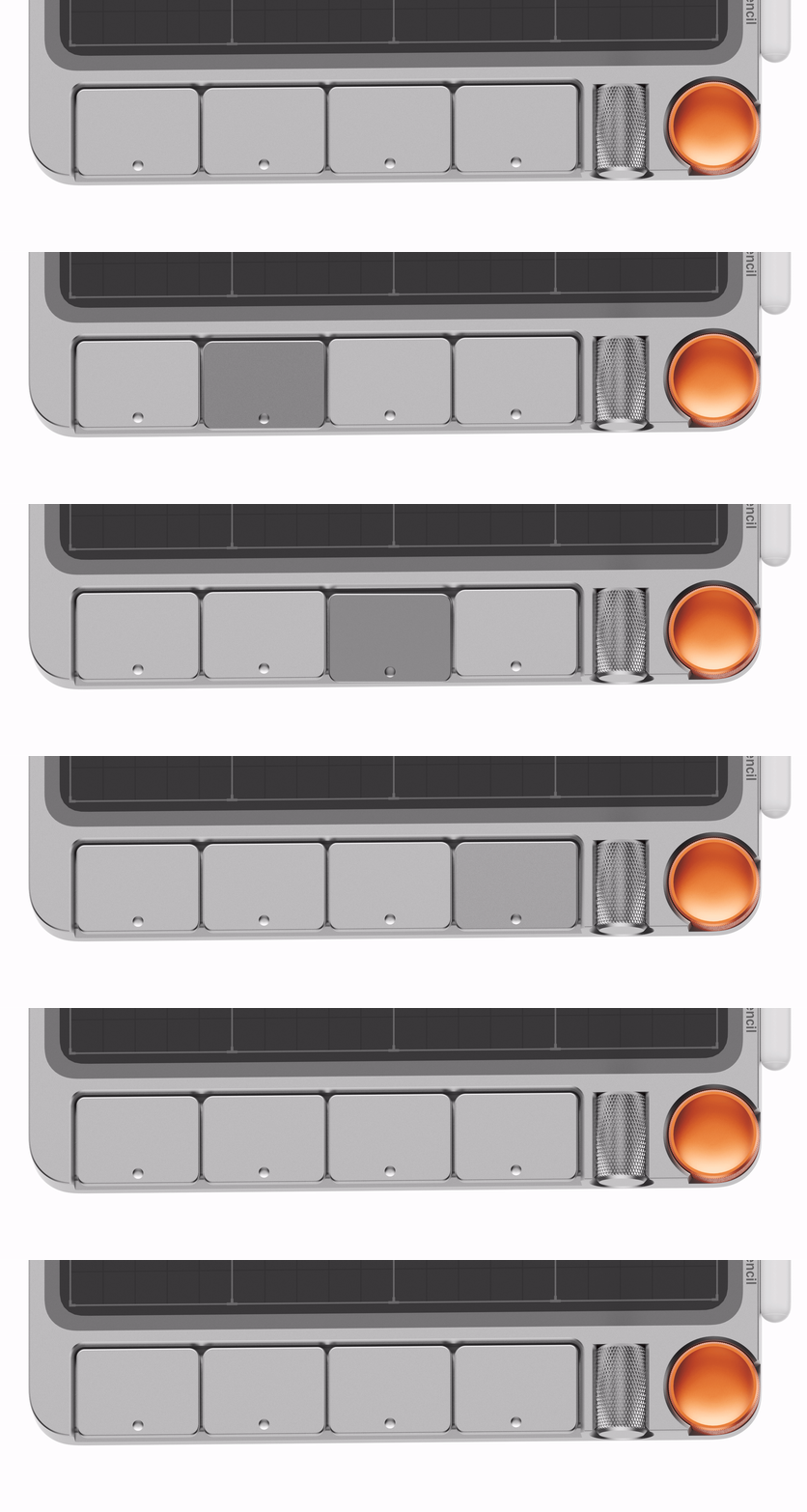
The function keys at the bottom of the digital drawing area can be customized, and common functions such as eraser and undo can be handed over to fingertips-one touch will take effect immediately, turning repeated operations into concise actions.
A wave, control the canvas and sound
The metal knob can be defined as zooming in and out of the picture, or adjusting the volume of the system, while the other keys can quickly switch various functional commands.


新用户?创建账号
登录 重置密码
请输入电子邮件以重置密码。


Not bad
Really great
Fashion