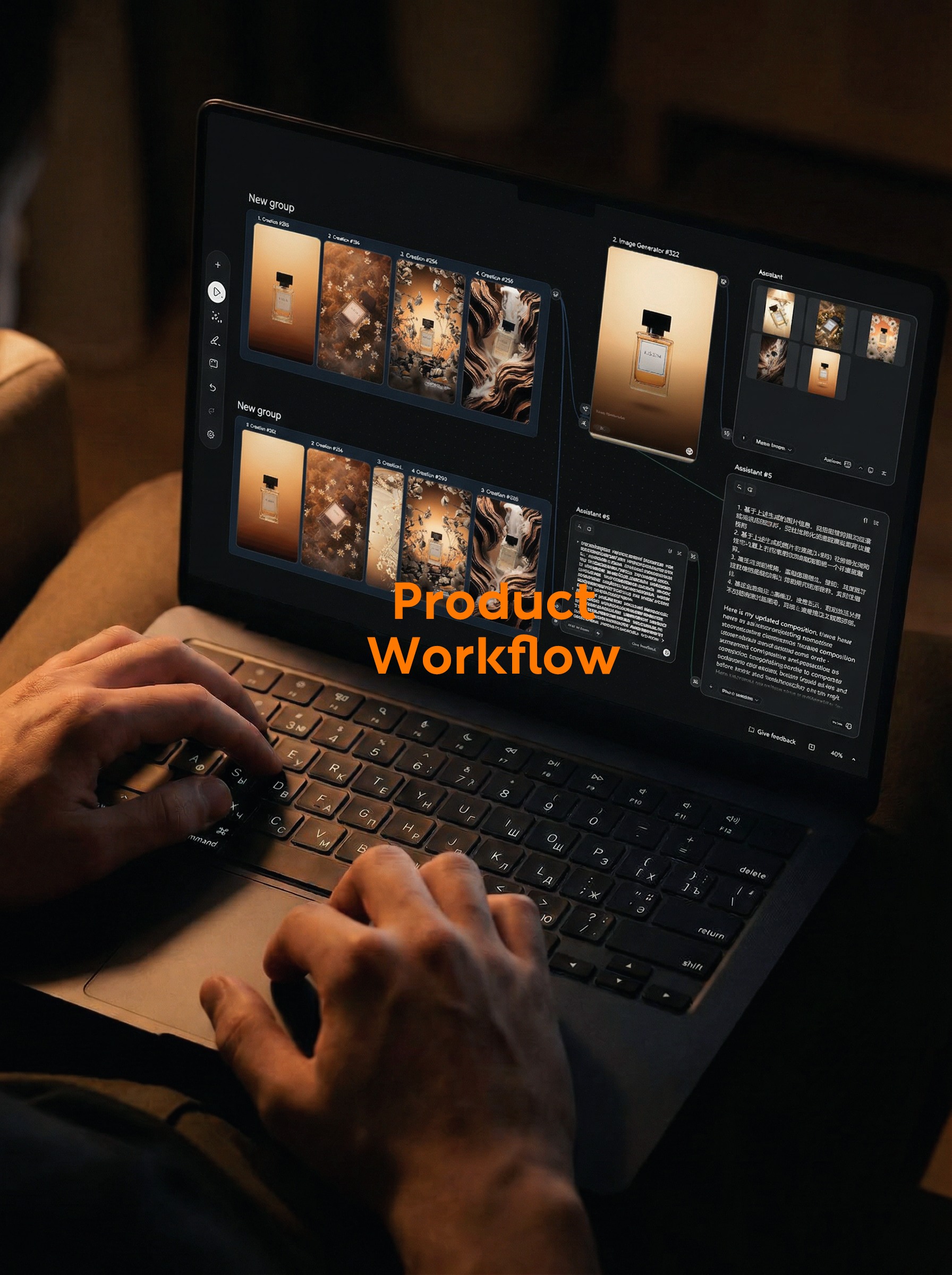
When making product advertising maps, the real time-consuming is often not to generate a good-looking picture, but to make several maps with different directions and consistent products. Of course, it is OK to try the leaflet slowly. When the same product has to do five sets of scenes, the prompt words, reference diagrams and generated results will soon be scattered.
This time I took a bottle of perfume on my desk to do the test. In the first half, we first look at how far the leaflet can be generated. In the second half, we split the reference picture into five segments of prompt words, access the node Image Generator, and generate five advertisement directions at a time.
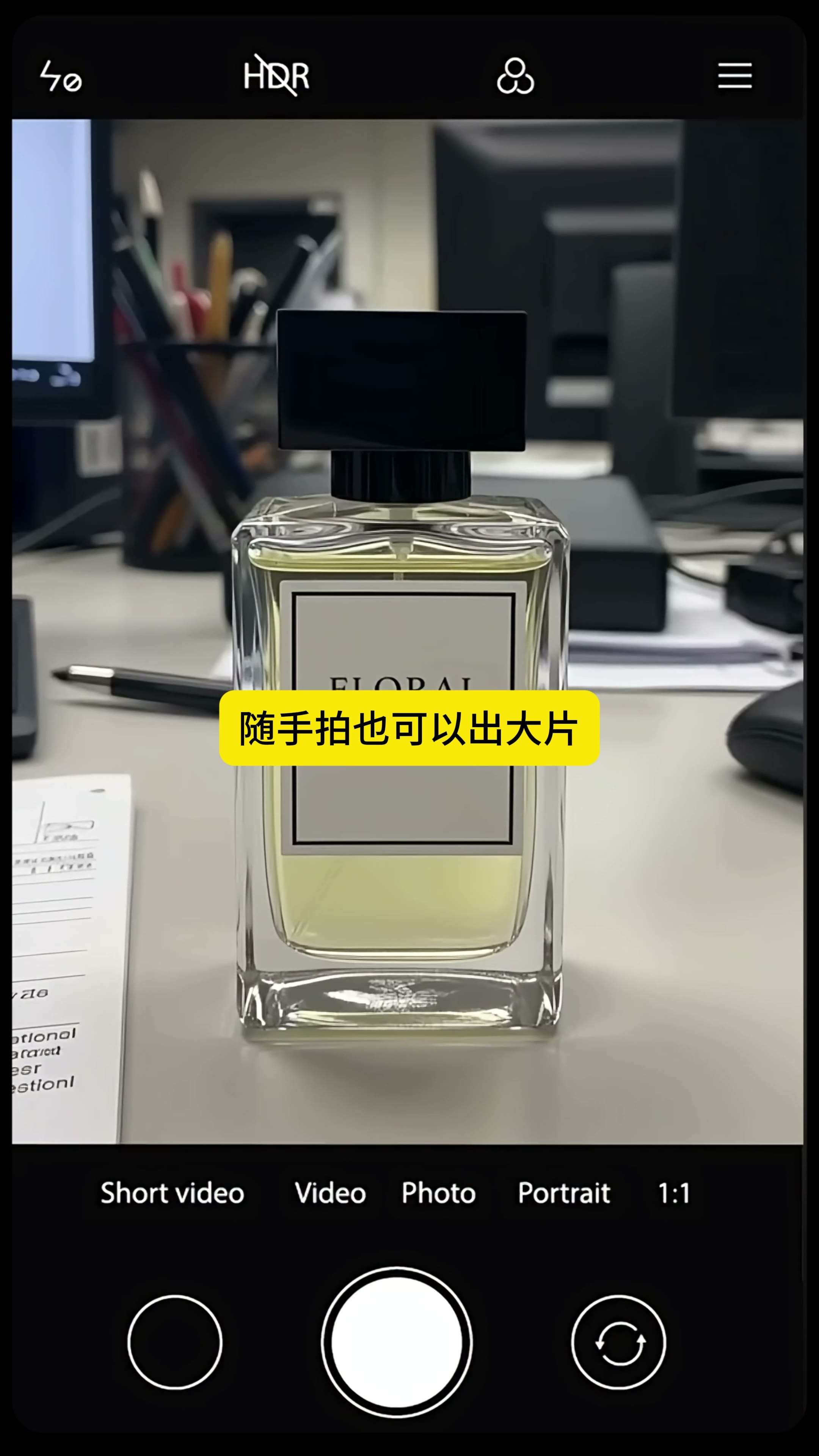
1. the original photo to be "recognizable" first, not to pursue the sense of shed shooting.
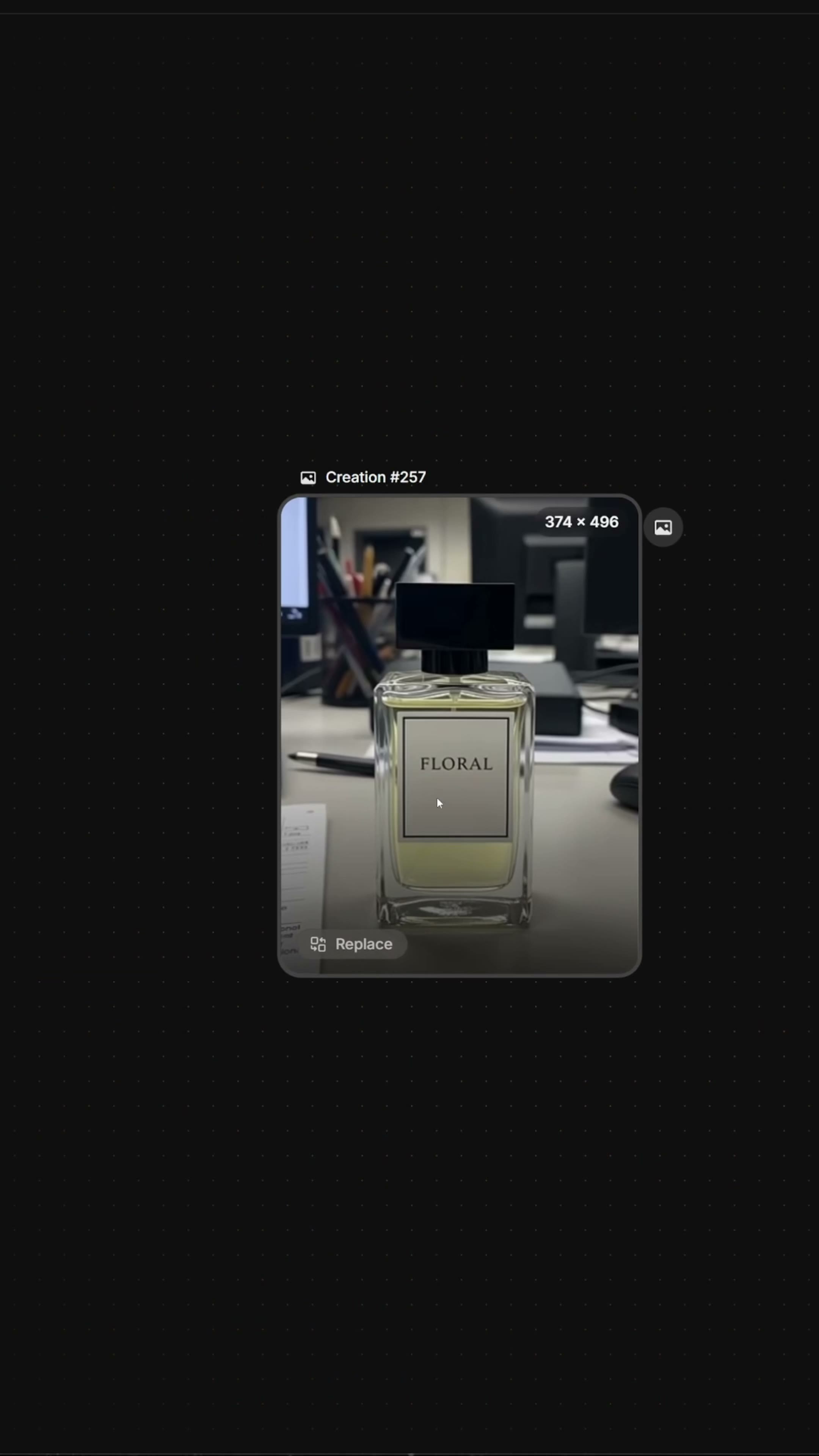
The desktop in the mobile phone photo is very miscellaneous and the light is ordinary, but the front outline of the perfume bottle, the black bottle cap, the glass thickness and the label position can be seen clearly. For this step, clear is more important than beautiful. The product is blocked by hand, the label is reflective and white, or the bottle cap is missing corners, which will bring errors into every picture behind.
2. first do a single test to confirm the available scene language
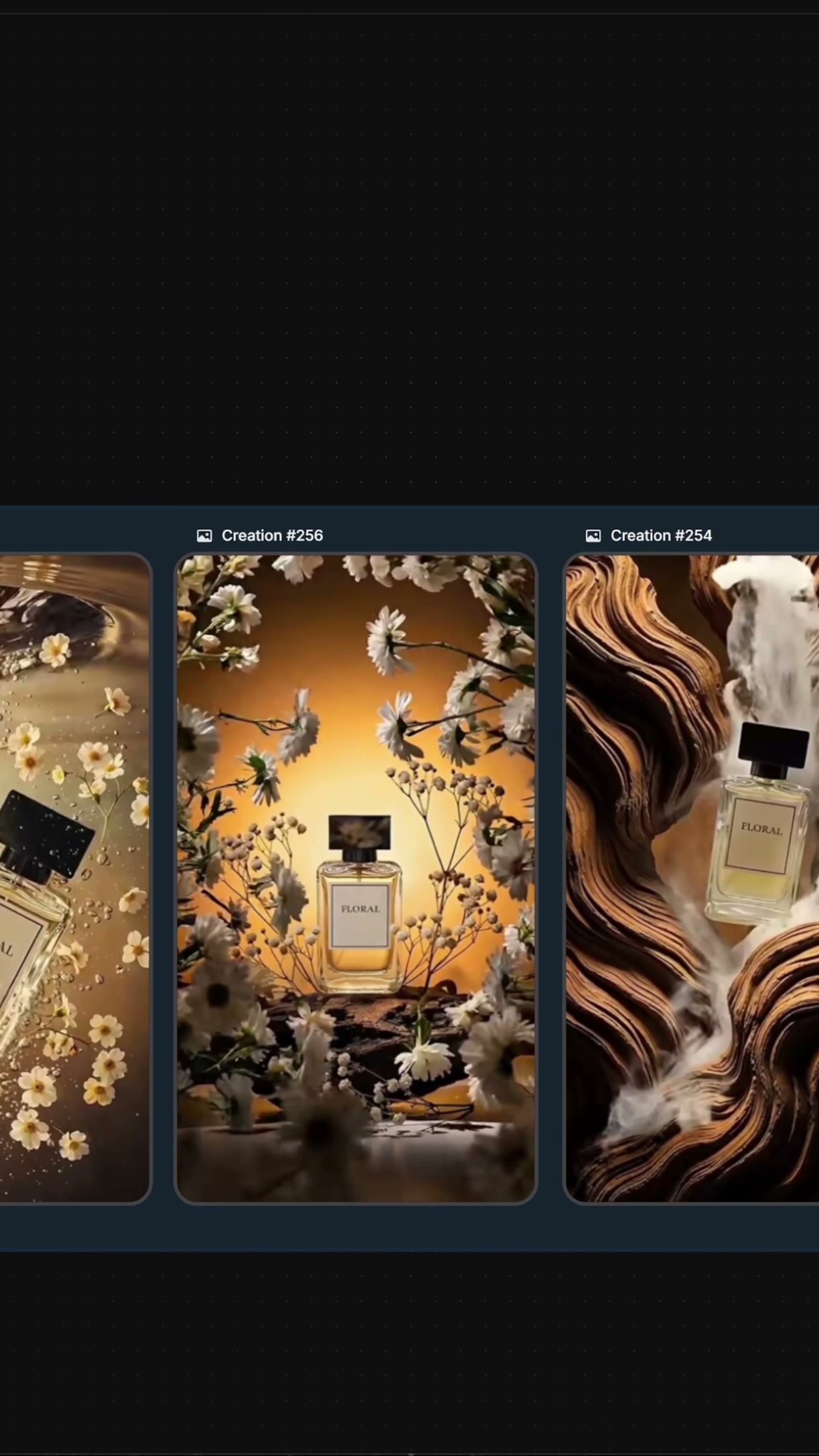
At the beginning of the video, a simple demand is used to generate a perfume advertisement map, followed by different scenes such as warm gold gradient, flowers, splash and rock formations. Each looks like an independent attempt, but they have a common clue: warm light, white flowers and transparent glass bottles. First, use a single test to find out this clue, and then batch processing will not easily turn it into five unrelated maps.
3. separate management of product maps and scenario references
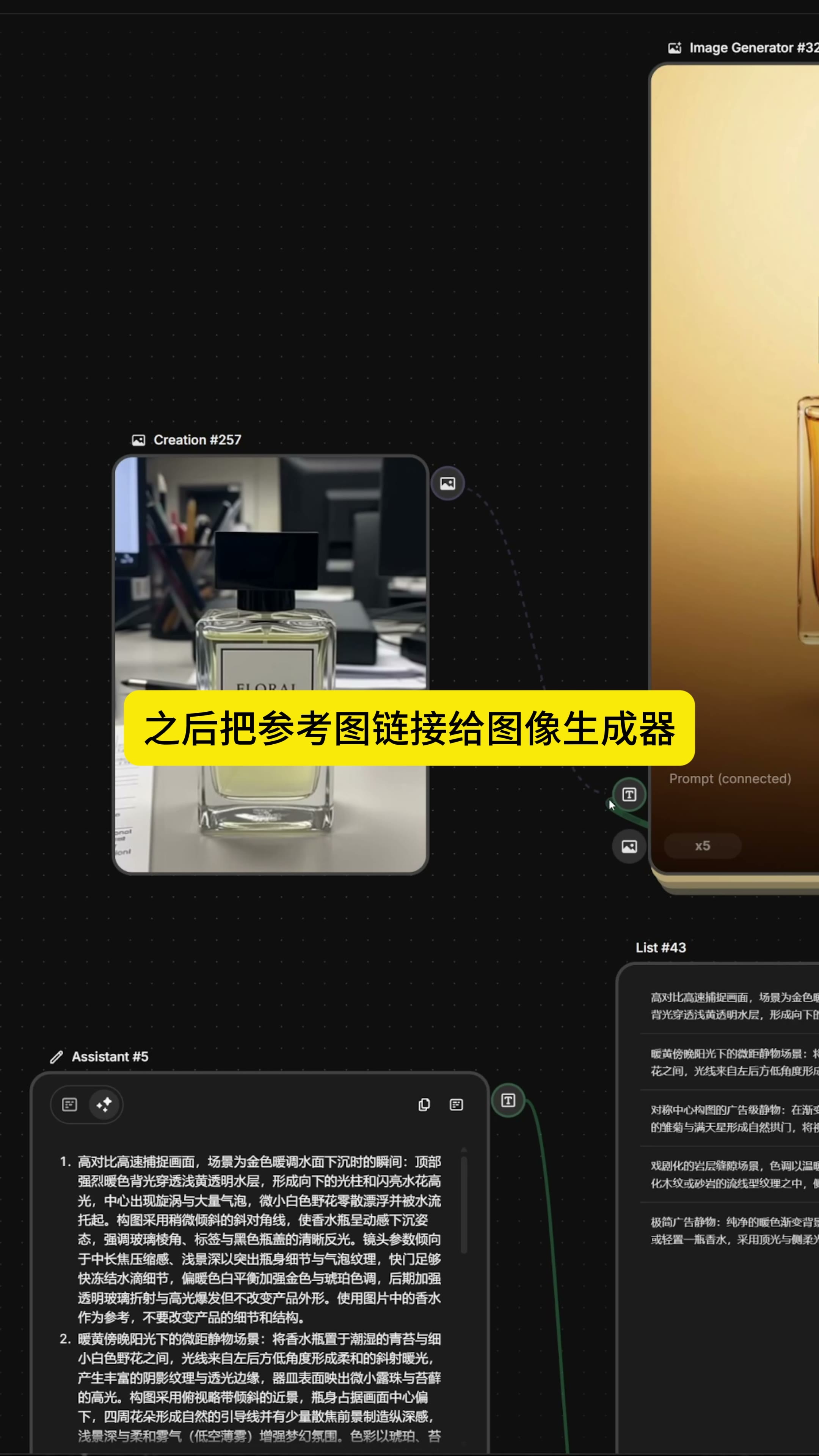
After entering the node canvas, import the original perfume photo. It is a fixed item in this process. Whether it is replaced by water surface, moss or rock formation scene, the product should refer to this figure. Putting the product in a node alone makes it easier to check the connection relationship than uploading it again each time, and it is also convenient to replace it with another product at any time.
Then organize five reference maps from the front screen. What is needed here is the difference in scenes, not five pieces with almost the same composition: one with warm gold gradient, one with moss and white flowers, one with spray, one with dark rock texture, and one with simpler still life of flower materials. The more explicit the variables that are pulled apart by the five graphs, the more valuable the batch-generated comparisons are.
4. first let Assistant translate the picture into prompt words.
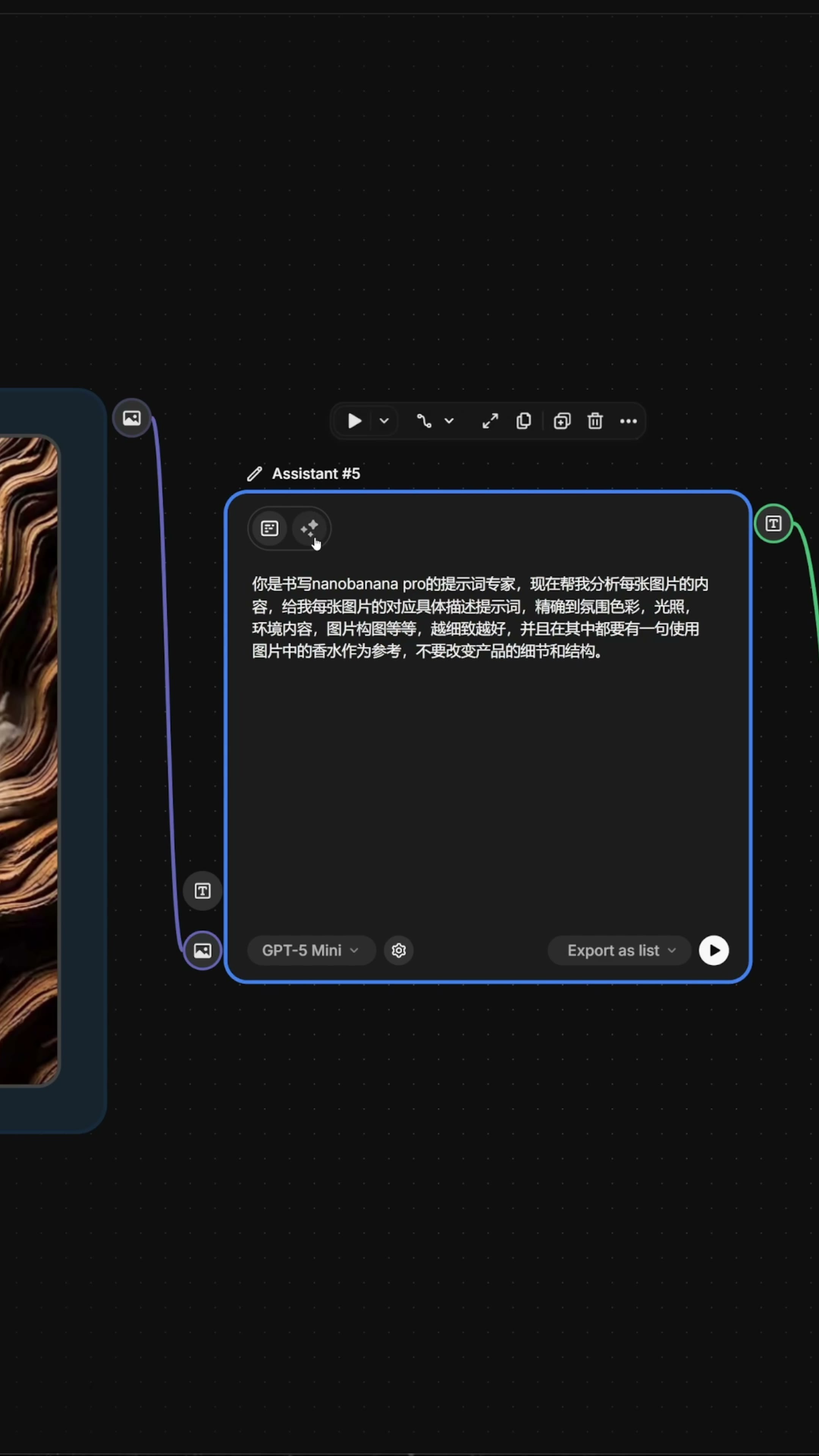
Give the reference diagram directly to the generator, and the model may only grasp the color or only imitate the composition. The method in the video is to take one Assistant after another, let it analyze the atmosphere color, light, environmental content and picture composition one by one, and add the same constraint to each prompt: use the perfume in the picture as a reference, and do not change the details and structure of the product. The GPT-5 Mini is visible in the Assistant node. Select Export as list as the output mode.
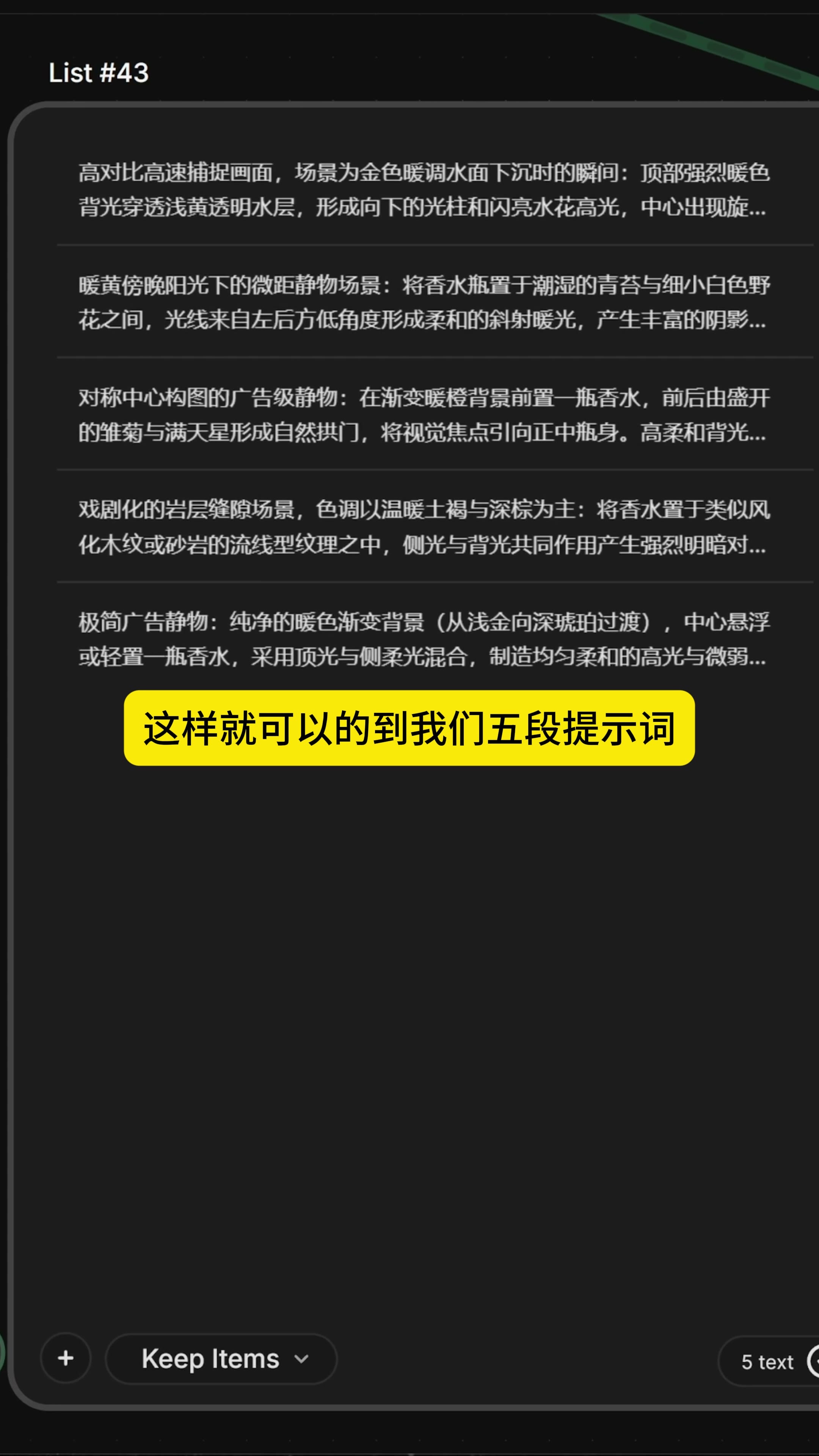
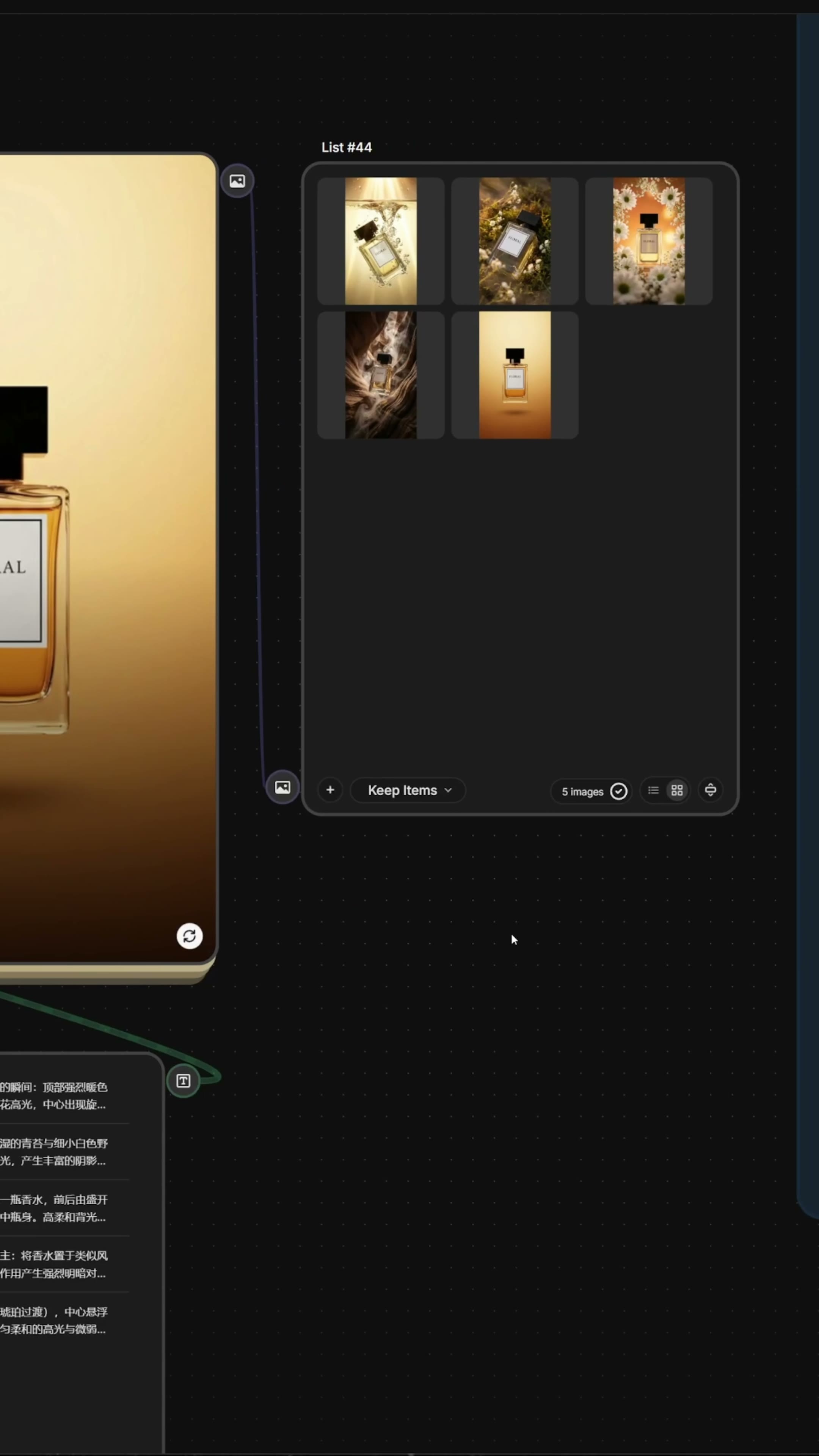
After generation, a List containing five paragraphs of text is obtained. Water surface high speed moment, moss and small white flowers, symmetrical flower material still life, warm brown rock formation, minimalist gradient background are described separately. The meaning of List is very practical: it turns five scenes from a large piece of mixed text into five independent tasks, which can be passed to the generator at a time or modified individually.
The 5. product drawing is connected to the image side, and the prompt word list is connected to the text side.
There are two lines when connecting: the original perfume photo enters the image reference end of the Image Generator, and the five-paragraph text List enters the Prompt end. The generated number is displayed as x5 in the screen. After this setting, only one copy of the product reference is retained, and the scene description changes in turn. The fixed items and variables of the workflow will not be mixed together.
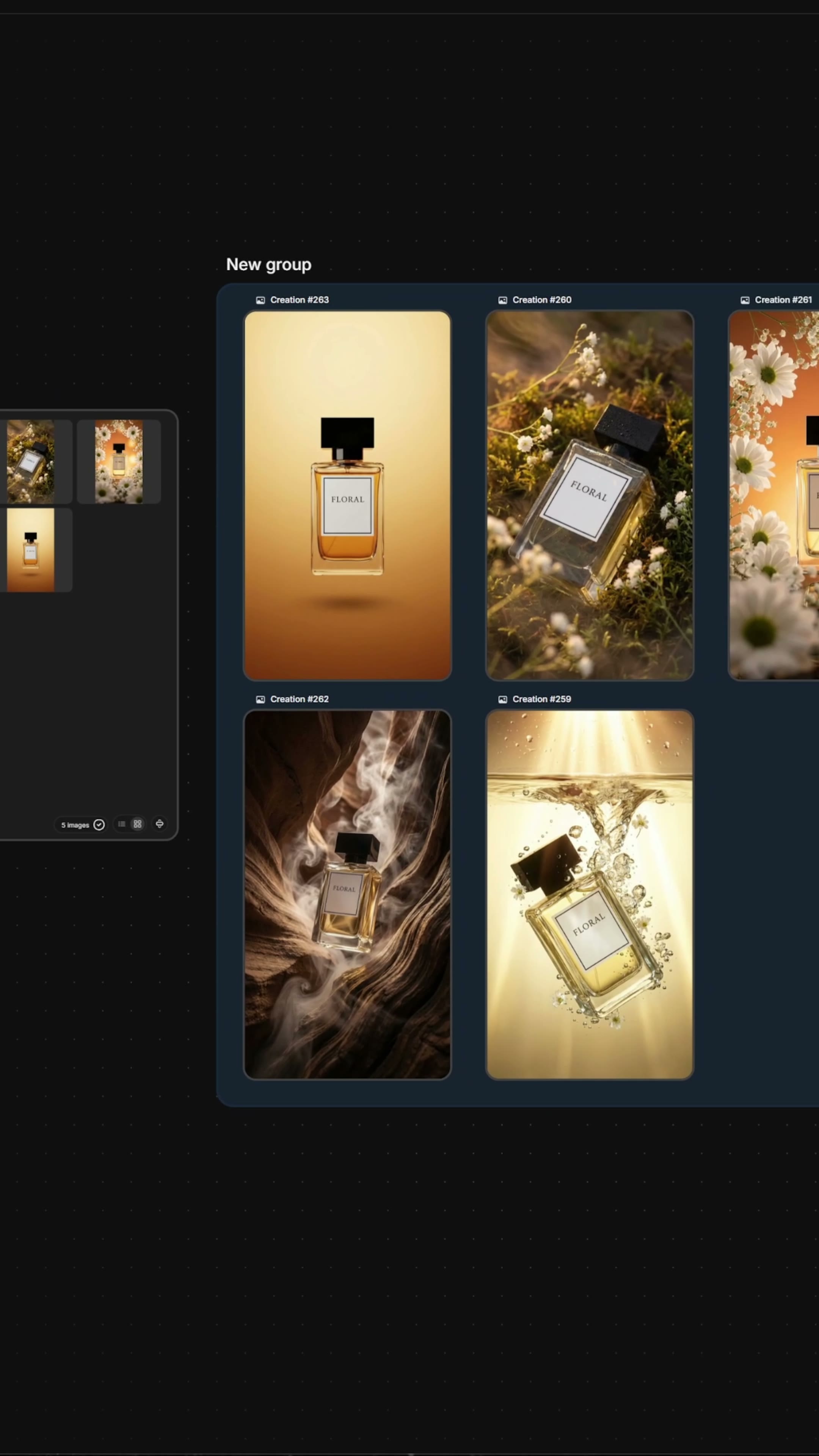
The generated results first enter the new picture List, and you can see that five thumbnails are returned at the same time. Don't rush to pick the best one here. I am more concerned about whether they really correspond to the five-paragraph prompt words and whether the product has been quietly modified in different scenes. Batch generation saves the time of repeated connection and submission, and the quality judgment still needs to be completed one by one.
After the 6. is expanded into groups, check the products first and then the atmosphere.
Extract all the results to the canvas, warm gold gradient, moss flowers, orange flower material, rock smoke and spray direction has been pulled apart. Scene re-engraving is generally established, but product consistency cannot be judged by thumbnails alone. Label text, label frame, bottle cap ratio, glass refraction and liquid color should be enlarged and checked. The prompt words "don't change" do not mean that the model will really lock up these details.
If the use is a preliminary proposal, this set of methods can already quickly provide five possible directions for discussion. If you really want to put it on, you still need to go back to the original product drawing for refinement: correct the label text, replace the wrong bottle body, unify the color difference, and then check whether the shadow matches the scene light source. Clear glass and printed labels are particularly prone to revealing problems.
The most worthwhile place in this process is to first convert the reference picture into a clearly structured text variable, and then let the same product reference batch enter different scenes. Change into skin care products, beverages or small household products can also be used. The product node remains unchanged, updates the reference diagram and the prompt List, and can run a set of directions again.






100 points
Follow the boss to learn
Good effect
GOOD JOB
Beauty