From changing scenes, expanding frames to high-definition magnification, and then extending static frames into three groups of dynamic lenses.
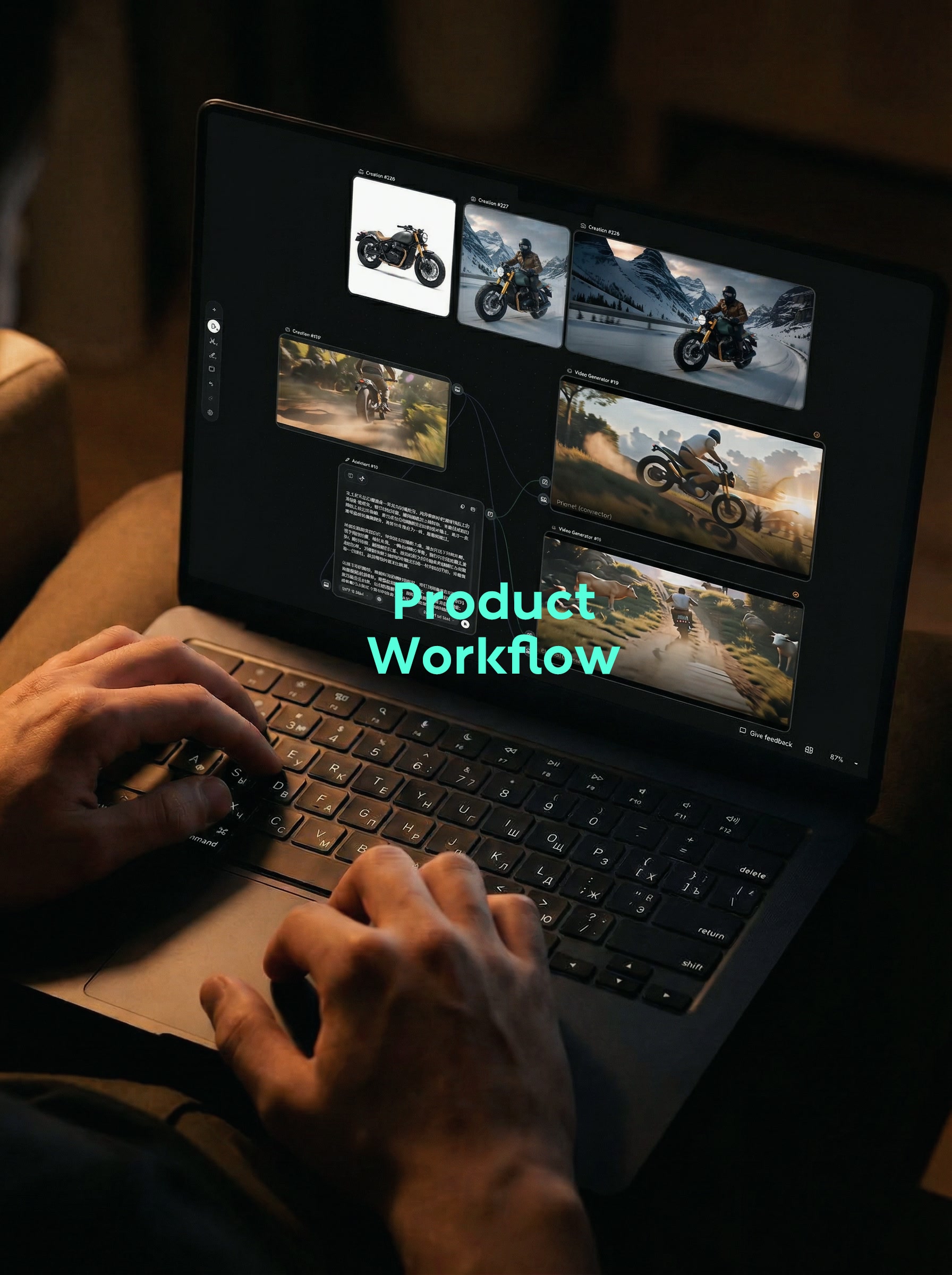
A white product map can explain the appearance, but it is difficult to directly use it for publicity. In the category of motorcycles, the picture still lacks riders, roads, weather, ambient light, and sports shots that really make people feel speed. So I took a white motorcycle picture and did a complete test: first change the scene, then expand it into a horizontal version to improve the definition, and finally observe its performance after entering the dynamic picture.
What I care about most this time is not whether the picture is cool enough, but whether the motorcycle can be recognized. The more distinctive features in the original image include a dark green fuel tank, gold front forks, brown cushions, round headlights and a retro-style body silhouette. I think of these as fixed items; rider clothing, road, weather, light and lens movement can change. First, think about this boundary clearly, and the later screen will be much faster.
1. select the right workflow first
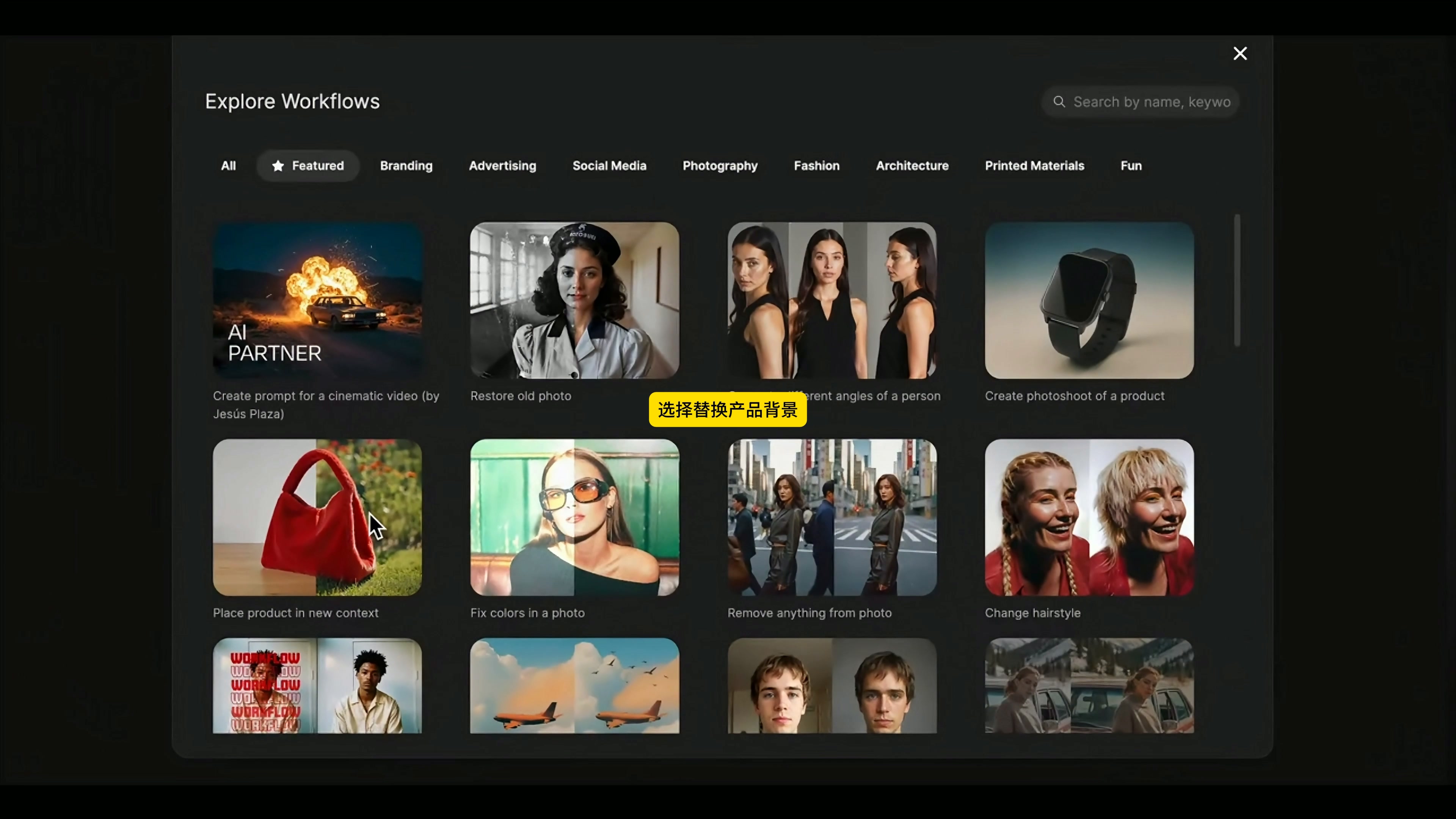
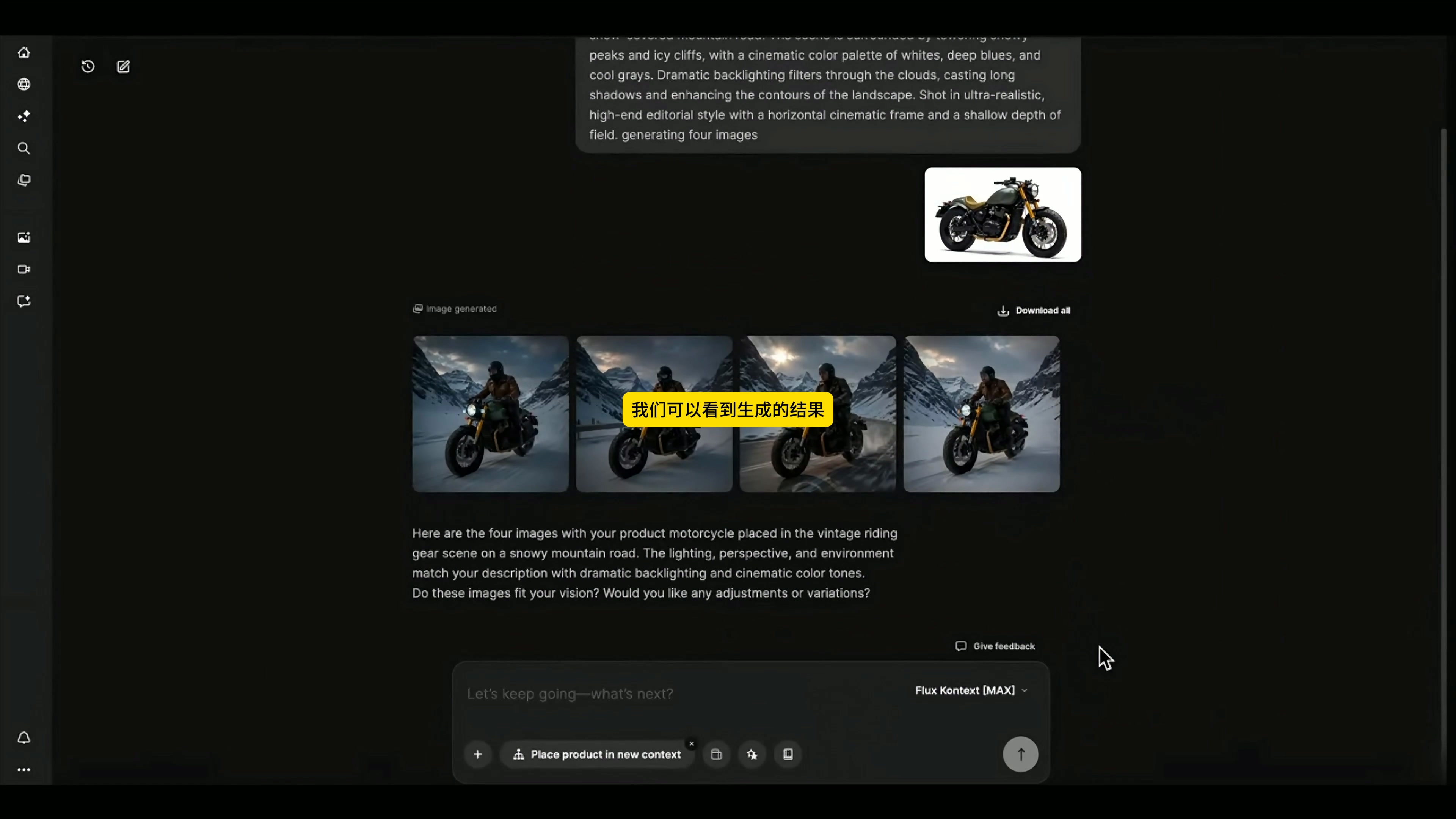
After entering the Workflows page of the Assistant, I selected "Place product in new context" in the Explore Workflows ". It is suitable for this kind of task: you have a product map in your hand and want to see if the product is valid after being put into a new environment.
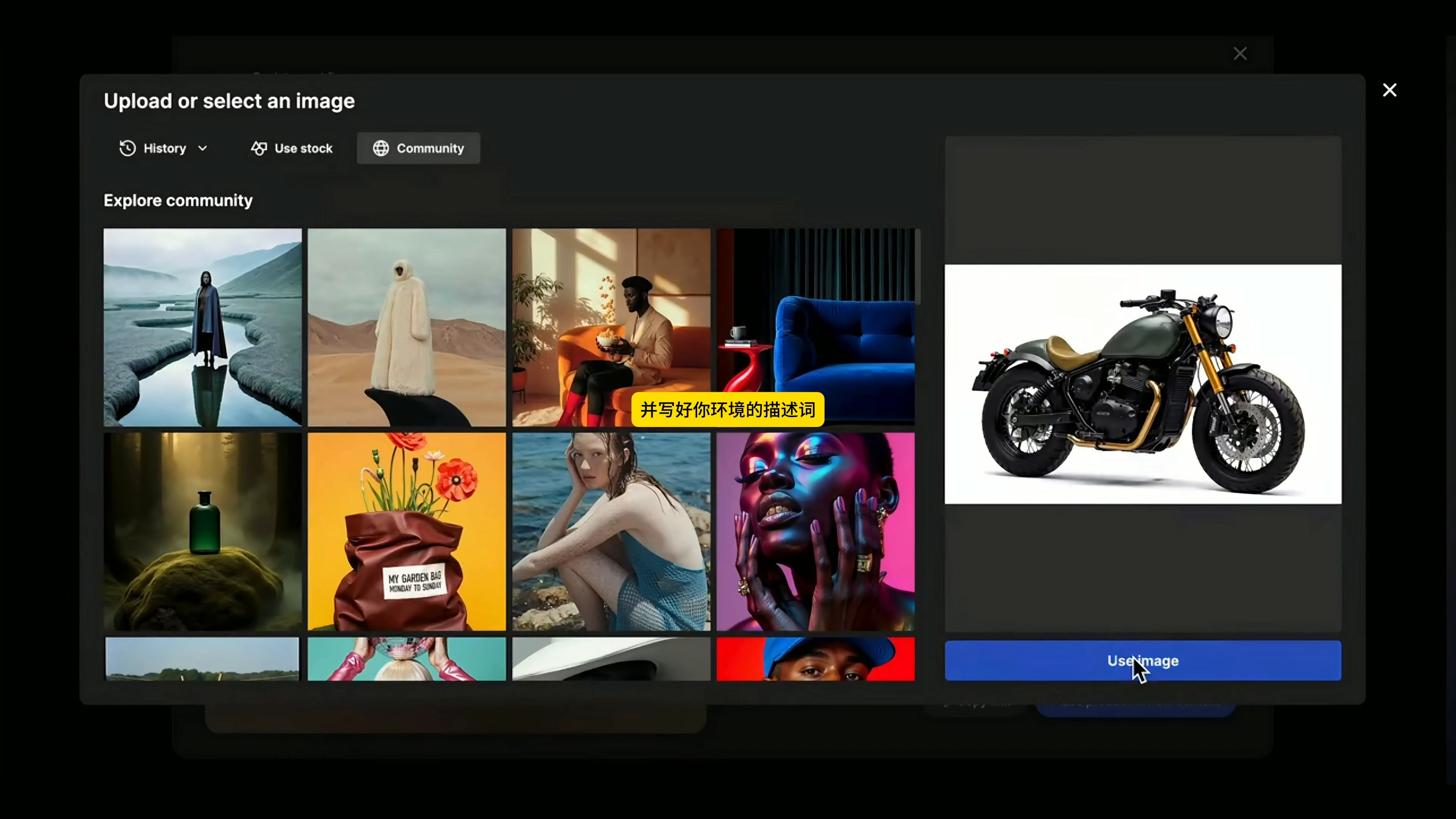
After opening the workflow, upload the white motorcycle map first. The background of the original drawing is clean, the edge of the car body is clear, and the front fork, fuel tank and seat cushion are not blocked, which leaves relatively complete information for subsequent identification. If the source graph itself has a large area of occlusion, the structural drift after changing the scene is usually more difficult to control.
The description of the 2. scene should clearly write "who, where and how to shoot"
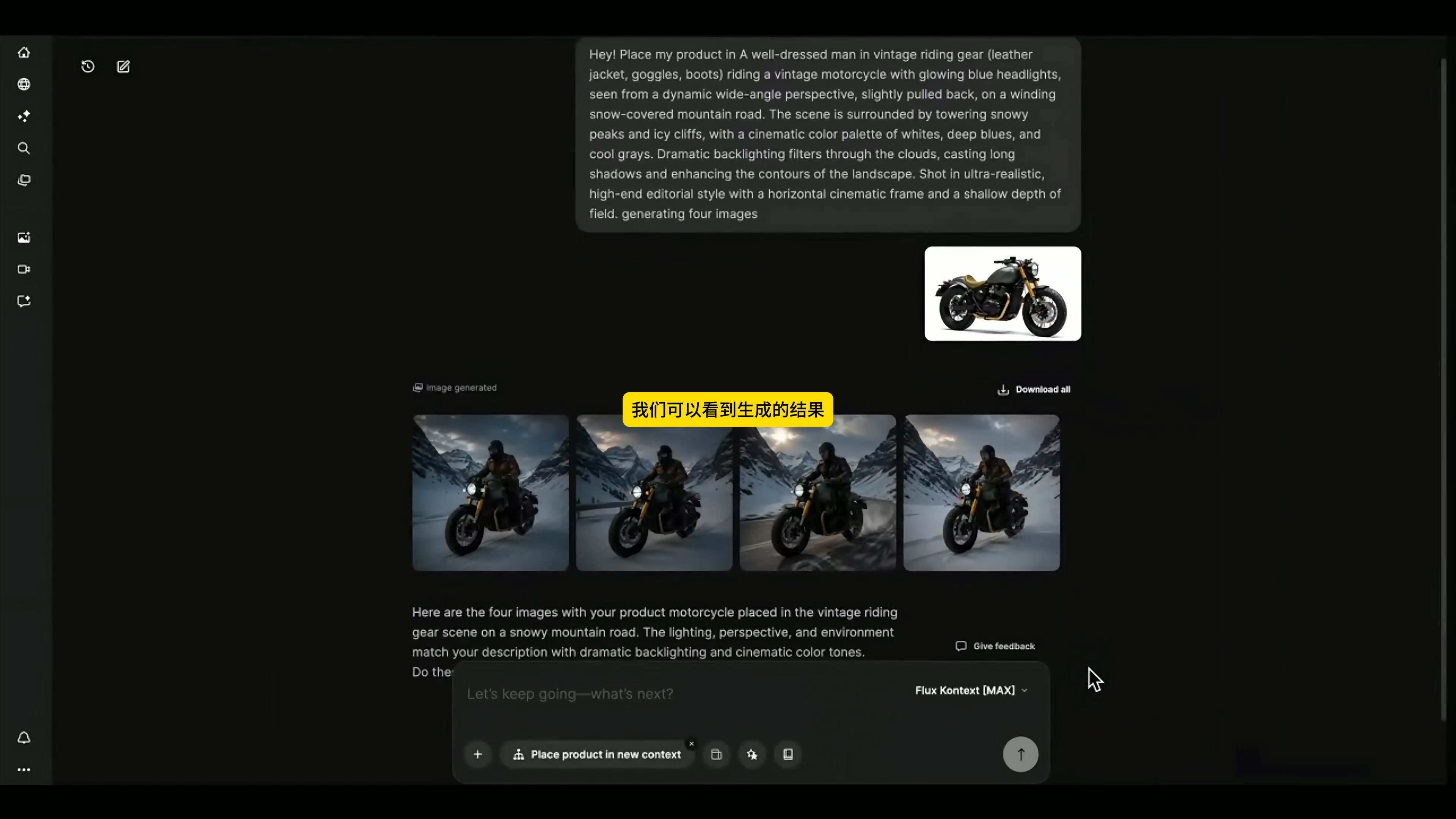
This generation uses the Flux Kontext [MAX]. The direction I gave was a man wearing retro riding equipment driving this motorcycle on a snow-covered mountain road. The lens uses a slightly extended dynamic wide angle, surrounded by towering snow peaks and ice cliffs. The colors are mainly white, dark blue and cold gray, and the backlighting behind the clouds pulls out long shadows. The whole is processed according to the texture of high-end editing photography, and four horizontal compositions are generated for comparison.
This description may not seem short, but each part has a clear mission. The rider and the action explain the relationship between the main body, the perspective determines the sense of speed, the snow mountain and the highway are responsible for the environment, the cold color and the backlight unify the atmosphere, and the horizontal composition is aligned with the advertisement frame in advance. Compared with a lot of "advanced, shocking and cinematic" in succession, this writing method is easier to judge what went wrong.
3. four results, don't just pick the most atmospheric one.
The workflow returns four graphs at a time. When choosing, I will first look at the motorcycle and then look at the background: whether the color of the fuel tank is off-track, whether the golden front fork is still there, whether the cushion, headlights, engine, exhaust and wheel structure are reasonable, and whether the rider's legs are attached to the body. Only these basic relationships pass, whether the snow-capped mountains are spectacular is meaningful.
The scenery, road direction and snow peak position of the four results are different. In the end, I chose a picture with complete main body, high body recognition and expansion space on the left and right to continue processing. The common problem with AI product drawings is that they are very impactful at first sight, and only after enlargement can they find that the parts have been changed, so it is better not to save in the comparison stage.
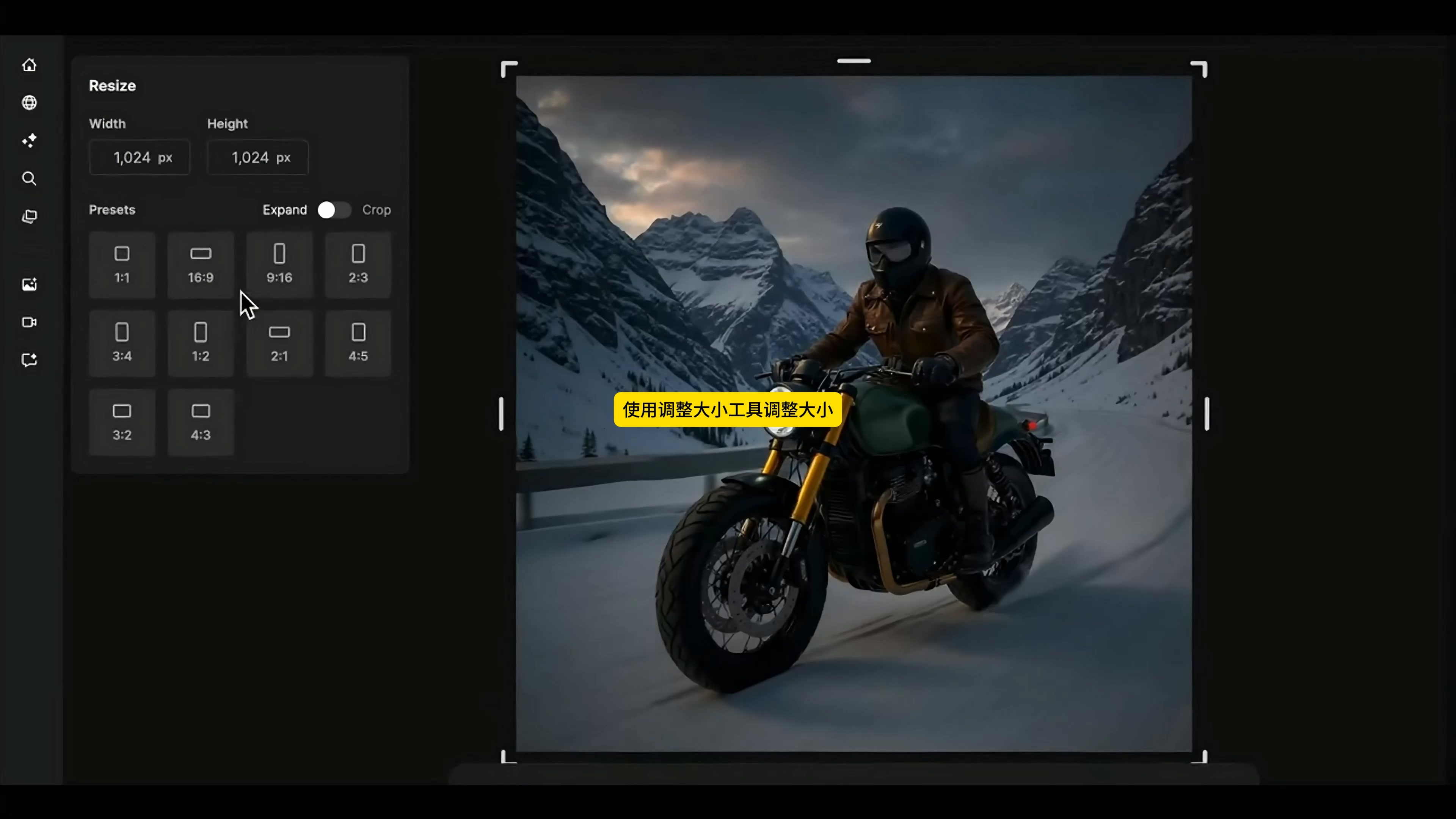
4. use Expand to expand the square to 16:9.
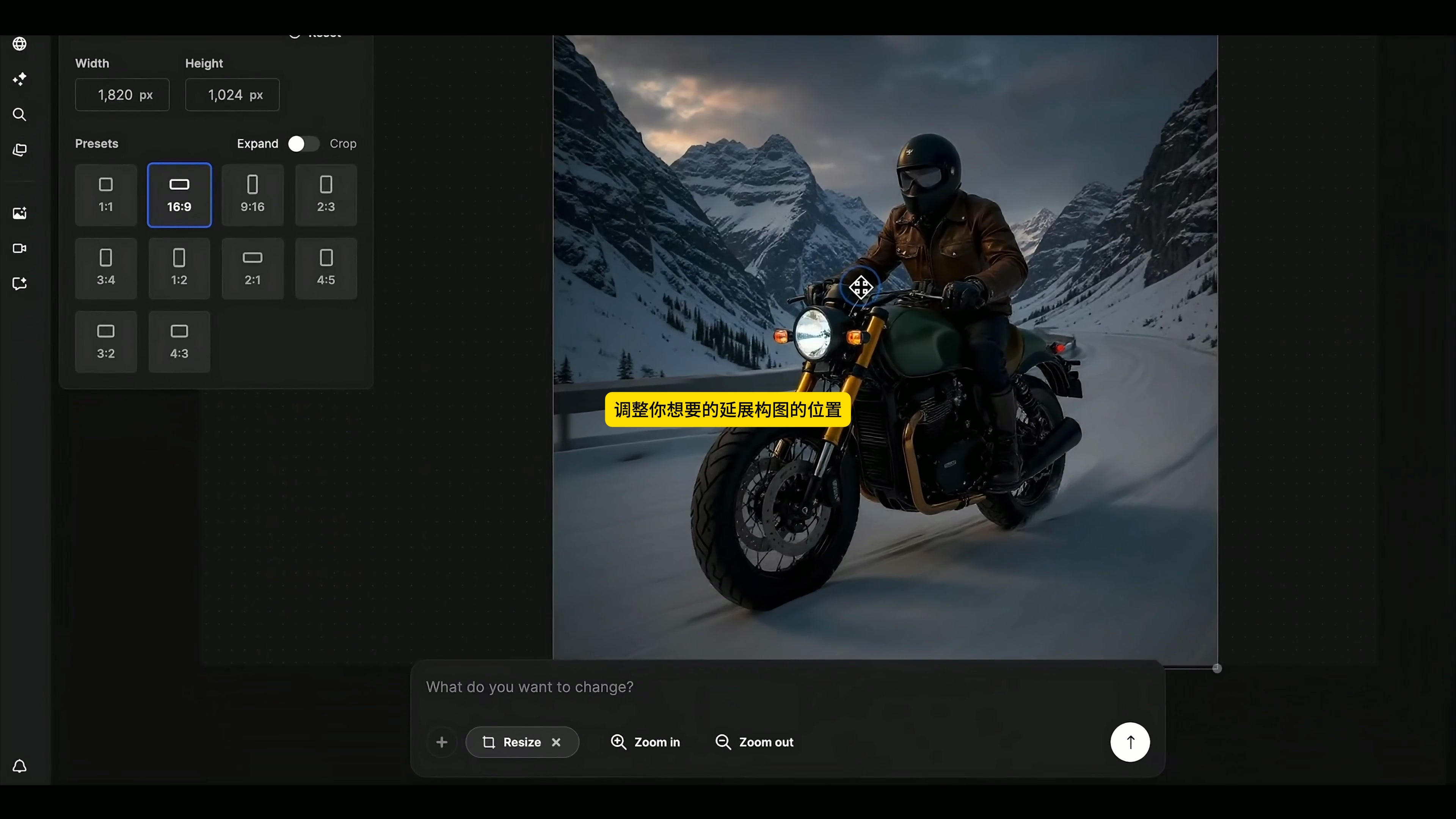
The selected generated graph is initially 1024 × 1024. After entering Resize, I chose 16:9 and Expand to expand the target area to about 1820 × 1024, and then moved the main body position to keep the motorcycle near the visual center of gravity.
Extensions are used here, not direct cuts. Motorcycles already occupy a large area of the picture. If they are hard cut into horizontal versions, the front and rear wheels or snow mountain environment can easily be cut off. Expand will make up roads and mountains on the left and right, not only to keep the complete body, but also to make the picture more like the first frame of the video. The generated editing interface is displayed as 1312 × 736, and the scale is close to the standard horizontal screen.
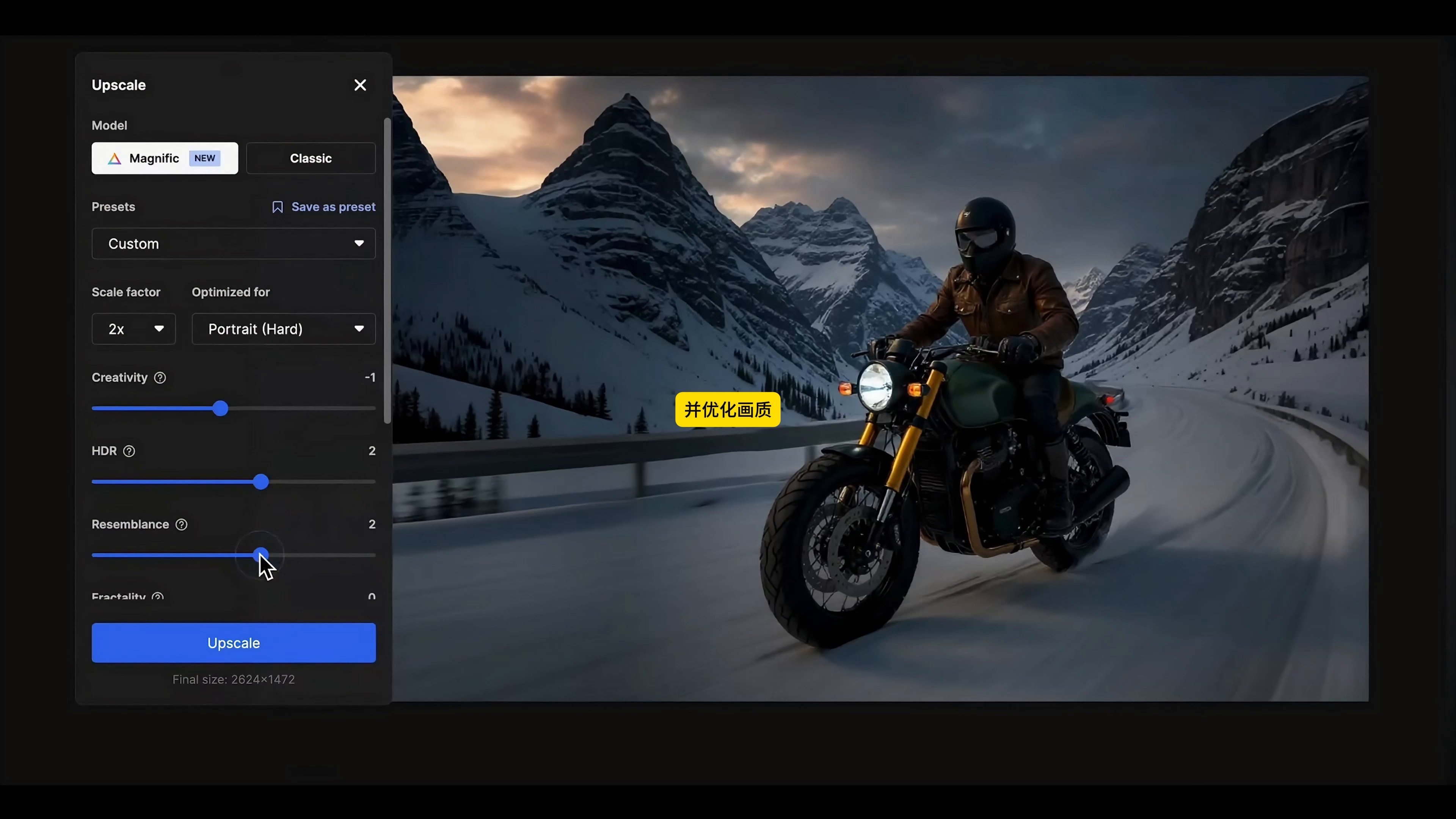
Decide how much "re-creation" you can accept before 5. zooming in"
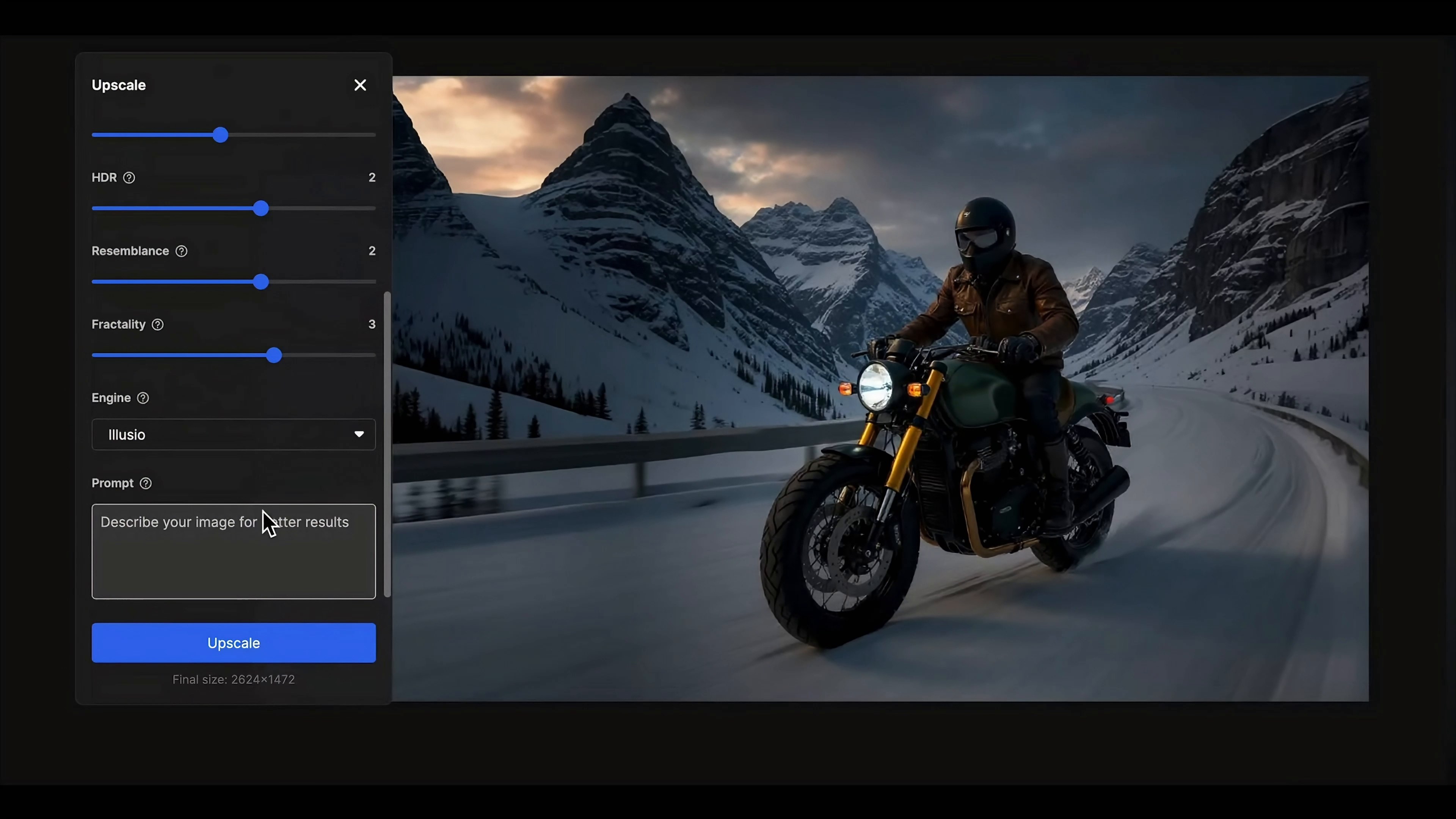
Then enter the Upscale. The final confirmed settings in the video are Magnific model, Custom preset, 2 × magnification, Portrait (Hard),Creativity is -1,HDR is 2,Resemblance is 2,Fractality is 3,Engine selects Illusio, and the final size is 2624 × 1472.
These values are the actual choices in this test, not a universal set of answers. The Creativity is low and is intended to hold down the massive transformation; however, the Fractality and amplification engine may still make up textures that do not exist in the original image. After output, check the fuel tank sideline, front fork connection, engine heat sink, rear shock absorber, exhaust pipe and tire spokes. The clarity goes up, which does not mean that the product is more accurate.
6. put the same car into three dynamic scenes
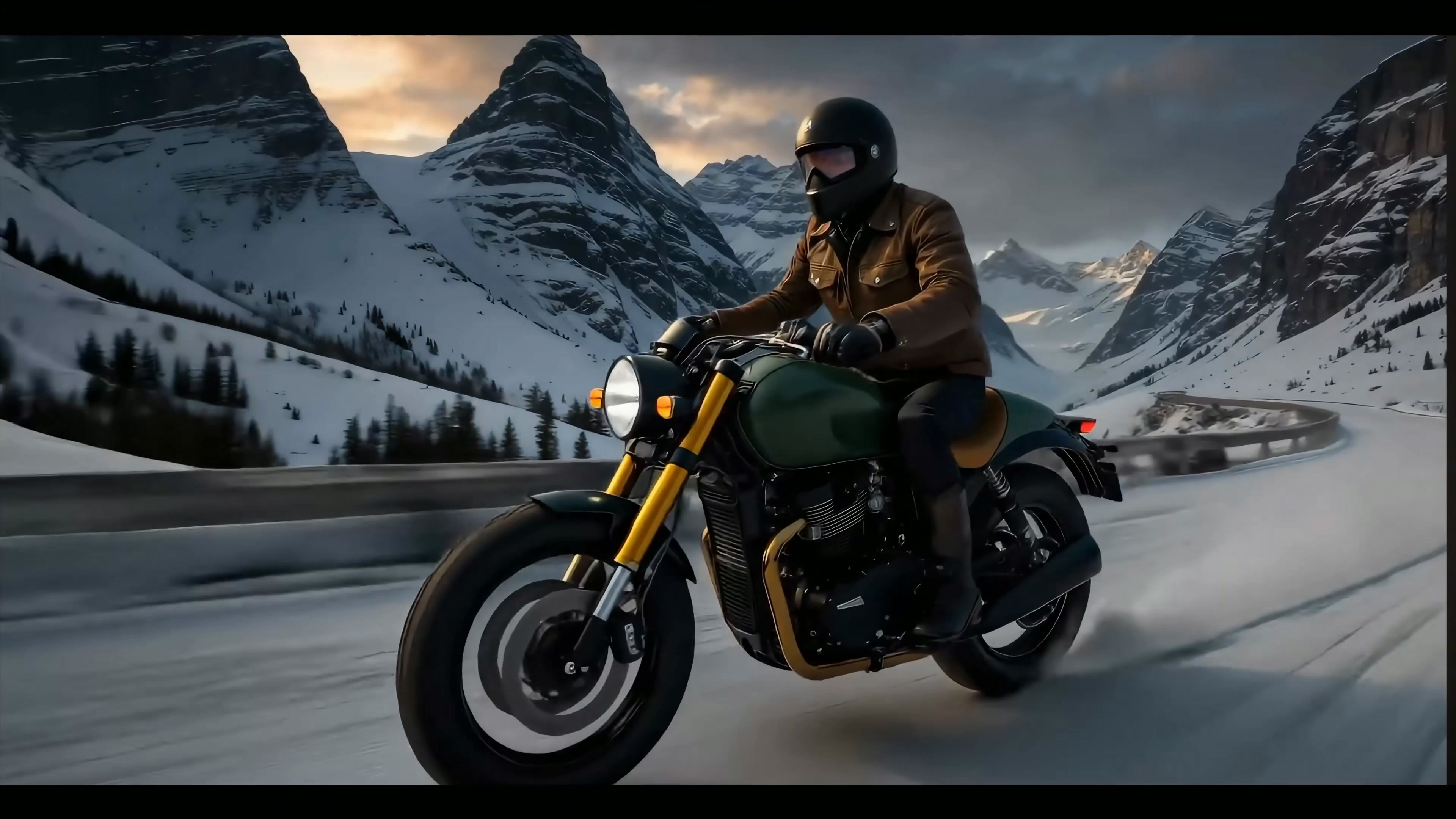
After the static frame processing is completed, the video shows three groups of dynamic results of snow mountain highway, lava landform and tropical jungle in turn. The snow mountain lens is closest to the main line in front: in a cold environment, riders and motorcycles pass by from the side to the front, and the main identification points of the body can continue.
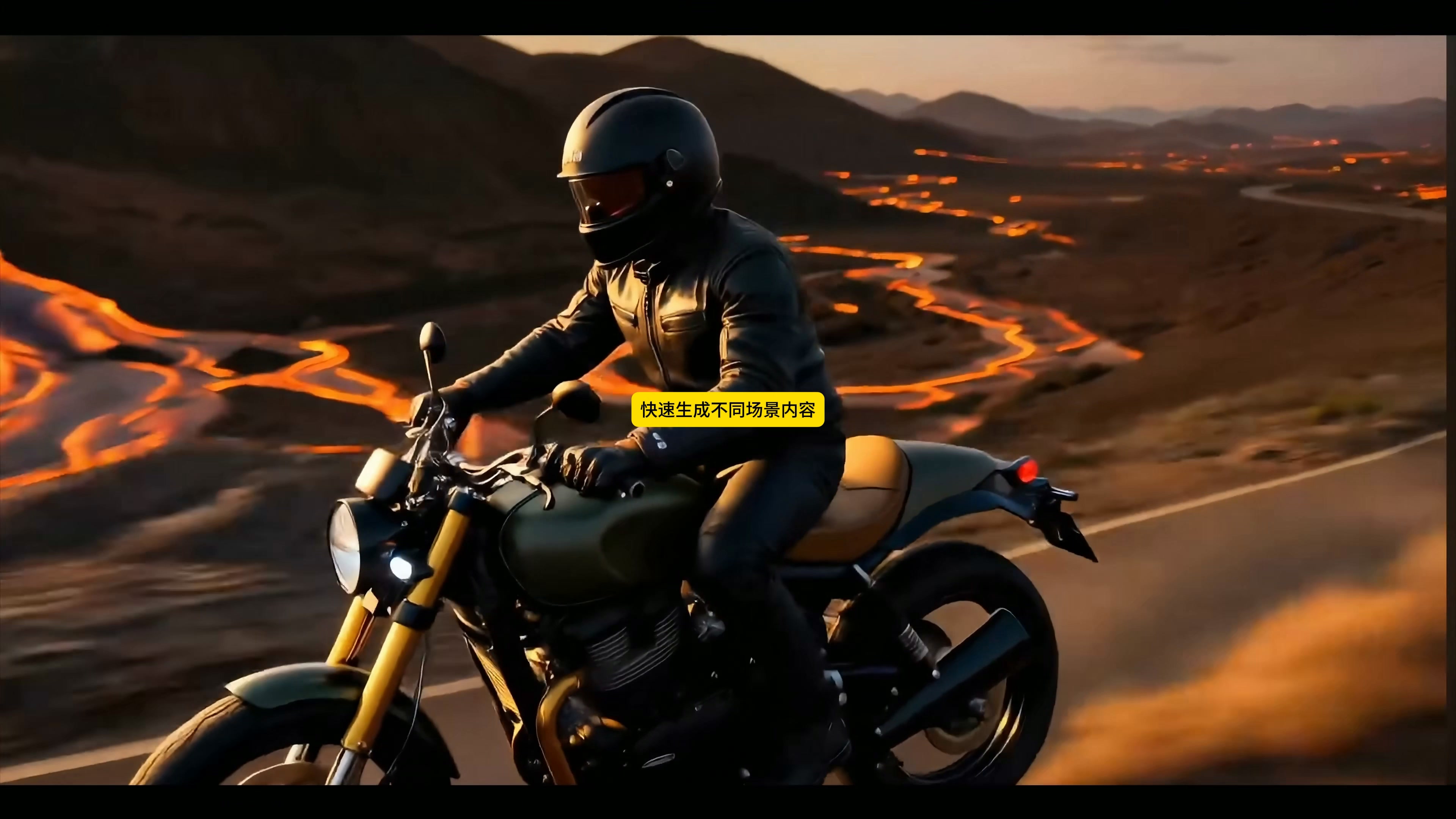
After changing to the lava road, the overall color temperature became warmer, the background appeared flowing orange-red magma, and the car still maintained a dark fuel tank, golden fork and brown cushion. This version is suitable for testing strong emotional directions, but high-contrast light will obscure some mechanical details.
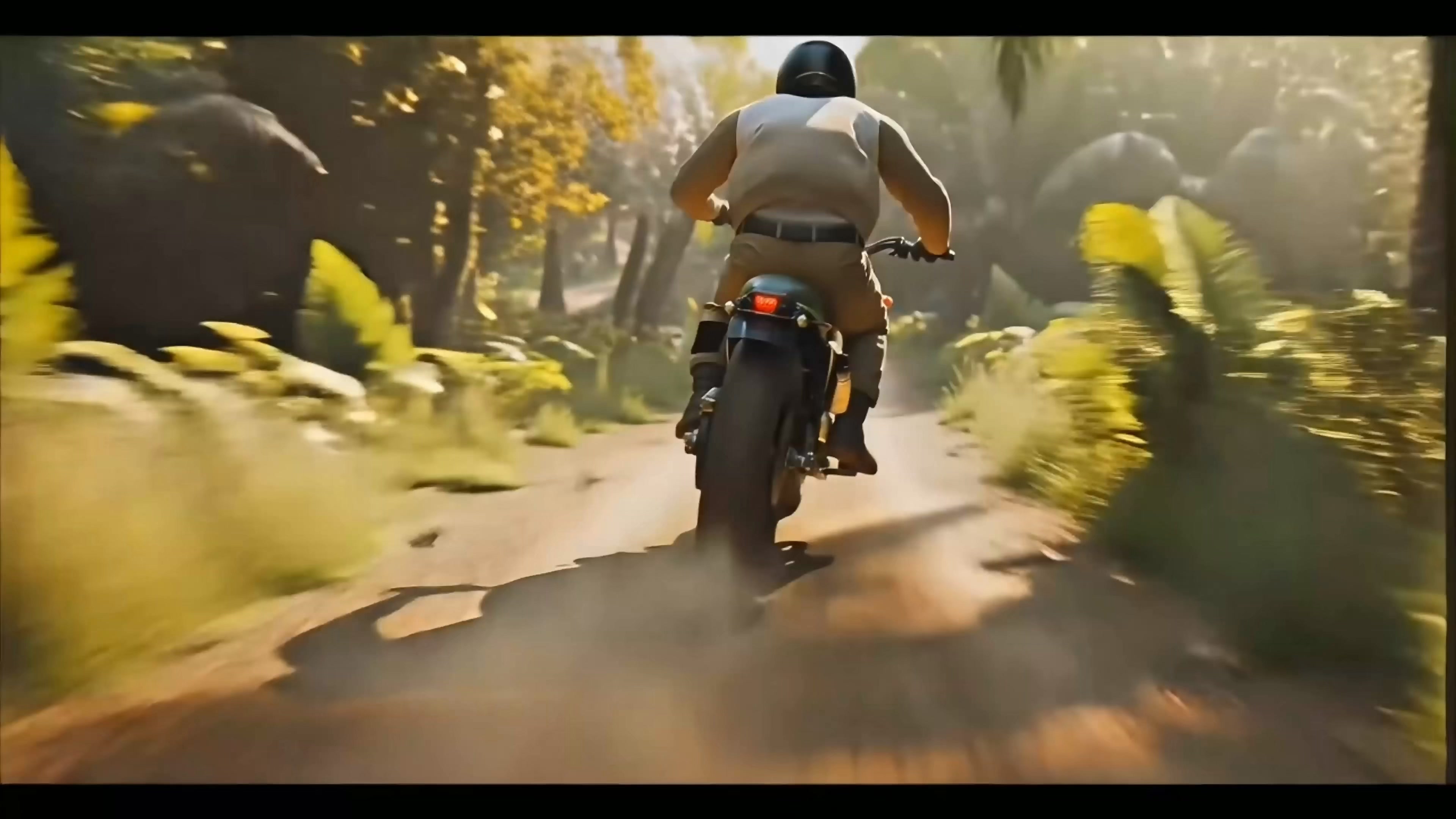
The jungle lens was changed to a rear follow-up shot, with sunlight passing through the plants and dust on the road. It has the most direct sense of speed, and it is also the angle most prone to product drift: the rear wheels, taillights, exhaust and rider clothing may all change during movement.
It should be noted that the original video only shows three segments of dynamic film formation, and does not expose the specific model, prompt words, and parameters of the video generator. Therefore, it can be confirmed that the route of "obtaining reliable still frames before dynamic scene extension" cannot restore each generated click based on existing materials alone.
7. this process is suitable for use in
After a run, I prefer to use it for concept proposals, split-mirror rehearsals, and visual direction tests. A white background picture can quickly grow characters, environment, horizontal composition and dynamic atmosphere, and designers can judge in advance whether a story is worth continuing to invest.
If you want to enter the official advertising, manual inspection is still indispensable. In particular, details such as engine, wheel set, exhaust, rear shock absorption and vehicle logo need to be confirmed frame by frame. Items requiring high product accuracy should also be coordinated with refined, synthesized, three-dimensional or more controllable product image processes.
The real time-saving place is not to give every step to the AI, but to use it to run through the direction quickly, and then focus on the parts that must be accurate.








Really great
Dry goods
good effect