From a perfume product map to a complete set of advertisements: I made six visuals with Agent and adapted them to three proportions.
When advertising products with AI, the real trouble is usually not "generating a good-looking picture", but after making a group of pictures continuously, the bottle body proportion, bottle cap color, label position and brand text can still be consistent.
This time I did a complete test with ETER perfume: first, use a product map to constrain the Agent and let it generate six advertisement photos with different uses but unified visual language; Then pick out one of them and use Auto Resize to adapt the square, horizontal and vertical versions. The whole process is not complicated, the key is to make it clear what cannot be moved.
1. First, turn product references into hard constraints.
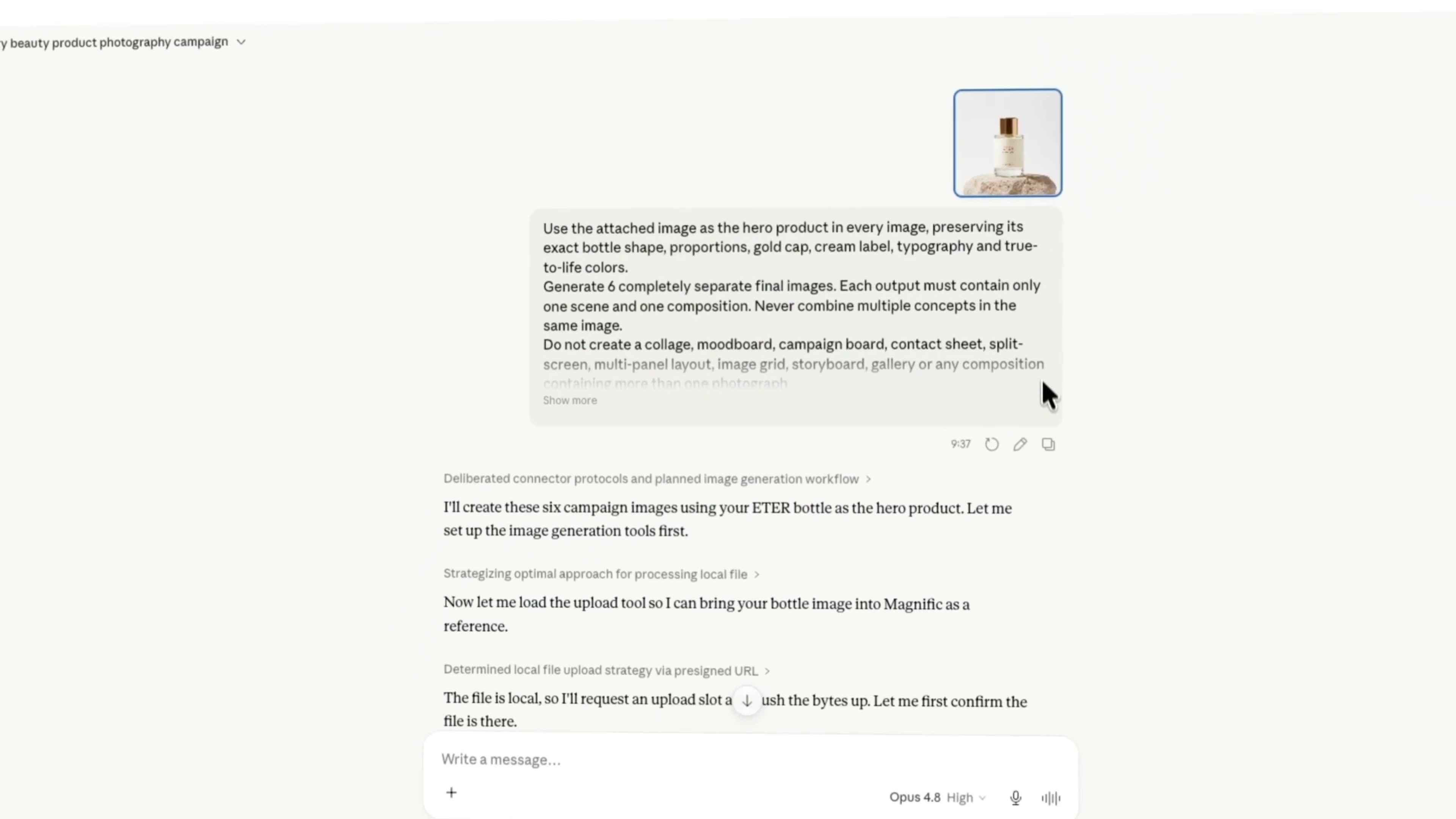
I first uploaded the product map of ETER perfume, and then made it clear in my task: keep the true shape and proportion of the bottle, keep the rose gold bottle cap, white label, brand layout and the original color of the bottle body.
This step can not only write "help me to do a group of high perfume advertising". "Advanced" is a very vague feeling, the model can be free to play; the geometric structure, material and text of the product must be written in specific restrictions. Otherwise the picture may look good, but the bottle is no longer the same product.
My approach is to divide the requirements into two categories:
Parts that cannot be changed: the shape and color of the bottle body, the shape and color of the bottle cap, the texture of the glass, the label size, the word ETER, the position relationship between Eau de parfum and MADE IN FRANCE.
Parts that can be changed: characters, props, background, light, lens distance, composition and picture ratio.
In this way, the Agent can play on the scene, but will not easily change the product itself.
2. generate six at a time, but emphasize "six independent pictures"
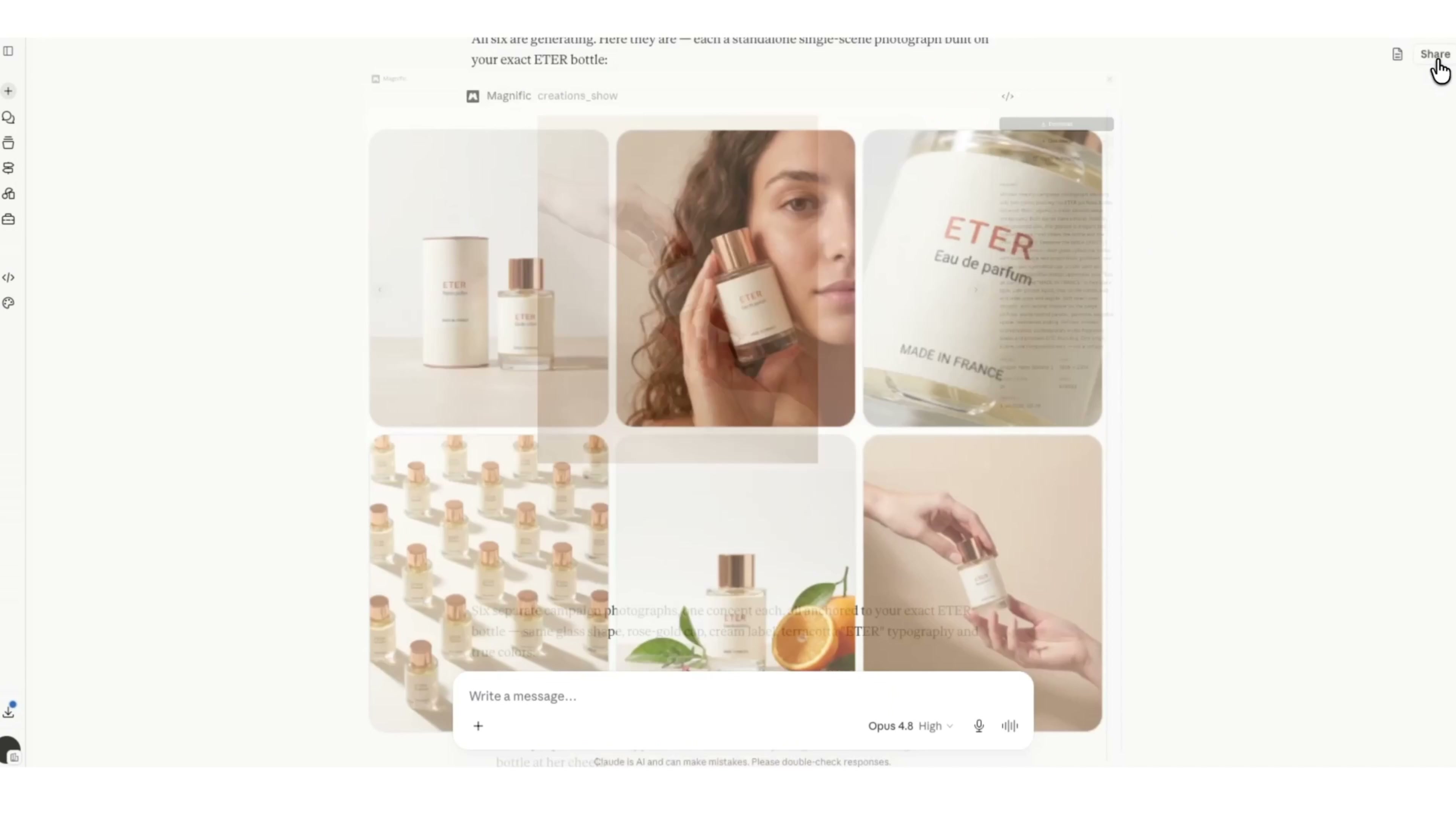
Next, I asked the Agent to generate six ad maps around the same bottle of perfume. Here is a very practical detail: the prompt should not only say "generate six sheets", but also add "each sheet must be a separate picture", not a collage, split screen, mood board, story board or contact form.
If this sentence is not added, the model can easily cram the six compositions into a large picture. It seems that there is a lot of information, but it is difficult to cut it separately when it is really used for posters, e-commerce details pages or social media.
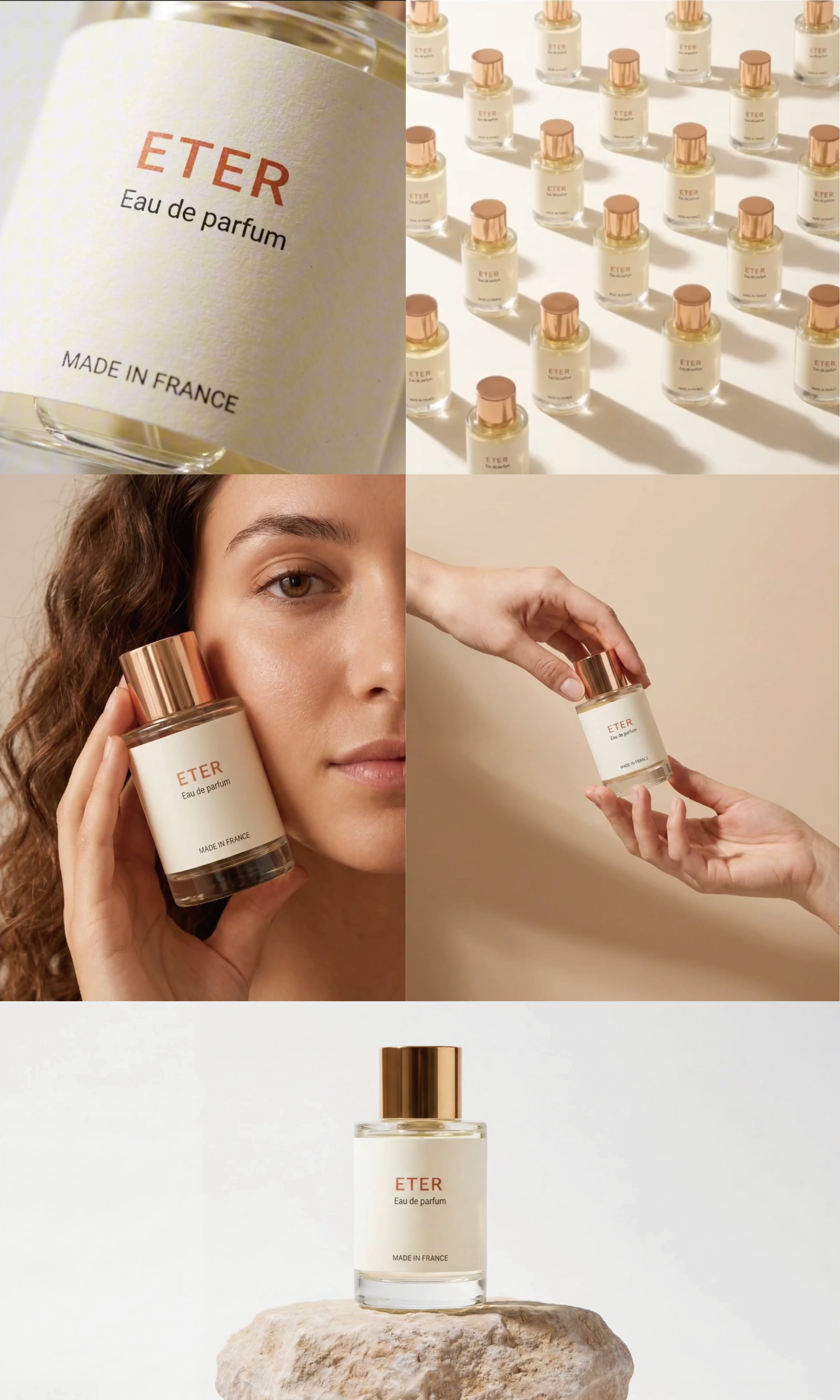
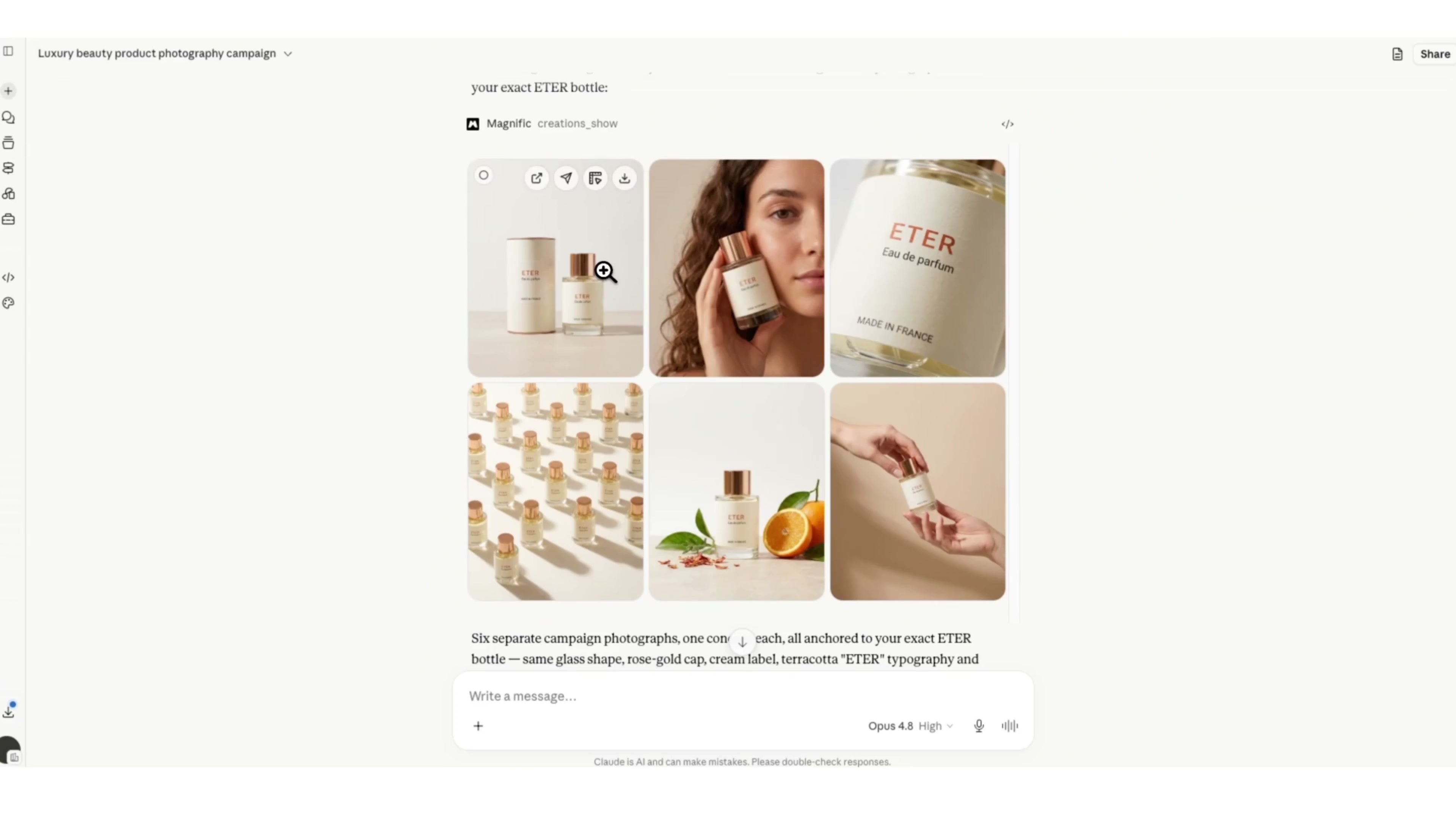
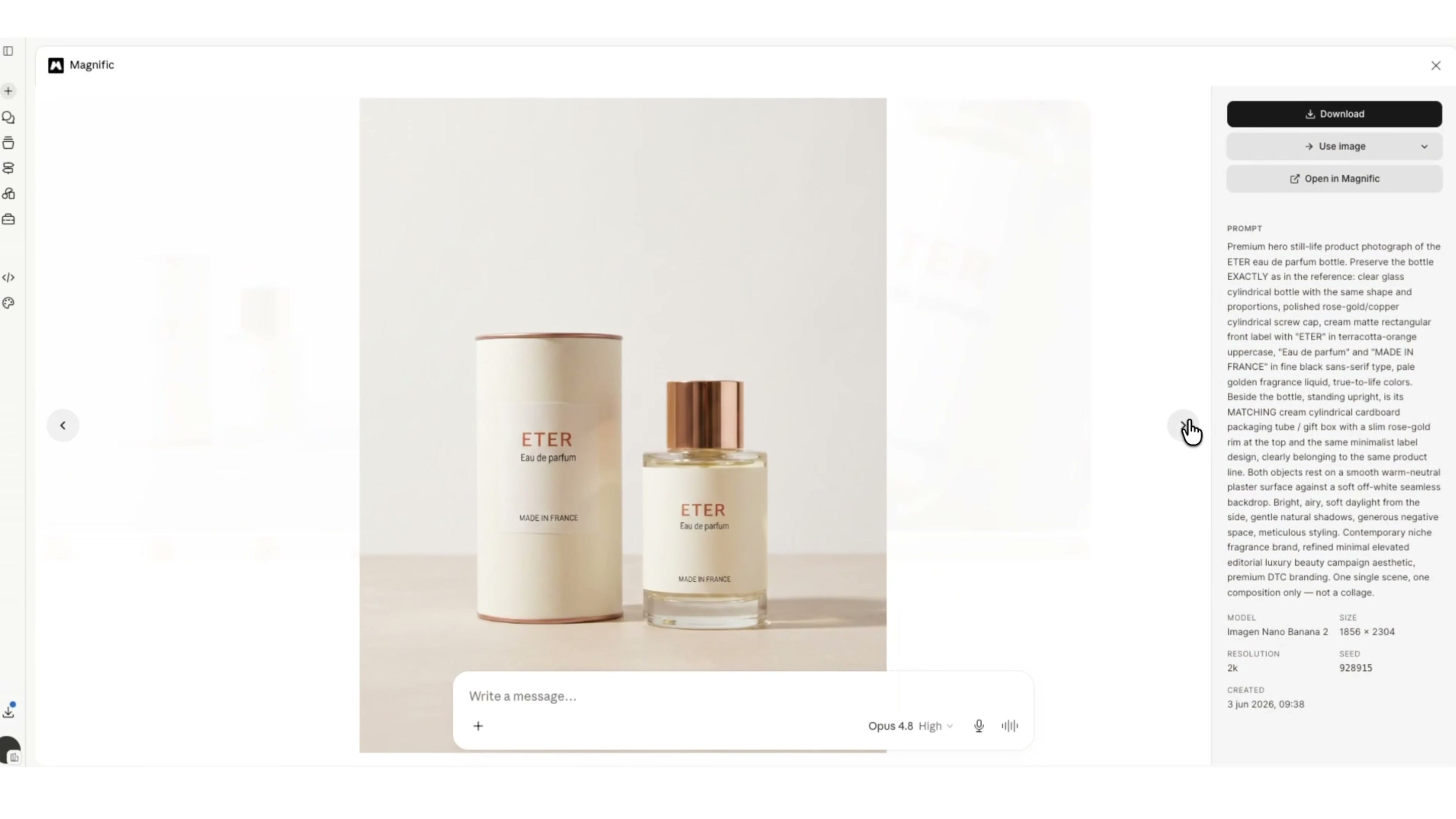
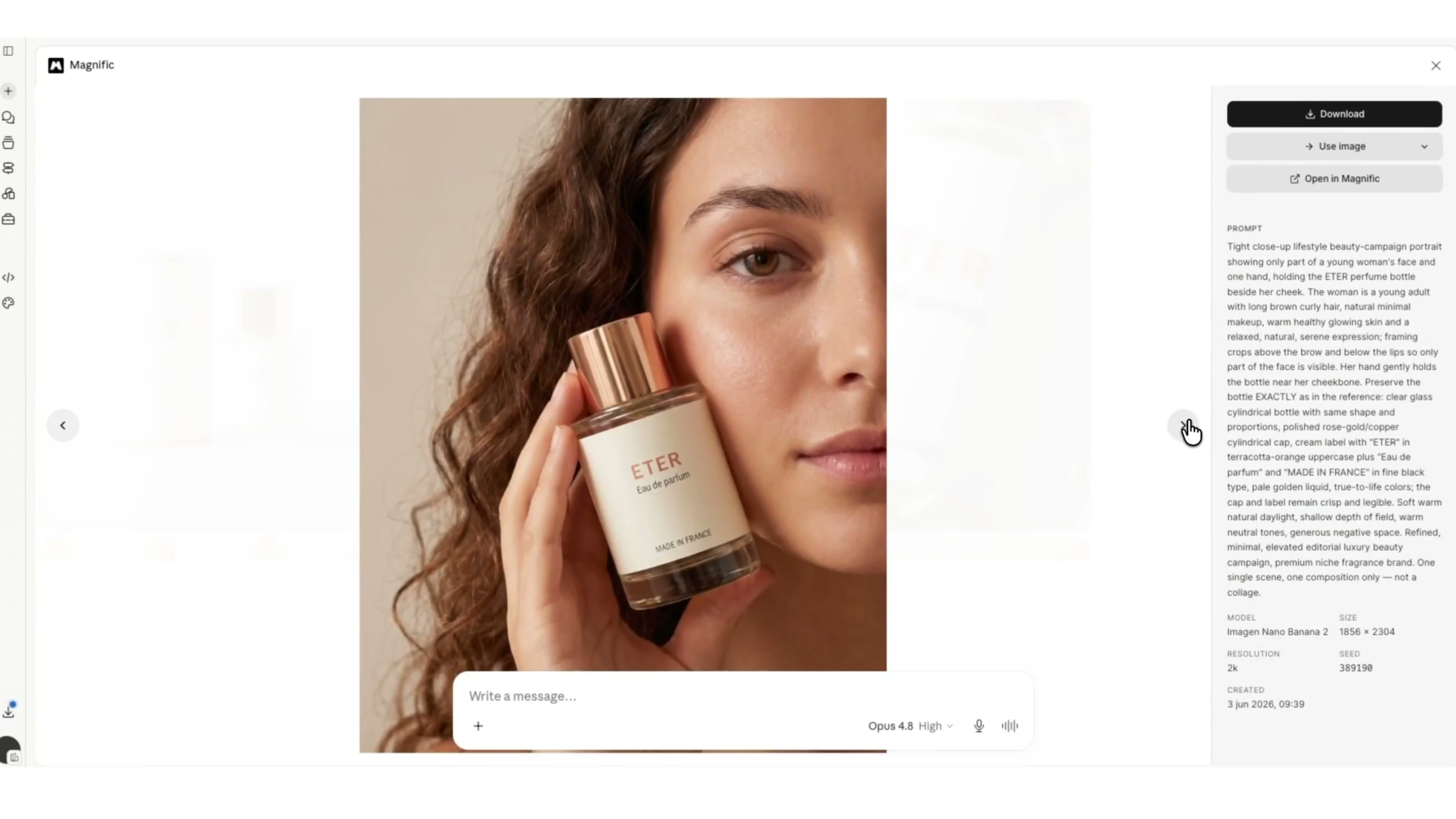
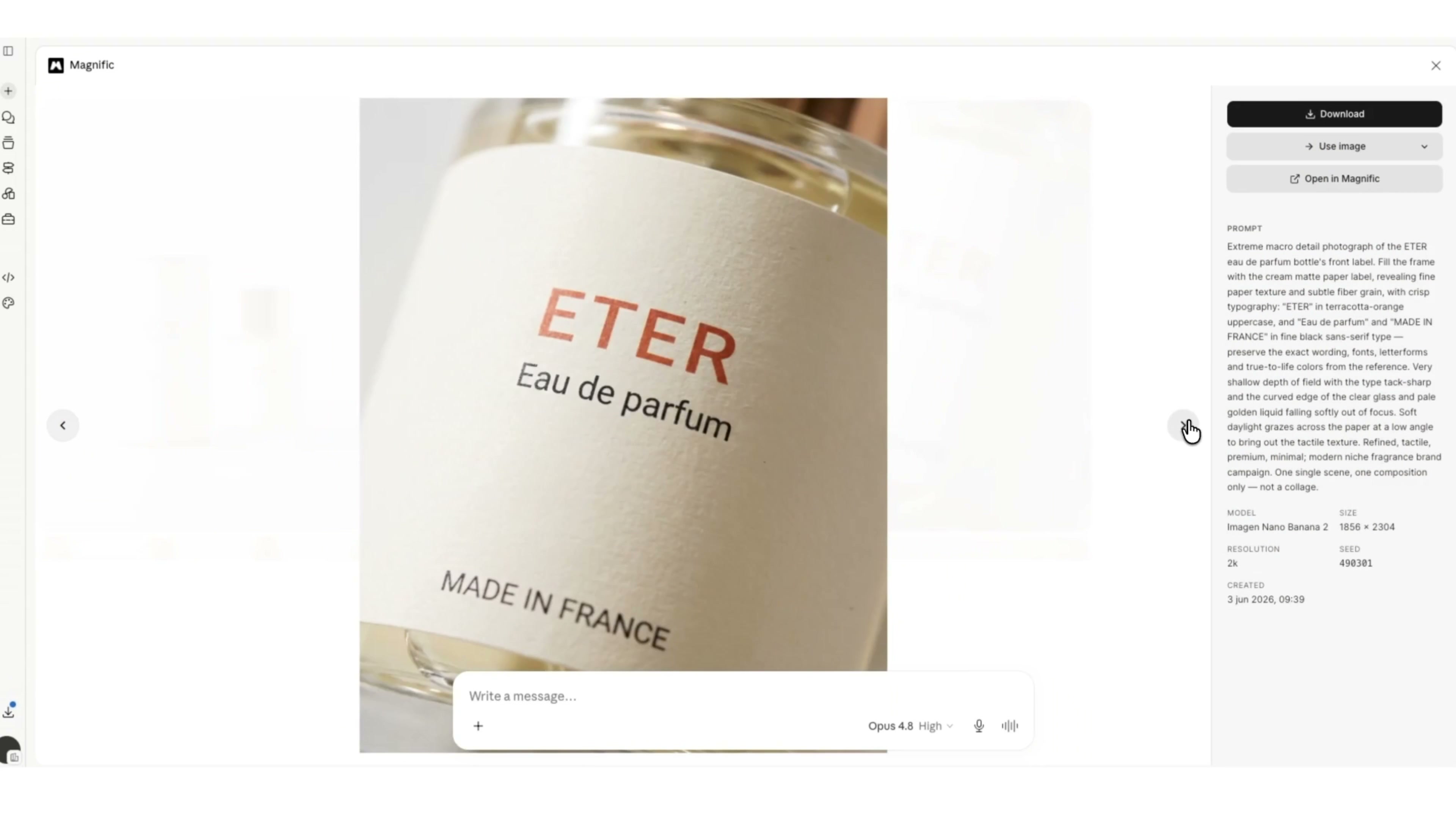
The six directions obtained this time include: product and packaging photo, figure holding perfume, label material close-up, bottle array, citrus still life, and two-handed display of products. They all share the same palette of warm beige, copper gold, and citrus tones, but each serves a different purpose.
3. don't just look at "whether it looks good or not", but what each picture can do.
The photo taken with the product and package is suitable as the main picture of the commodity page or the brand introduction page, with the most complete information. The figure can explain the size of the product and turn perfume from still life into a real use scene. The close-up of the label is suitable for talking about the brand, material and details.
Bottle arrays are more suitable for rhythmic social media images, citrus still lifes can convey smell associations, and two-handed displays are suitable for action shots in detail pages or short videos. It is more practical to assign six pictures to different positions than to let all six pictures compete for "main vision.
After the 4. is generated, do a round of product consistency check first.
After the whole set of pictures comes out, I will check them in a fixed order:
First, see if there is any change in the height-to-width ratio of the bottle body and whether the thickness of the bottom of the bottle is consistent.
Second, look at the shape and metal color of the bottle cap, whether it has changed from rose gold to yellow gold.
Third, look at the size, margin and fit angle of the label, especially the spelling of ETER.
Fourth, see if the small print such as Eau de parfum and MADE IN FRANCE is missing, misplaced or distorted.
Fifth, look at the glass, liquid color, reflection and shadow is consistent with the real material.
For images displayed by people holding hands or with both hands, additional checks should be made to see if the fingers pass through the bottle and if the holding relationship is reasonable. AI the scheme can be rolled out quickly, the product text and contact relationship are still worth manually enlarging and confirming.
5. determine the vision first, and then do multi-size adaptation.
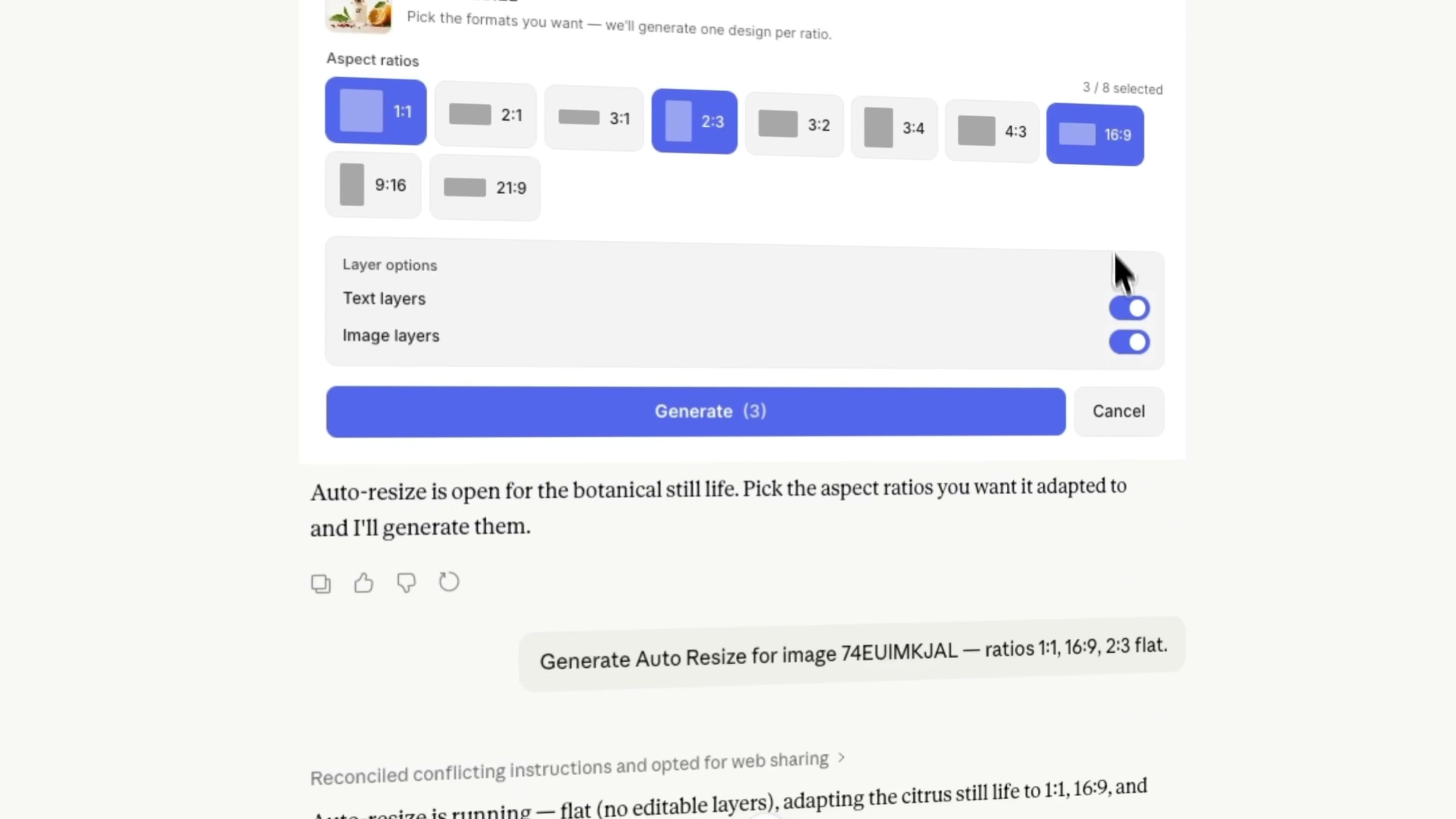
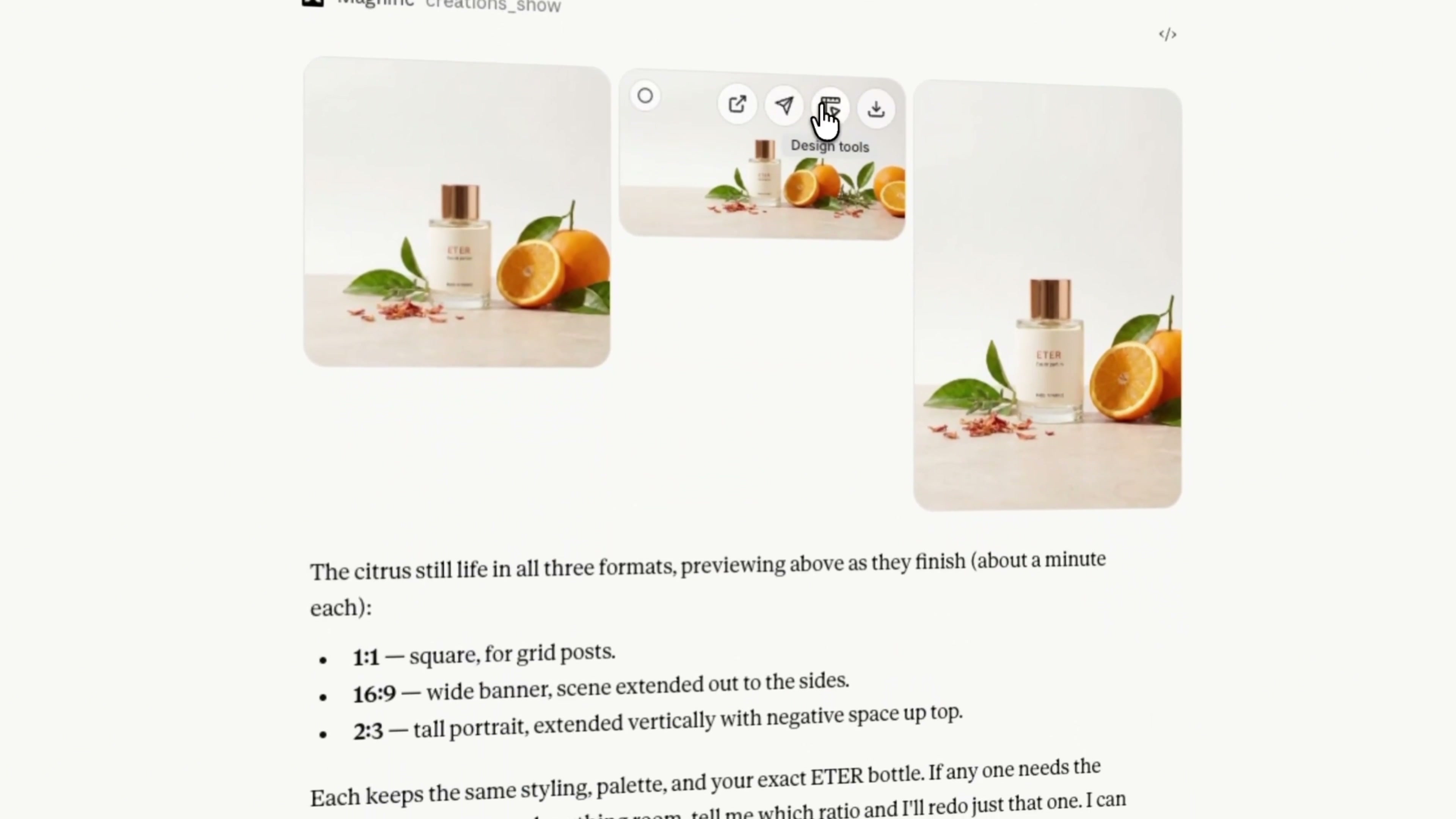
After confirming the six pictures, I chose the citrus still life to open Auto Resize and generated three ratios of 1:1, 16:9 and 2:3.
Square is suitable for social platform information flow; 16:9 can be used as web banner or video cover; 2:3 is more suitable for vertical poster and content platform. The tool will rearrange the blank space and picture boundaries according to the target ratio, instead of simply cutting off the original picture.
As a result, the same product retained the bottle body, citrus and warm background in all three proportions. The horizontal version expands to both sides, the vertical version increases the upper and lower space, and the square makes the main body more concentrated. The advantage of this is that the visual language of advertising has not been reinvented, but has been rearranged in a different medium.
However, after the automatic adaptation is completed, there are still four things to check: whether the label can be read clearly, whether the bottle is welted, whether the citrus is cut awkwardly, whether the extended shadow and the background are broken. If a certain proportion is not qualified, it is enough to redo that one alone, without overturning the whole group.
6. The sequence most worth preserving in this process
If I were to compress this operation into a set of reusable methods, I would do it in the following order:
Prepare a clear and structurally accurate product reference drawing first.
Then specify the fixed features of the product and the elements of the scene that allow for change.
Allow the Agent to generate multiple independent images at once and plan the purpose of each image in advance.
When screening the results, first check the product consistency, and then judge the aesthetic.
After determining a mature picture, do the proportional adaptation of different platforms.
Finally, zoom in to examine brand text, edges, hand contact, and extended areas.
This test made me more sure of one thing: the most suitable thing for AI is not to change the brand at will, but to quickly expand the scene and format after the product standard has been clarified. What the designer needs to do is to draw the boundary that cannot be crossed in advance and check it in the last round. As long as the order is right, a product map can grow more stably into a set of usable advertising materials.

新用户?创建账号
登录 重置密码
请输入电子邮件以重置密码。


Excellent
Valuable content