From Christmas Mother Chart, Continuous Split Mirror, to Kling O1 Label Replacement
When the same beverage advertisement is to be made in different flavors, languages or regions, the most troublesome thing is not to change a few words, but how to keep the original lens. Direct regeneration, character movements, bottle angle, ambient light and depth of field may all change together, and finally it is difficult to judge whether the difference comes from the packaging or the whole picture has been changed.
This video provides a more controllable sequence: first use the mother diagram to determine the people, products and spaces, then expand the mirror and generate the video, and finally only set the bottle label as a variable. The point of this is not that the more nodes the better, but that only one problem is solved at a time.
01 First, make a mother picture that can lead the whole group of pictures.
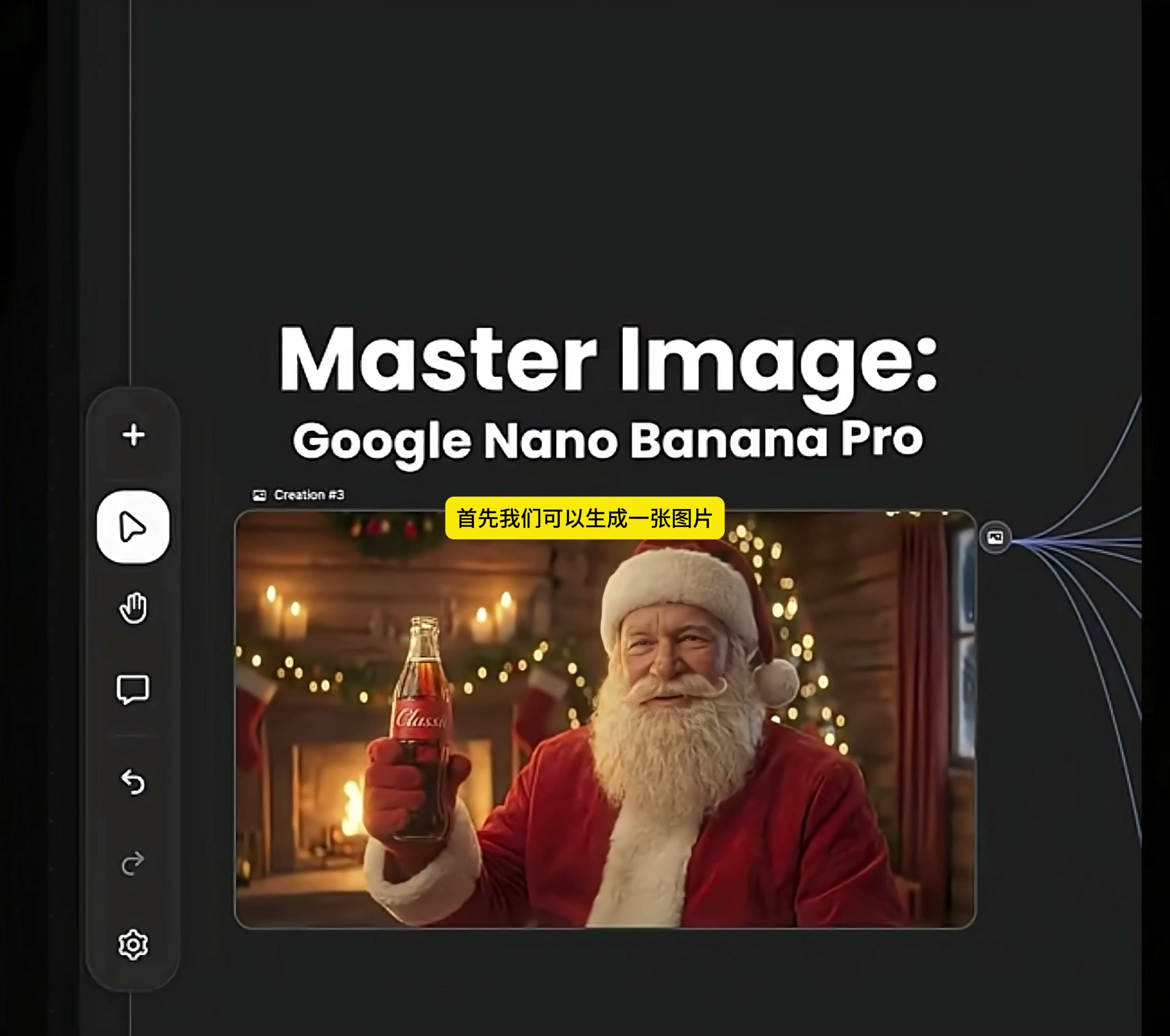
The workflow first uses Google Nano Banana Pro to generate a Master Image, which is the mother image of the following screen. In the picture, Santa Claus wears a red costume and sits in a wooden house with a fireplace and a Christmas tree, holding a glass bottle of drink marked "Classic" in his hand. Characters, costumes, bottle types, warm lights and festive spaces are identified here at once.
The mother picture is not the end of picking a "best-looking" picture. I will first look at whether the proportion of the bottle body is normal, whether the label fits the curved surface, whether the fingers fit into the bottle, and whether the character's face, beard and clothing can support the follow-up close shot. Errors in the mother picture will be brought into the whole set of sub-mirrors, and the later the modification, the more time will be spent.
02 Use the mother picture to expand the lens, do not rush to do animation
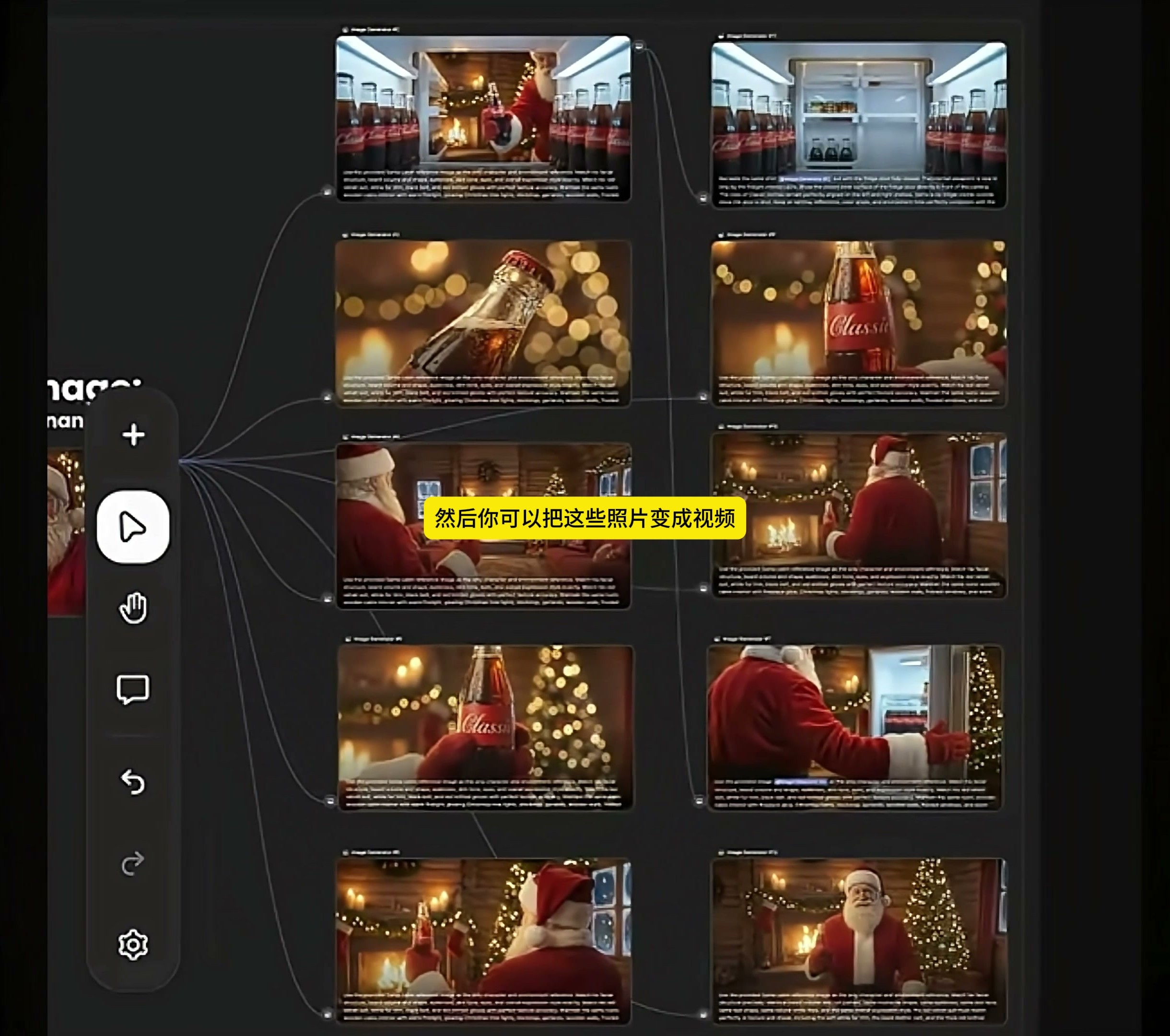
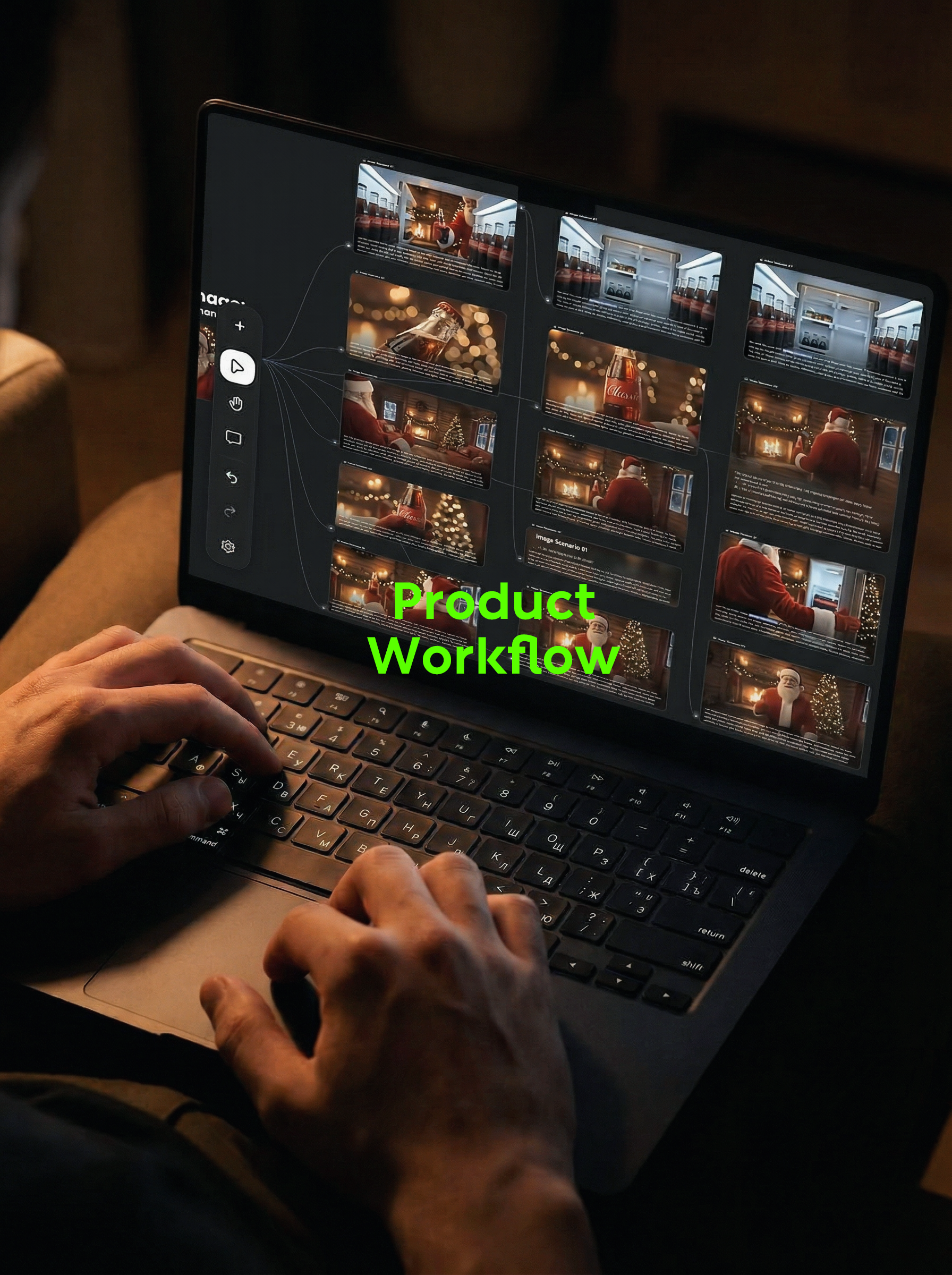
After the master graph is determined, the node continues to generate a set of product photos. In the video, you can see the inside of the refrigerator, the close-up of the bottle mouth, the close-up of the bottle body, Santa Claus walking towards the refrigerator, taking drinks and facing the camera. They share the same set of characters, products and festival spaces, but each figure bears a different narrative task.
There is a very practical advantage of arranging static split mirrors first: problems are easier to find. In which picture the bottle shape has changed, and in which frame the label direction is wrong, it can be compared by stopping on the screen. If you do the video at the beginning, the character actions and camera movements will cover up these small deviations.
What needs to be fixed at this stage is the character identity, clothing, bottle type, label base position and overall tone; the lens distance, movement and composition can be changed. Separate the two types of content before you know whether to redo a certain lens or to revise the mother diagram later.
03 Select the lens from the static split mirror to generate video
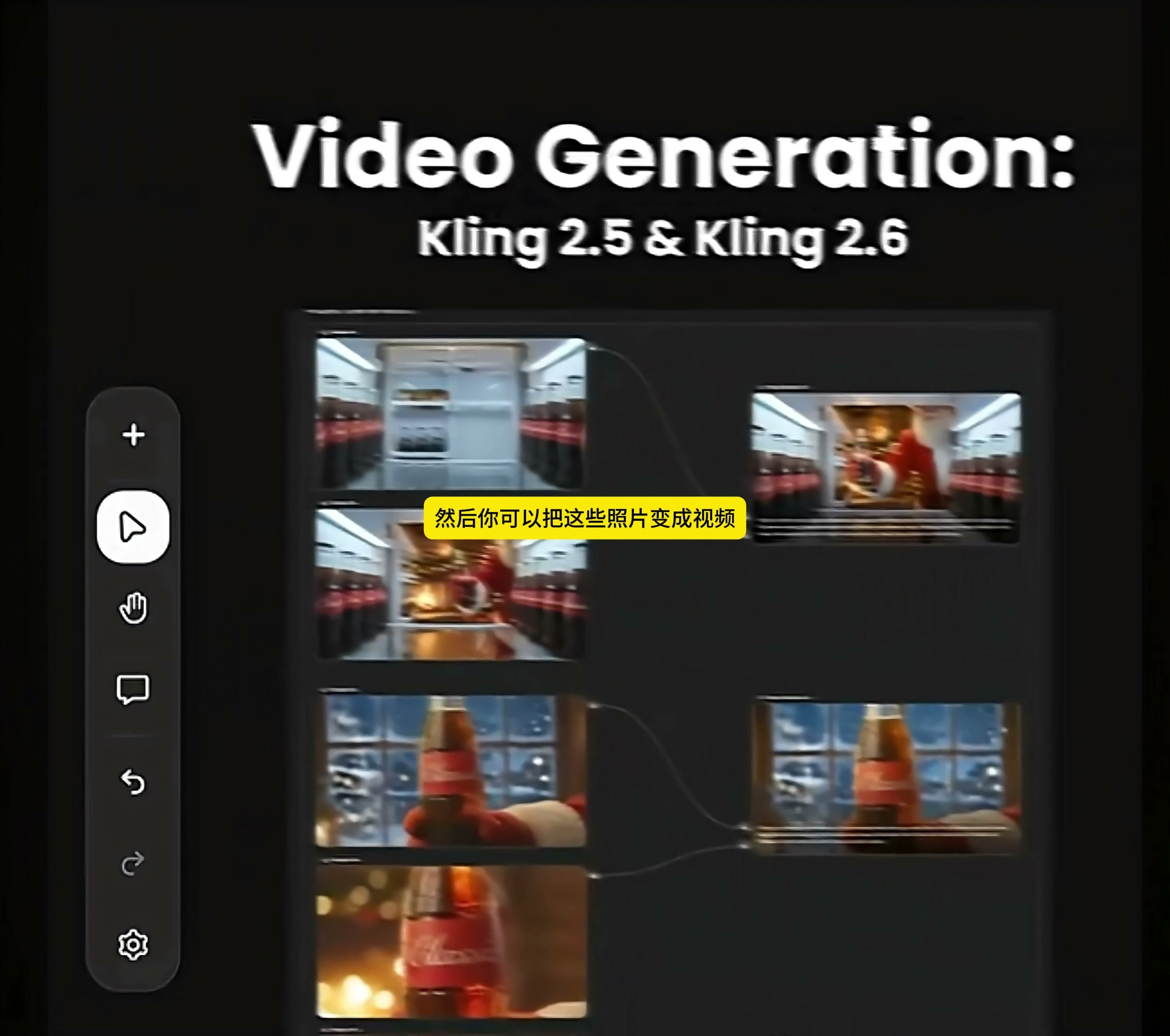
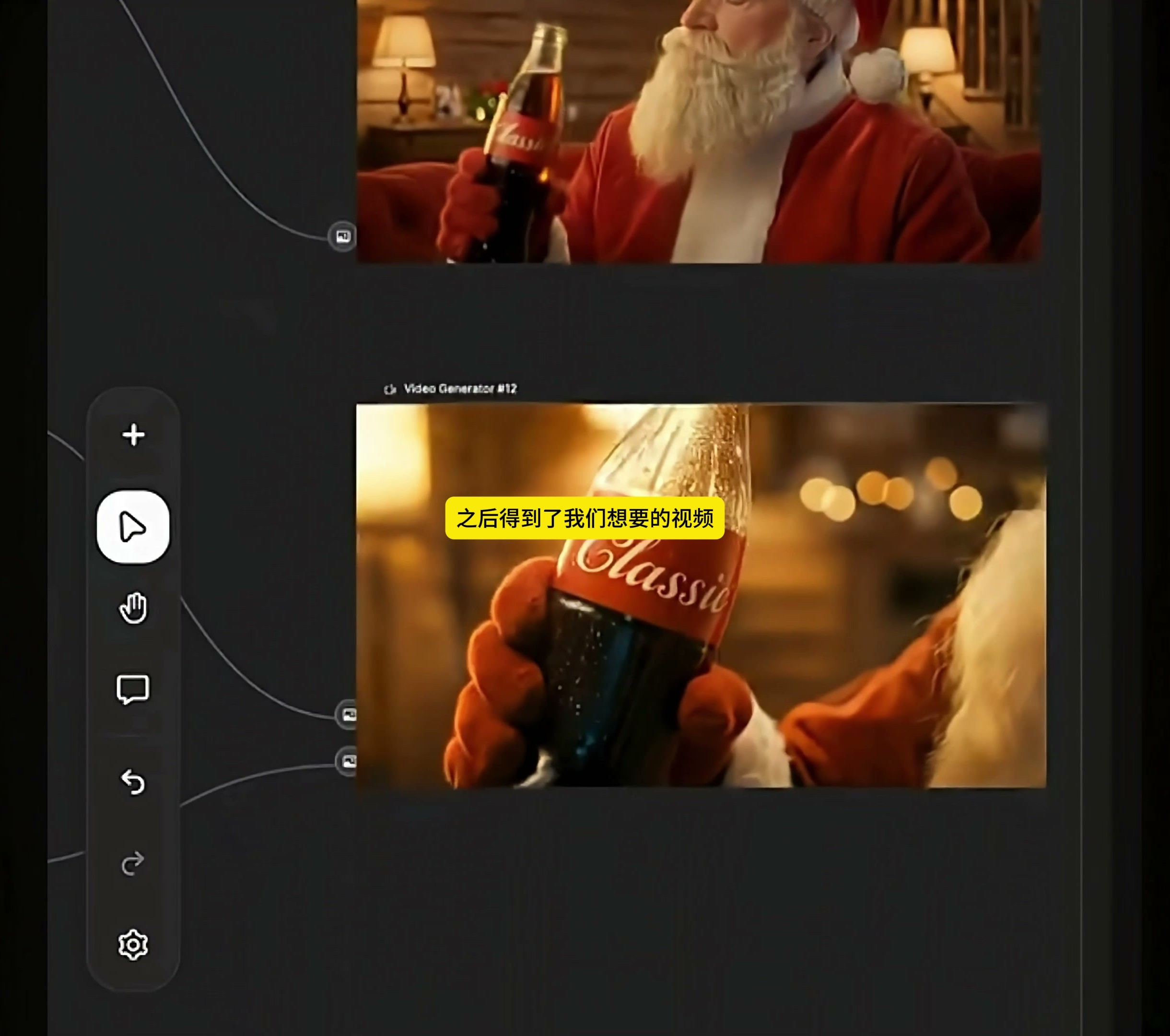
The picture then entered the Video Generation link, and Kling 2.5 and Kling 2.6 were clearly marked on the video. Here, instead of turning all the static frames into animations, we choose pictures that can be connected back and forth from the split mirror, such as Santa Claus's actions of approaching drinks, lifting bottles and drinking, and then generate short videos respectively.
Keep the bottle body direction and character position similar between video nodes so that the axis will not suddenly jump during splicing. In the video, you can see that multiple generated results are connected along nodes to gradually form a complete product action. It's closer to doing the shot first and then spelling the paragraph, rather than generating the entire ad at once.
The video does not fully show the prompt words and parameters used by Kling 2.5 and Kling 2.6, so this part cannot be written as fixed settings. What can be confirmed is the method: first ensure that the key still frames are available before moving; The number of shots is subject to narrative needs, and it is not necessary to generate repeated pictures in order to fill up nodes.
04 Replace only tags in Kling O1
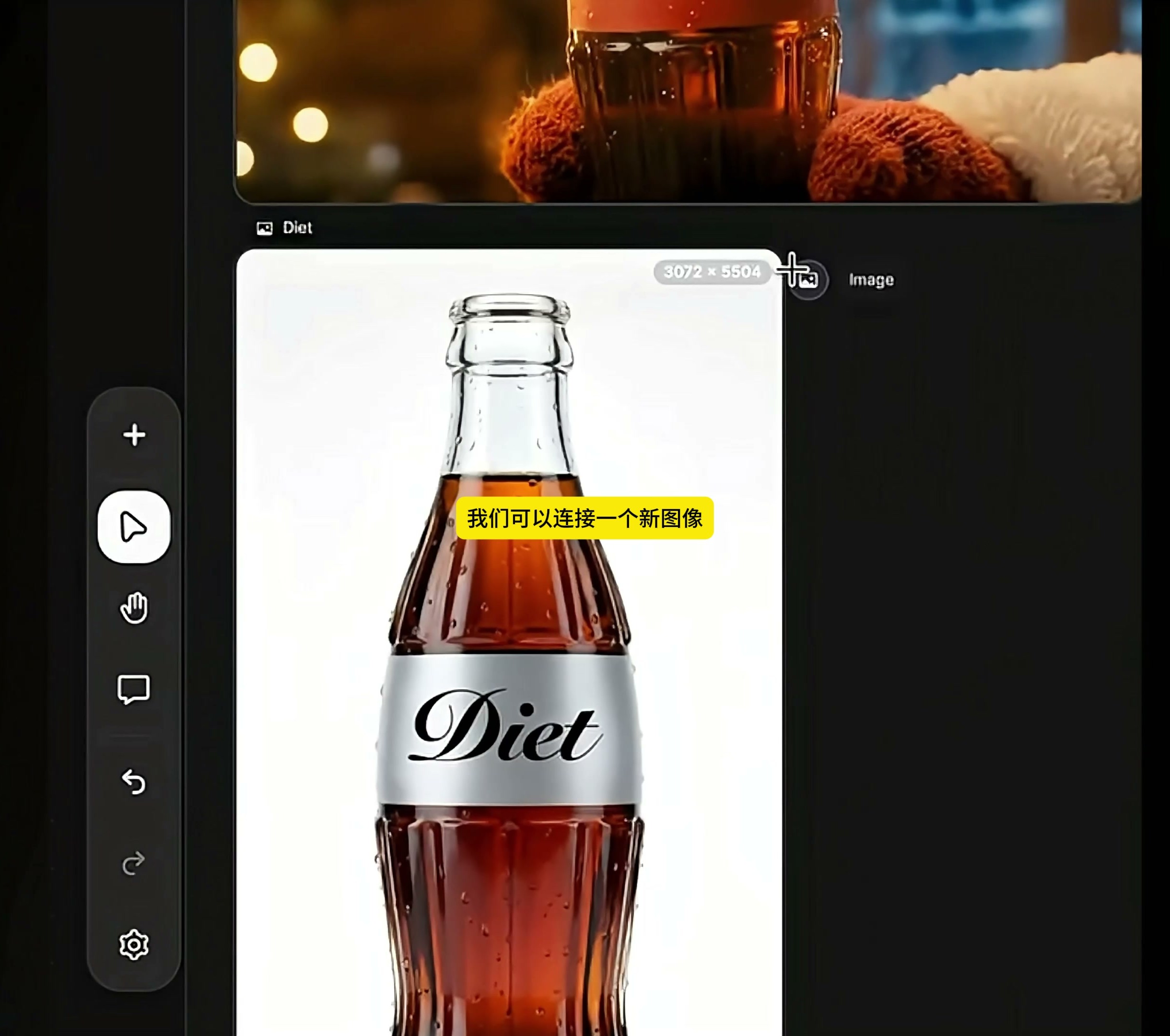
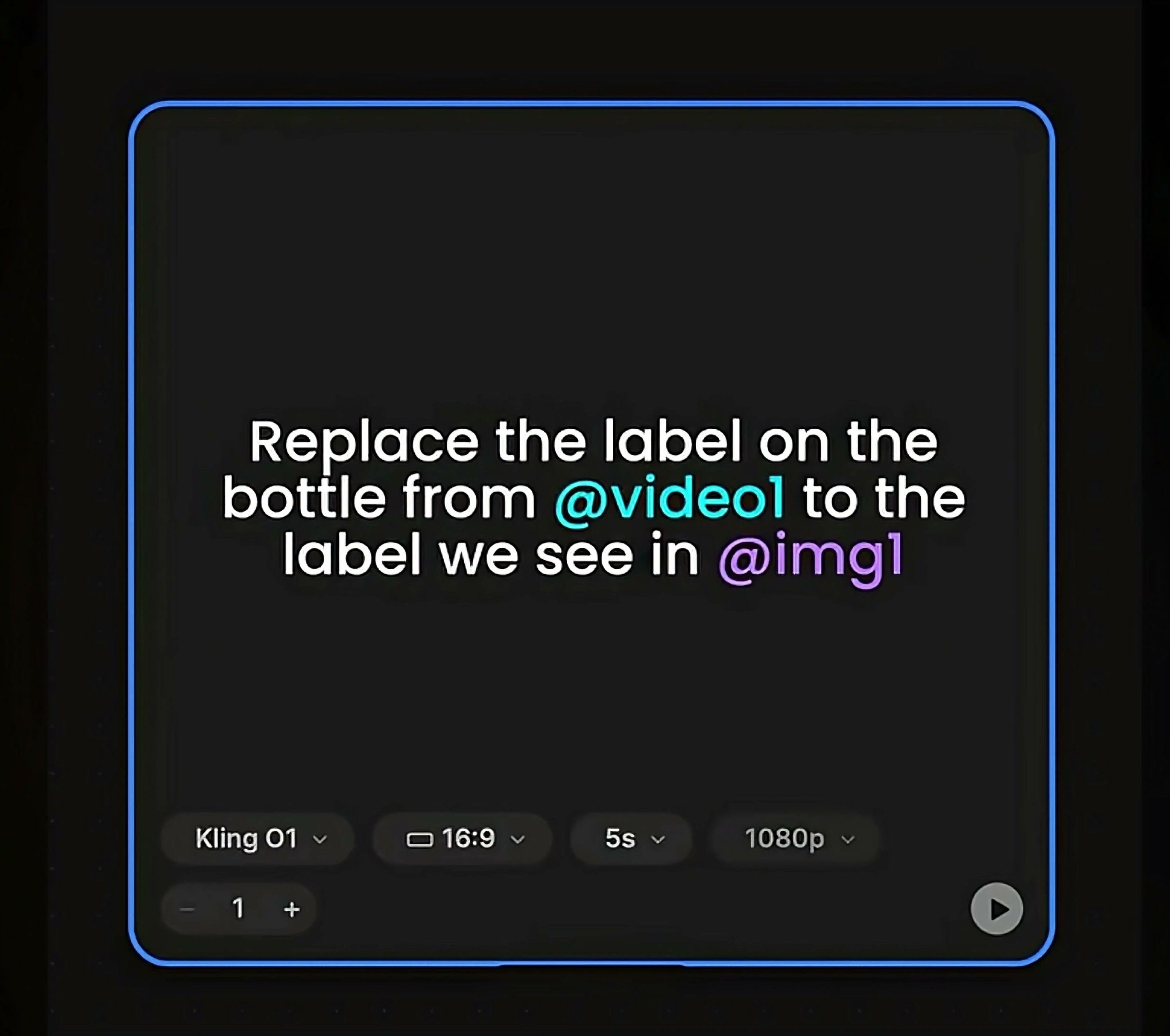
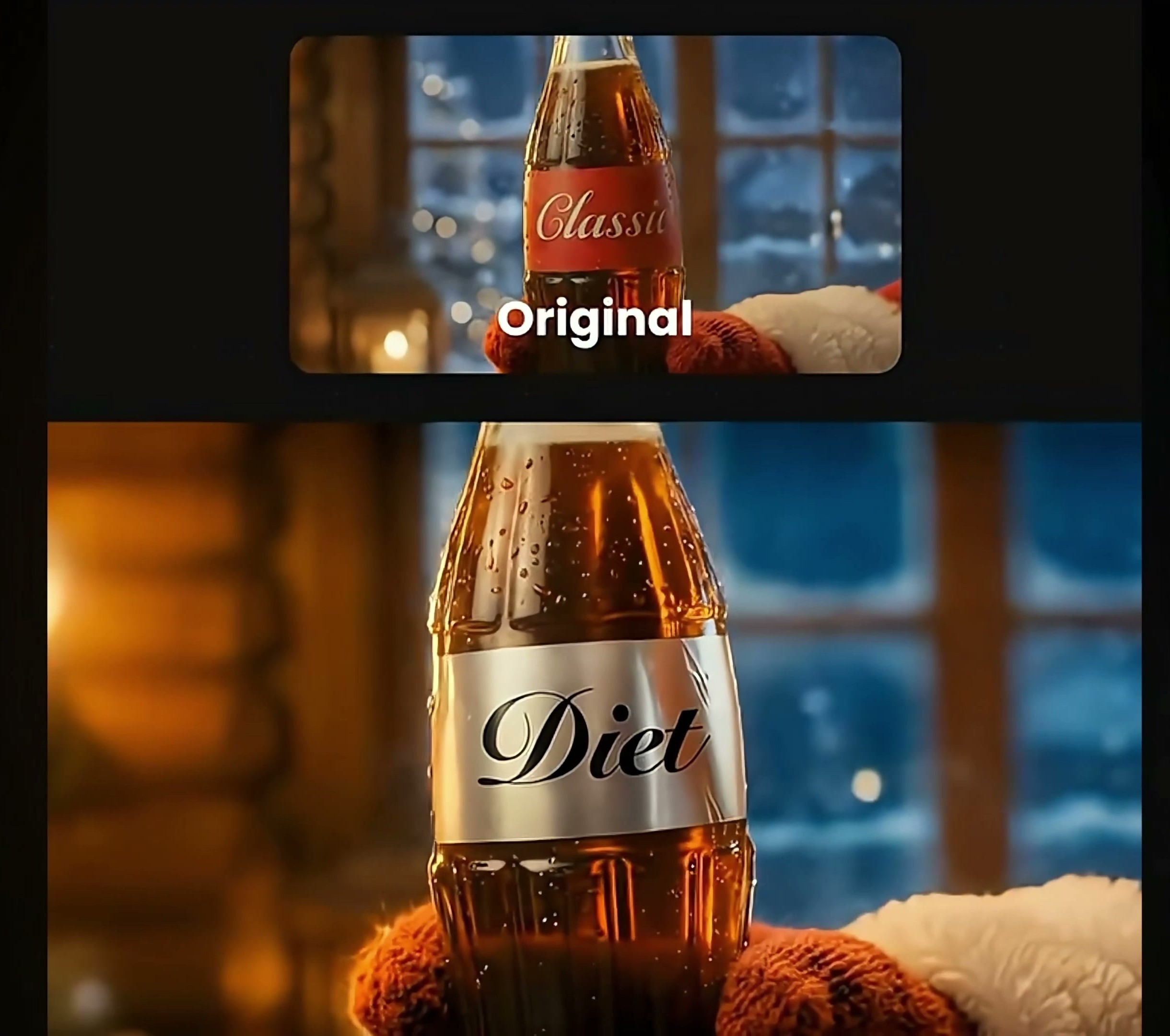
The second half begins to deal with packaging changes. The original beverage video and a new bottle label reference picture are plugged into the same Video Generator: one side provides the action, light and lens to be retained, and the other side provides the packaging style to be replaced. The settings visible in the video are Kling O1, 16:9, 5 seconds, 1080p.
The following English command is: "Replace the label on the bottle from @ video1 to the label we see in @ img1". It only requires replacing the bottle label in the original video with the label in the reference picture, and does not re-describe Santa Claus, the room or the camera movement. The more focused the instructions, the easier it is for the model to understand what should remain untouched.
05 the same lens test a variety of packaging direction
The first group of comparisons replaced the original red "Classic" label with a white "Diet" version. The main lens, bottle position and holiday background are retained, and the background color and text of the label are changed. For design testing, this result is easier to compare than to newly generated entire frames.
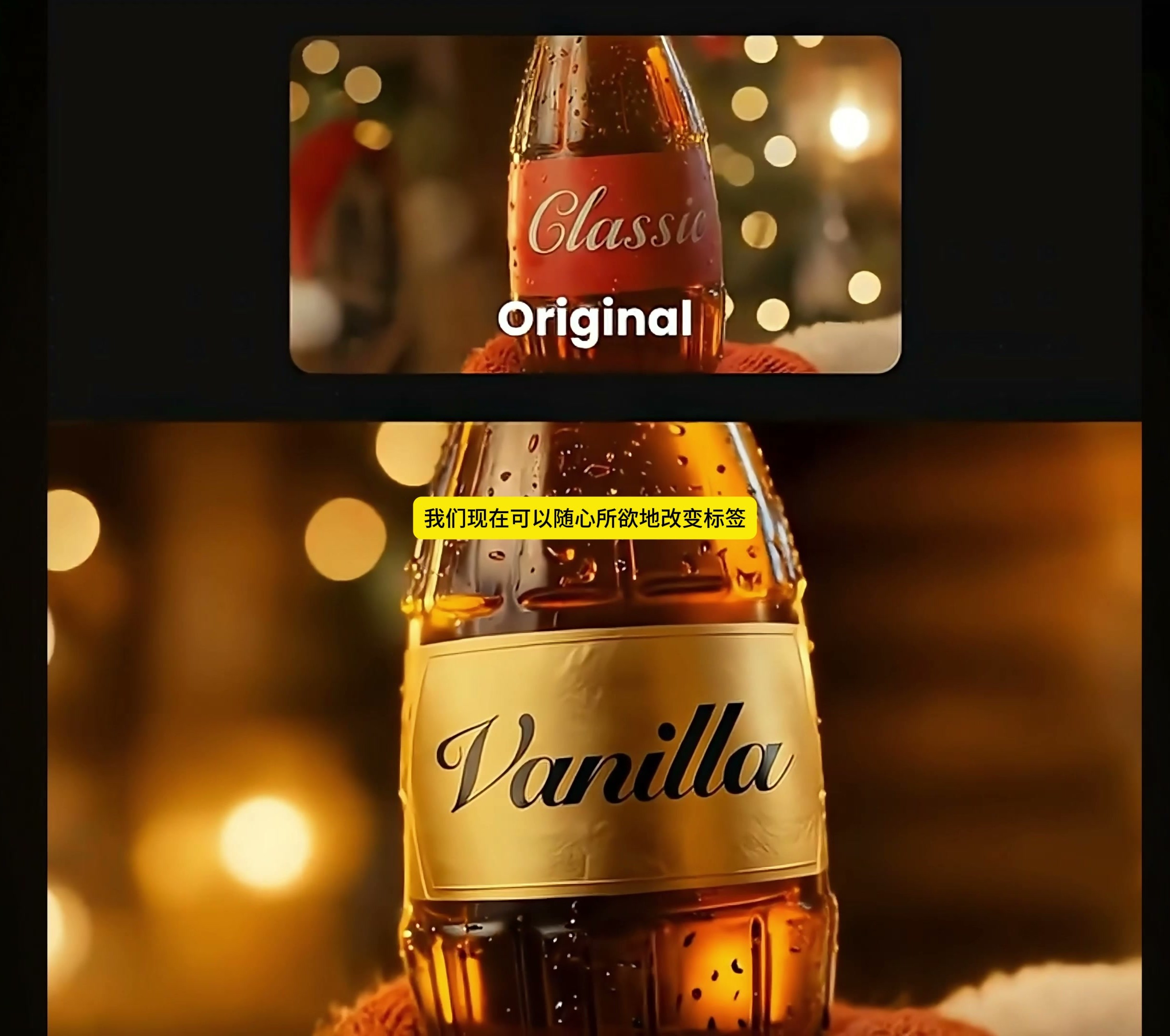
The workflow also tested different tags such as "Vanilla. After the color of the label is changed from red to light yellow, the liquid in the bottle, the warm background light and the bottom color of the package are closer, and the level of the picture also changes. This kind of result can be used to judge the color matching direction, but not only look at the atmosphere, but also confirm whether there is any adhesion between the label and the edge of the bottle body.
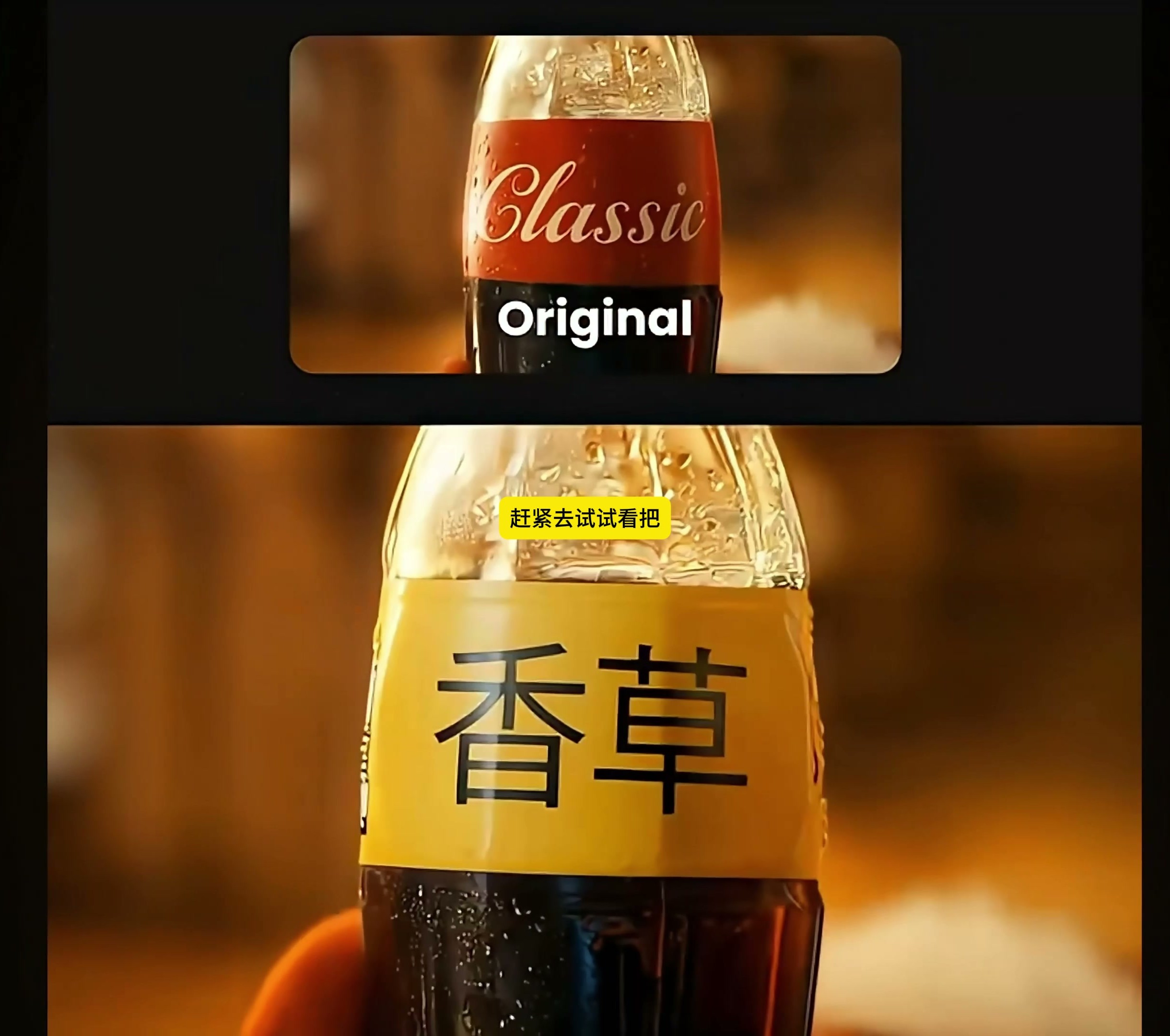
Chinese and other text versions are also demonstrated at the end of the video. Chinese "vanilla" can enter the original bottle body area, indicating that this method can be used for multi-language packaging pre-preview. However, the generated text is not equal to the packaging draft that can be put directly, and the font, meaning, font size and brand specifications still need to be checked item by item.
06 After changing the standard, what is the most likely to be missed
I'll split the inspection into two tiers. First, see if the label flickers, stretches or suddenly deforms frame by frame, especially when the palm and beard cover the edge of the bottle. Look at the package contents again, including spelling, perspective bending, label height, bottle reflection and liquid color. Glass bottles will transmit light, and models sometimes mix labels, liquids and highlights.
The fixed items are still people, action, bottle type, scene and shot rhythm, and the only variables are label design. As long as the bottle shape, gesture or environment also changes, it means that the redraw range has exceeded the original task and needs to return to the input or instruction to re-constrain.
This method is suitable for dynamic preview of taste scheme, multi-language packaging and regional version, and also suitable for verifying the readability of packaging in the lens before formal shooting. It is not a substitute for final synthesis and packaging review. When it is actually used for publishing, it still needs to exchange the approved brand file and process the text, edges and reflection frame by frame.
If the goal is to quickly compare the packaging direction, it will be easier to evaluate by stabilizing the mother figure and lens first and then changing the label than redoing one piece for each version. What the designer sees is not only "whether the change is successful or not", but also can accurately judge whether the problem lies in the packaging, the lens, or the generation model itself.

新用户?创建账号
登录 重置密码
请输入电子邮件以重置密码。


AI really strong