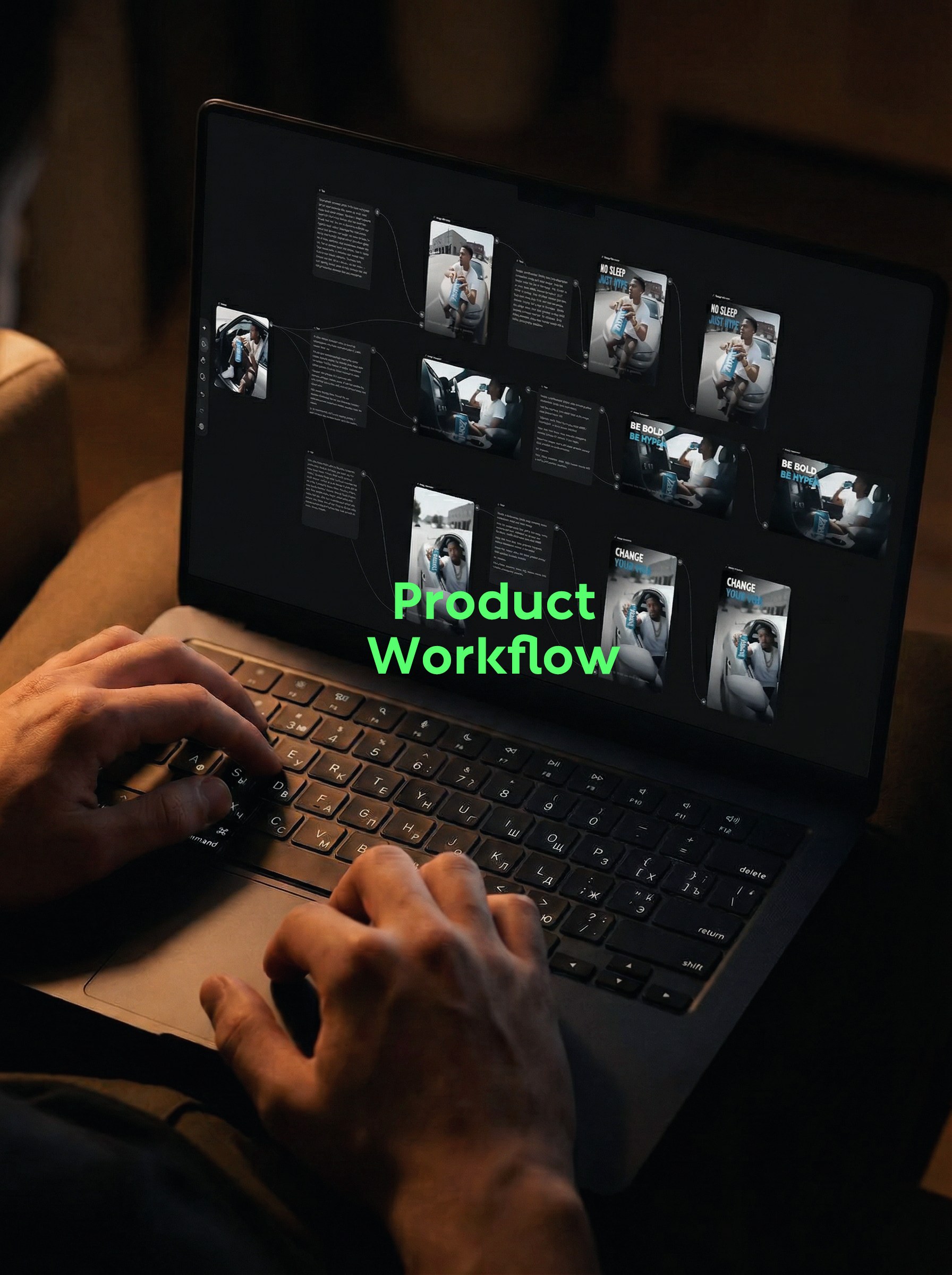
From scene transformation, brand layout to 6-second short video, run through 4:5, 16:9 and 9:16 branches at one time.
A product photo becomes social media content, and the trouble often starts from the second one. The same person cannot change his face suddenly. The color and outline of the beverage can should be stabilized. The horizontal and vertical plates should be composed separately. When the picture is finished, the title, dynamic and release copy will be three rounds of repeated work.
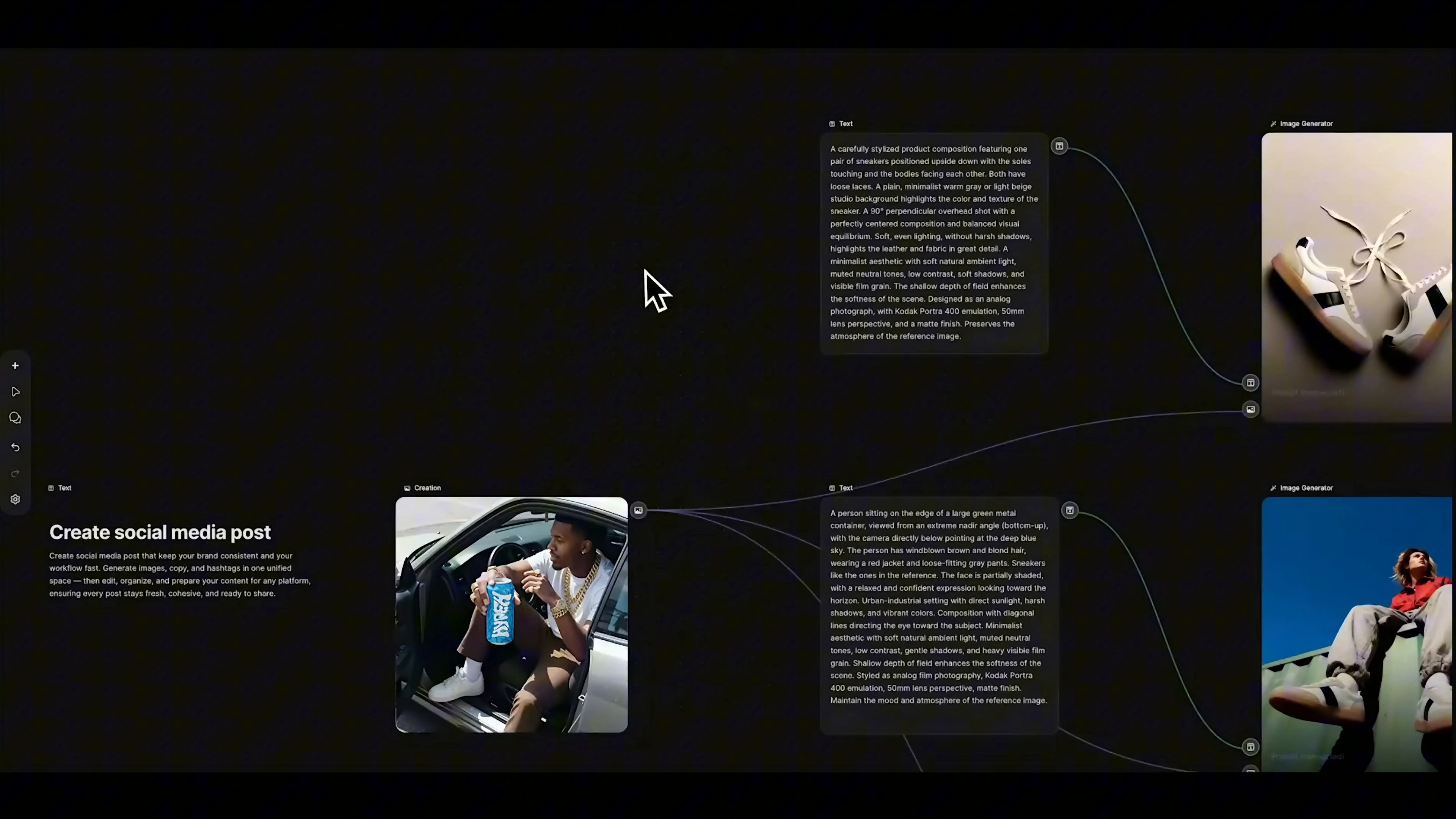
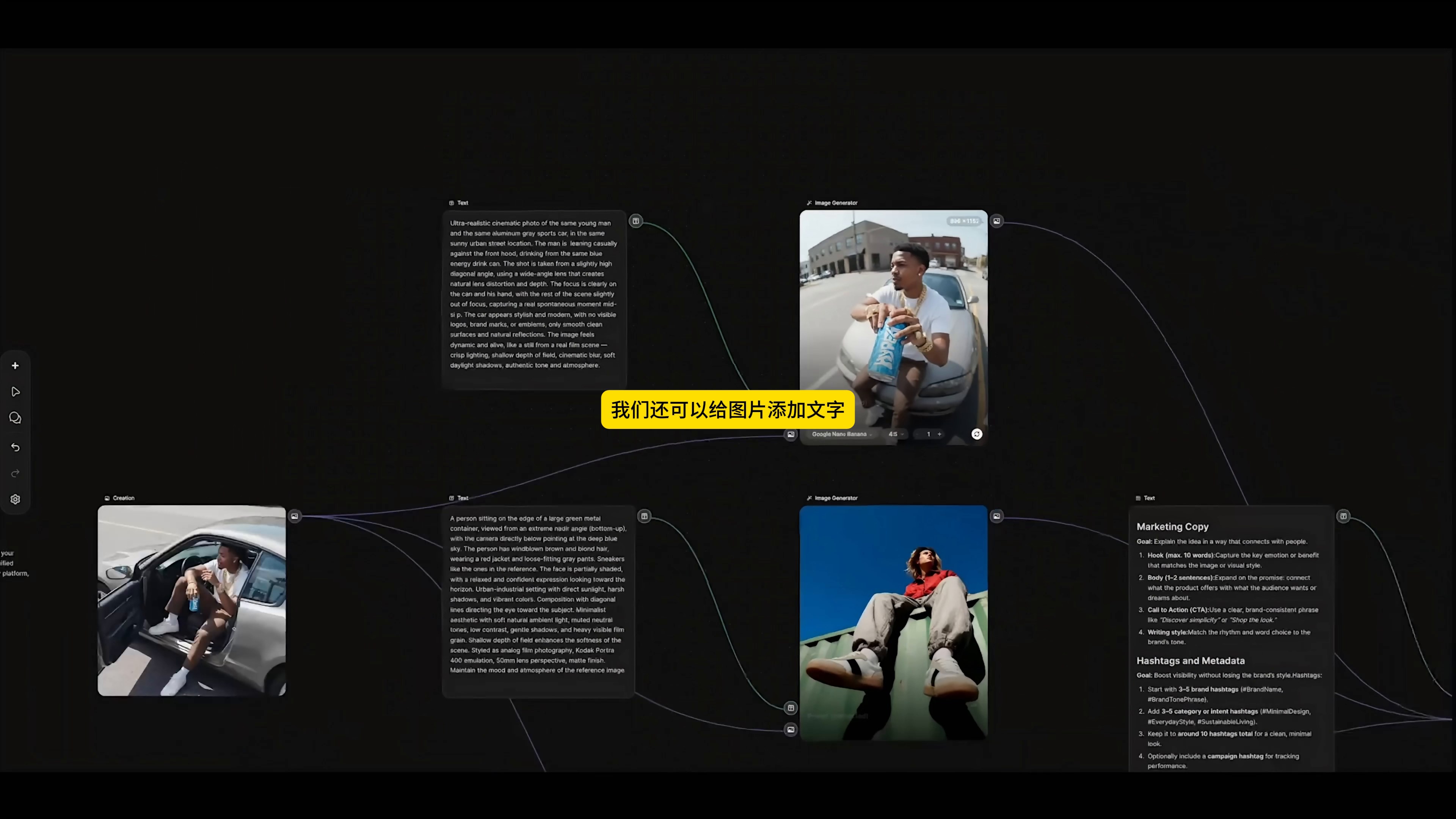
This time I tested a set of Create social media post workflows with a reference map of "people sitting by the car with blue beverage cans in their hands. The goal is not to just make a good-looking picture, but to split the same set of brand elements into reusable branches, so that static posters, short videos and social copy can be connected in the same canvas.
1. understand the template first, then change your own material.
The canvas in the video originally had a set of footwear content, which is of great reference value. A truly reusable workflow shouldn't start with blank space every time. Keep the node relationship, replace the old reference diagram in Creation node with new material, and then change the prompt words one by one, which will be much faster.
Before replacing, I listed the parts that should not have changed: the same male in a white shirt, the same gray car, the same blue tank, and the white plus blue title language. What can be changed is character action, lens position, frame and a main title. Draw this line first, and the three branches behind it will not be easy to become more and more scattered.
2. the first branch to solve the scene first, don't rush to add words.
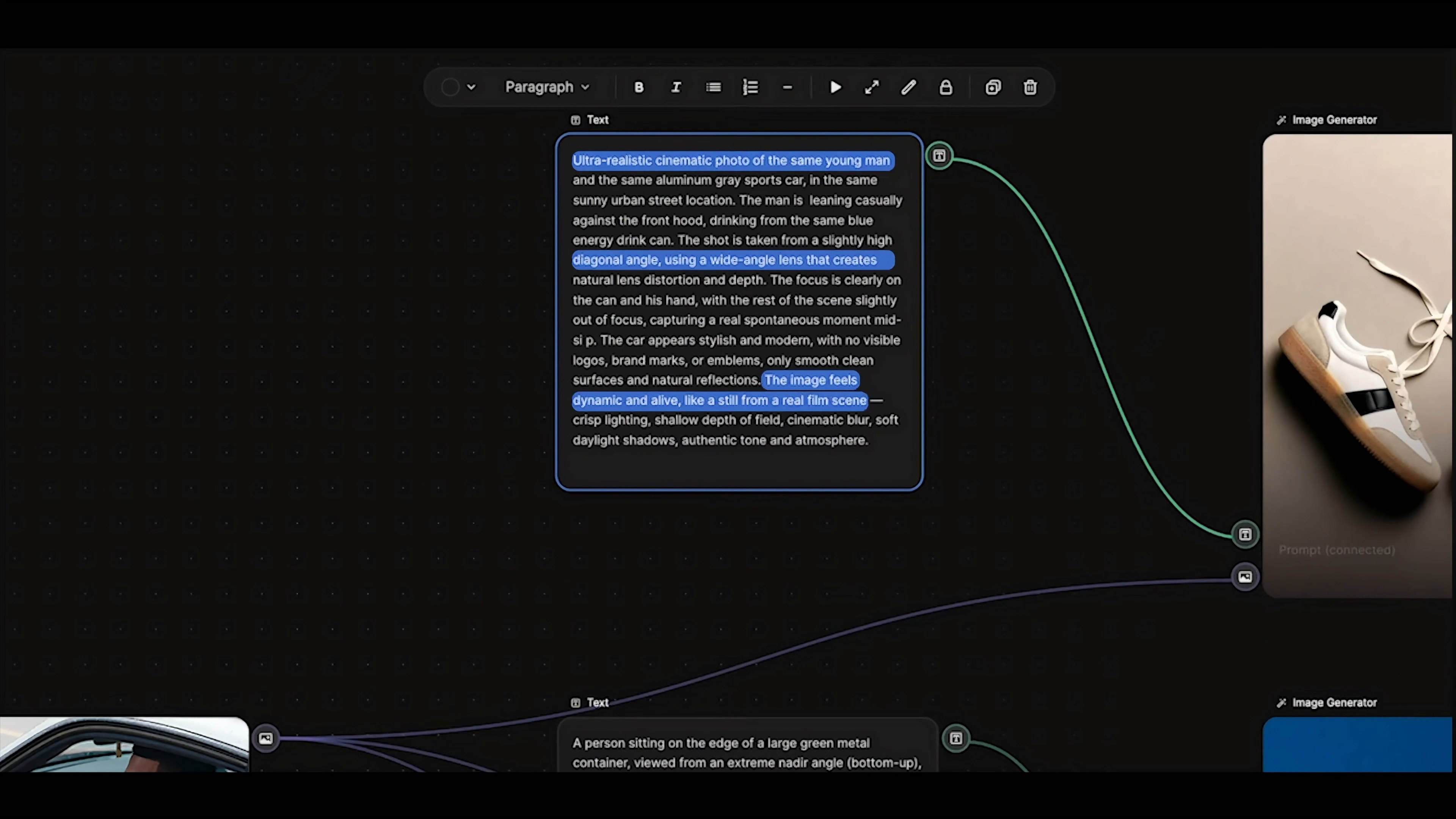
The first reminder did not generally say "make an energy drink advertisement", but explained that the character leaned against the front of the car, held a blue tank in his hand, had a slightly higher oblique top view angle and a wide-angle lens. The focus of the picture falls on the hands and tanks, and the streets and car bodies can be slightly inflated. The advantage of writing this way is that the model knows what information must be kept and where it is free to play.
The prompt also repeatedly uses constraints such as "the same person, the same car, the same place. It cannot guarantee 100% consistency in every detail, but it is much more stable than just connecting a reference graph. When making a series of contents, it is better to write the identity, clothing, products, actions and seats separately, and it is easy to find out which item is not clear when there is a problem.
The 3. frame should be decided before generation.
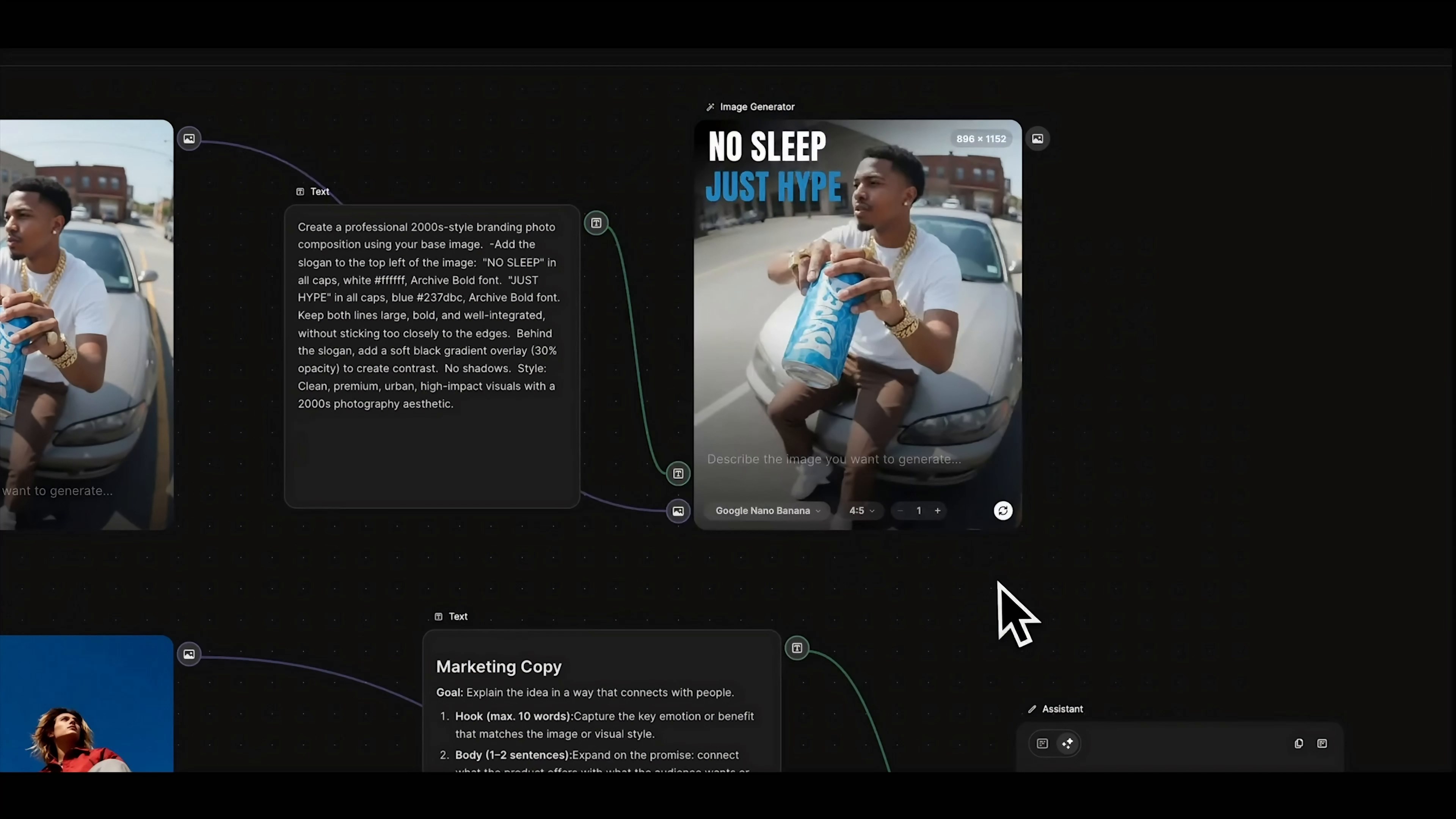
The first picture uses Google Nano Banana, the frame is set to 4:5, and the result is 896 × 1152. This ratio is suitable for vertical pictures in the information flow, and also leaves a place for the title in the upper left corner. Horizontal drawings are hard cut into vertical drawings, and characters and products are often squeezed together. Directly according to the placement position, composition is more convenient.
After the results come out, a round of small checks will be made: whether the characters are still the same person, whether the contact between fingers and the tank body is natural, whether the tank body is elongated, and whether the structure of the car is obviously penetrated. If it is wrong here, don't zoom in in in a hurry. It will be faster to run again when you return to the scene prompt.
4. the brand layout is made separately for the second generation.
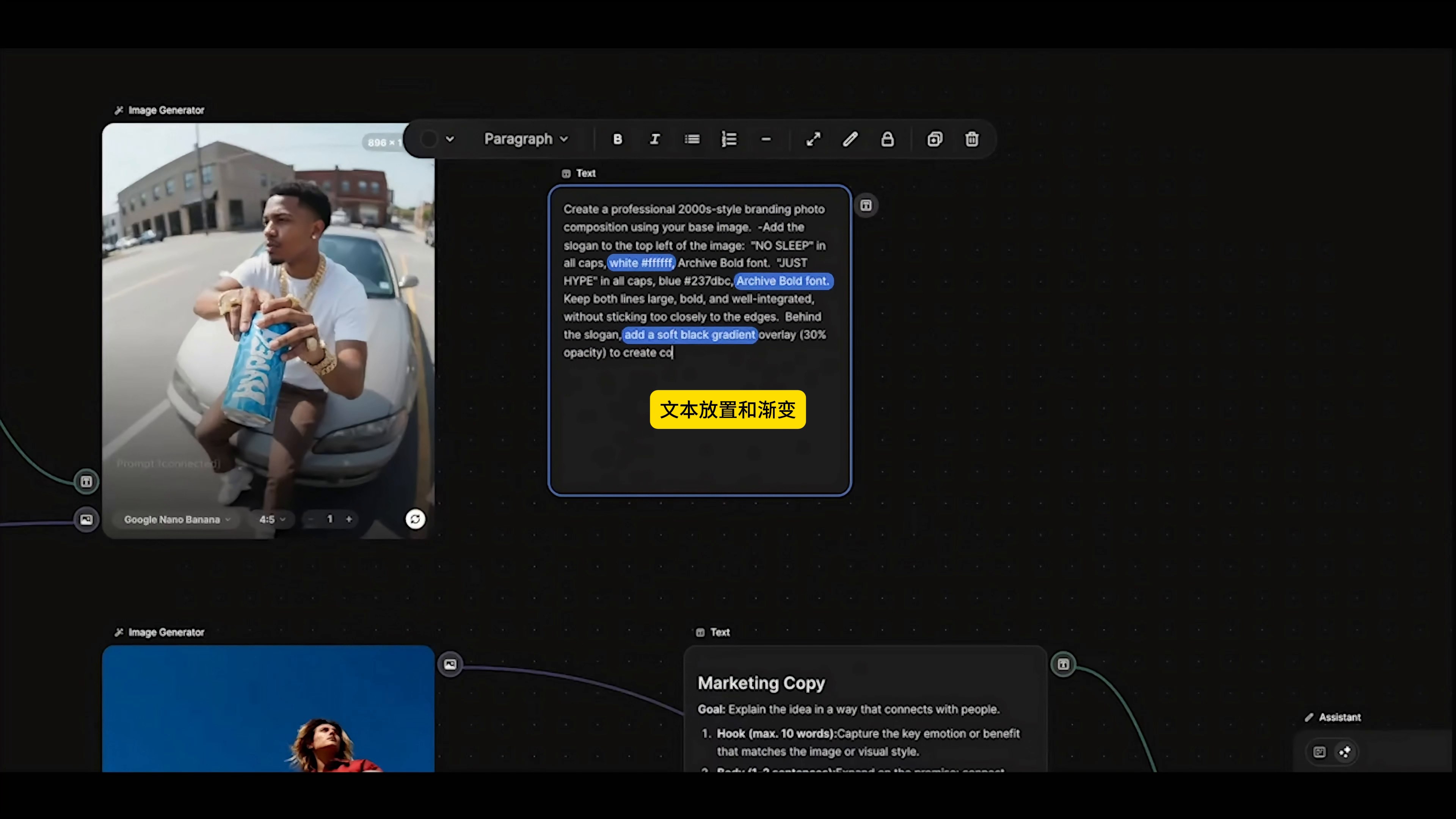
After the base map is determined, an image generation node processes the title. The typesetting tips in the video are very specific: the text is placed in the upper left corner, the first line is white, the second line is blue# 237dbc, the font is specified Archive Bold, 30% black gradient is added behind the title, and the two lines are required not to edge.
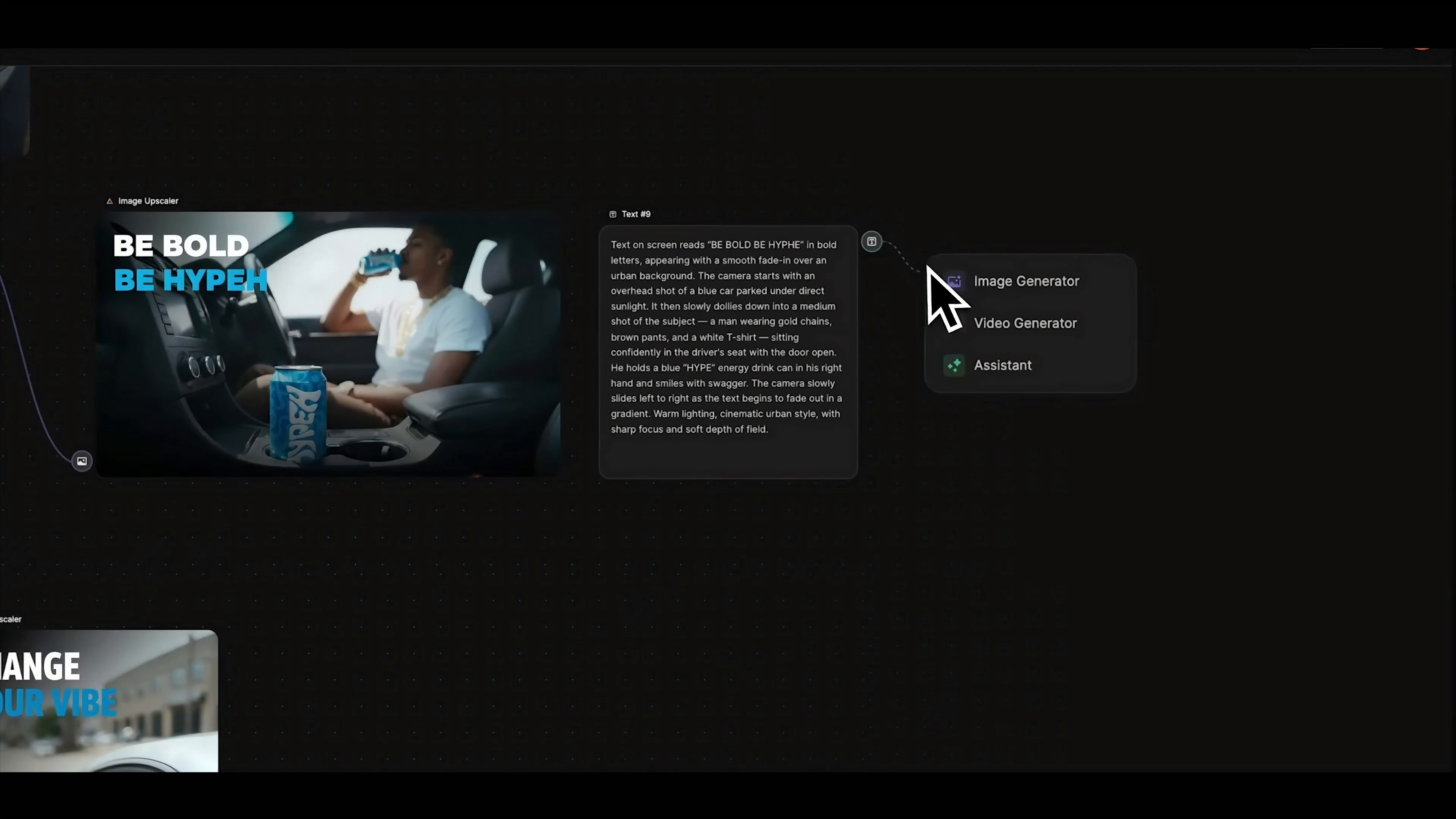
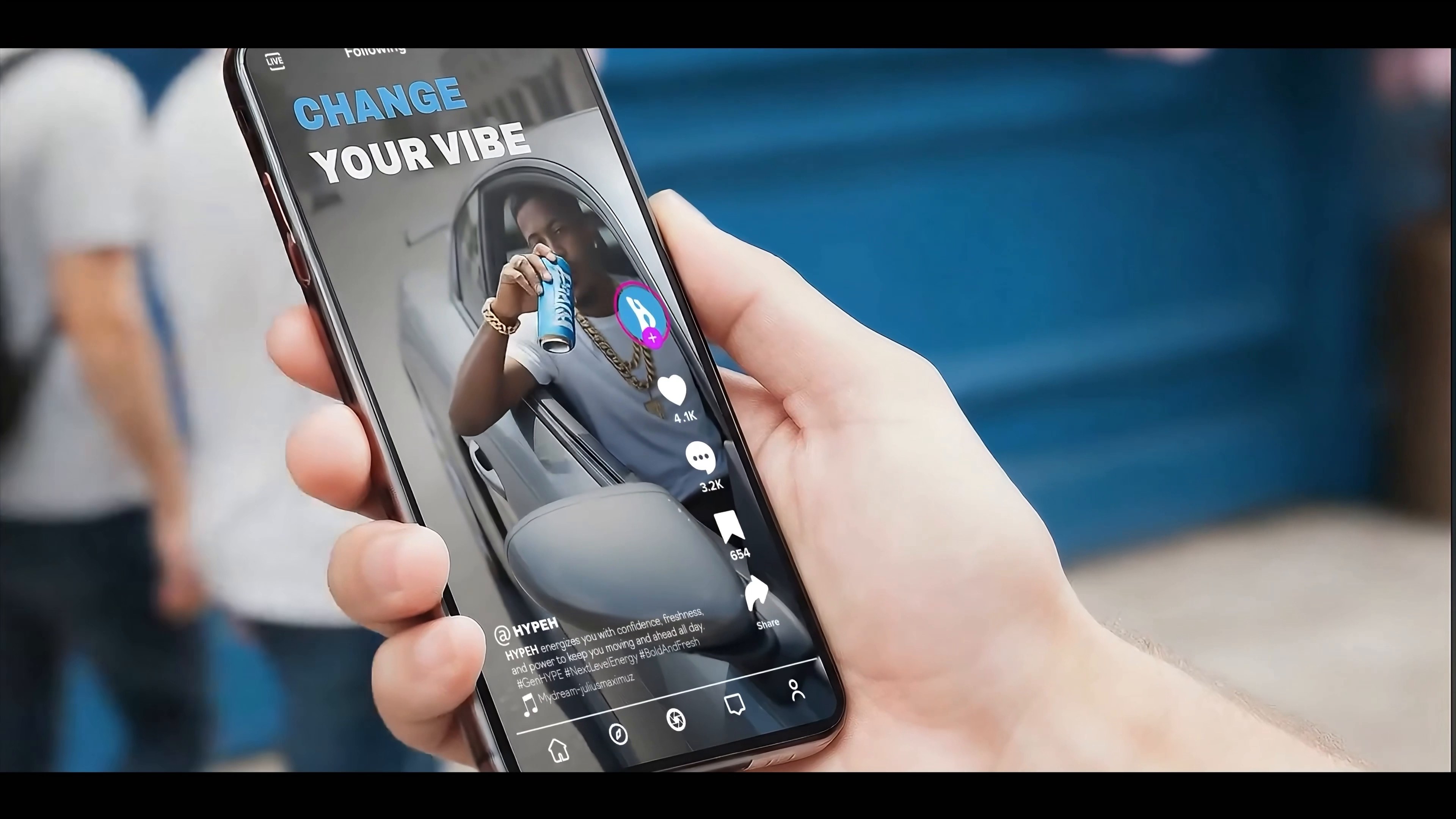
The first poster ended up with the combination "NO SLEEP / JUST HYPE. The other two branches use "BE BOLD / BE HYPEH" and "CHANGE/YOUR VIBE" respectively. The color is consistent with the word weight, but the position will be adjusted according to the horizontal and vertical composition. This is easier to form a sense of series than to temporarily think of a set of layouts for each picture.
AI may still change letters when generating English titles. The brand words in the video have changed slightly in different pictures, so this step must be enlarged to check the spelling, line spacing and safe margin. In official commercial use, if there can be no error in the brand name, it is safer to let the AI be responsible for the picture and blank, and finally cover the standard text in the design software.
5. expand a branch into three frames.
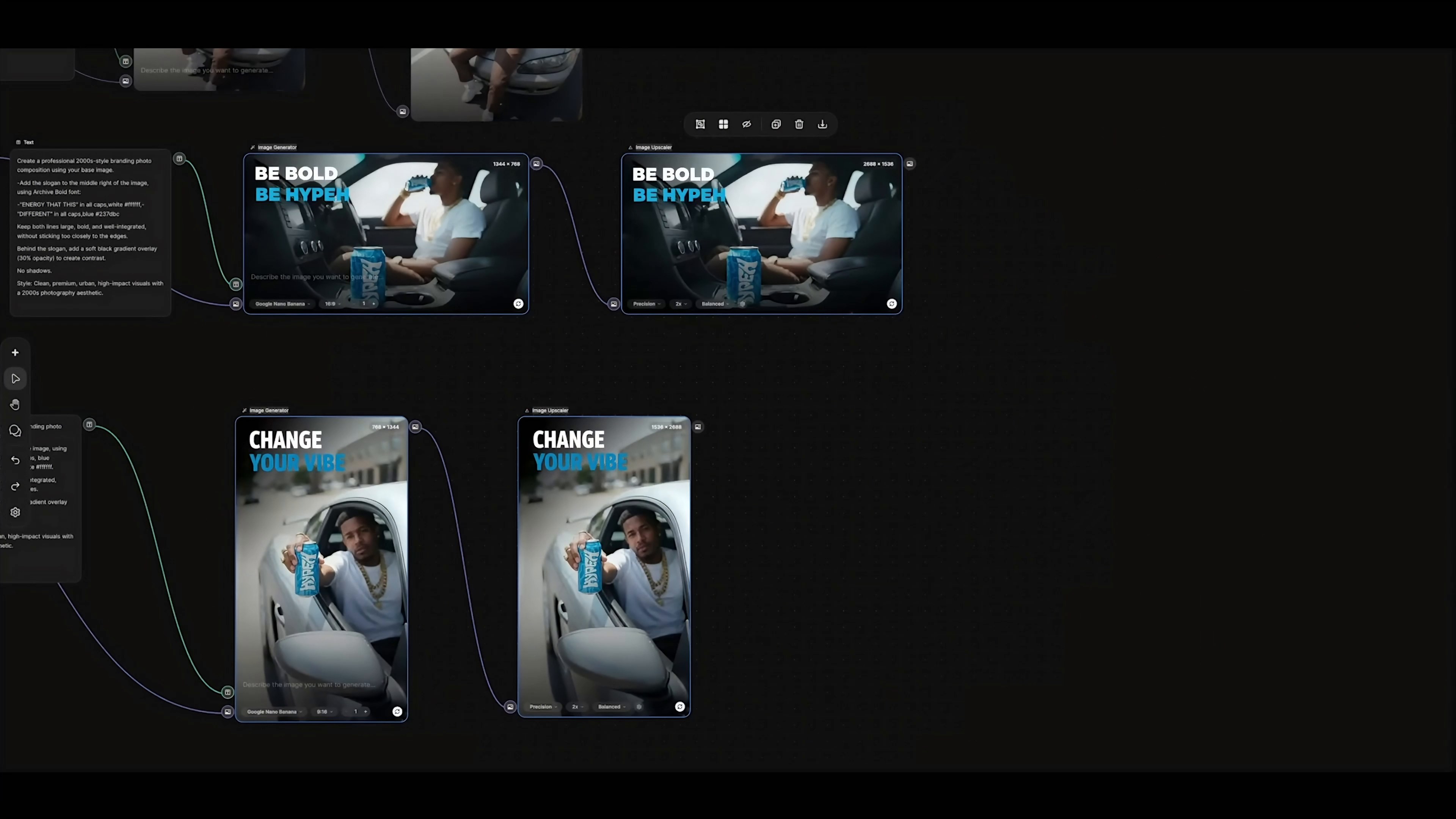
After the first 4:5 poster ran through, the workflow continued to make a 16:9 horizontal version of the car and a 9:16 vertical version of the window. They did not simply copy the same lens: the horizontal version put the blue tank in the foreground and the characters stayed in the car; The vertical version allows the characters to hand out the product from the direction of the car window, which is more suitable for full-screen browsing of mobile phones.
The three pictures then enter the Image Upscaler, and the modes are Precision, 2x and Balanced. The screen size is enlarged from 896 × 1152 to 1792 × 2304, from 1344 × 768 to 2688 × 1536, and from 768 × 1344 to 1536 × 2688, respectively. Magnification can fill in detail and clarity, but it won't correct wrong hands, cans, or text, so it should come after manual inspection.
6. make static posters move
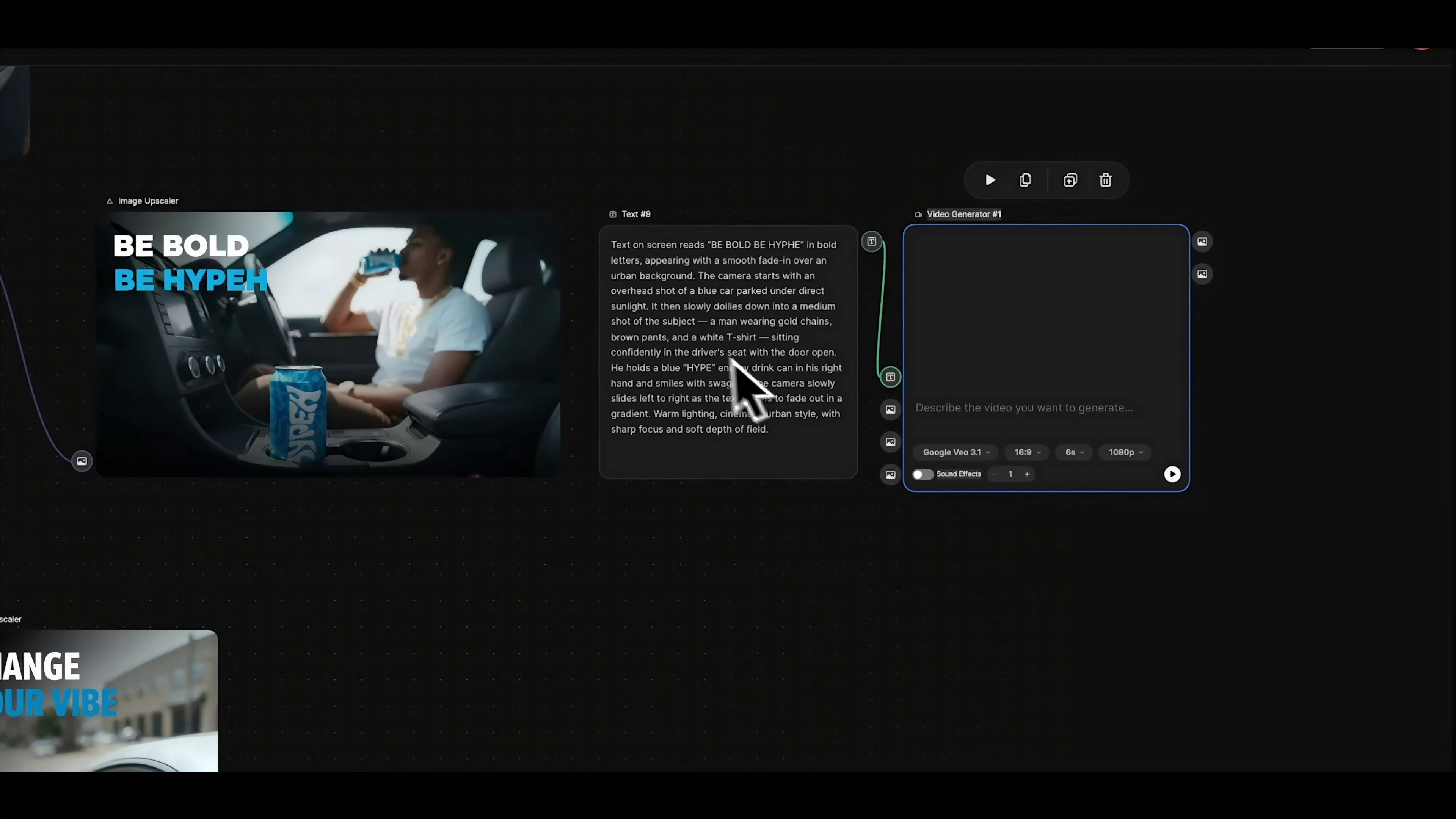
A separate action prompt is added before the video node. What is to be written here is not what the static picture looks like, but what will happen in the next six seconds: what the characters do, where the lens starts and moves to, how the title appears, and whether the position of the product in the picture should be maintained.
One of the horizontal branches wrote that starting from the top of the car, the lens pushed towards the character and then made a slight horizontal slide. The character sits in the driver's seat and drinks, and the title fades in smoothly. This kind of description separates the lens, action and text. The generator is easier to understand in sequence and more controllable than the sentence "let the picture move.
The video generation node uses Google Veo 3.1, the frame is 16:9, the duration is 6 seconds, the resolution is 1080p, the Sound Effects is turned off, and the generation quantity is 1. Other branches can follow the same node structure, just re-write the machine position and body movement according to the vertical version or square diagram. If the title in the picture must be completely accurate, it is still recommended to overlay the standard font again at the editing stage.
7. release copy is also connected to the same link.
A Marketing Copy template is connected next to each visual branch and handed over to the Assistant to generate the copy. The template splits the output into short hooks, text, action prompts, and labels, and requires the tone to be close to the corresponding screen. In this way, the three pictures can have their own copy without having to repeatedly enter the whole set of brand requirements.
This part is suitable for making the first draft, not suitable for sending it without reading it. Also check the brand tone, product commitment, number of labels and platform rules before release. Workflows are responsible for reducing duplicate input, and people still have to decide which words represent the brand.
What 8. end up with is not three pictures, but a set of content structure.
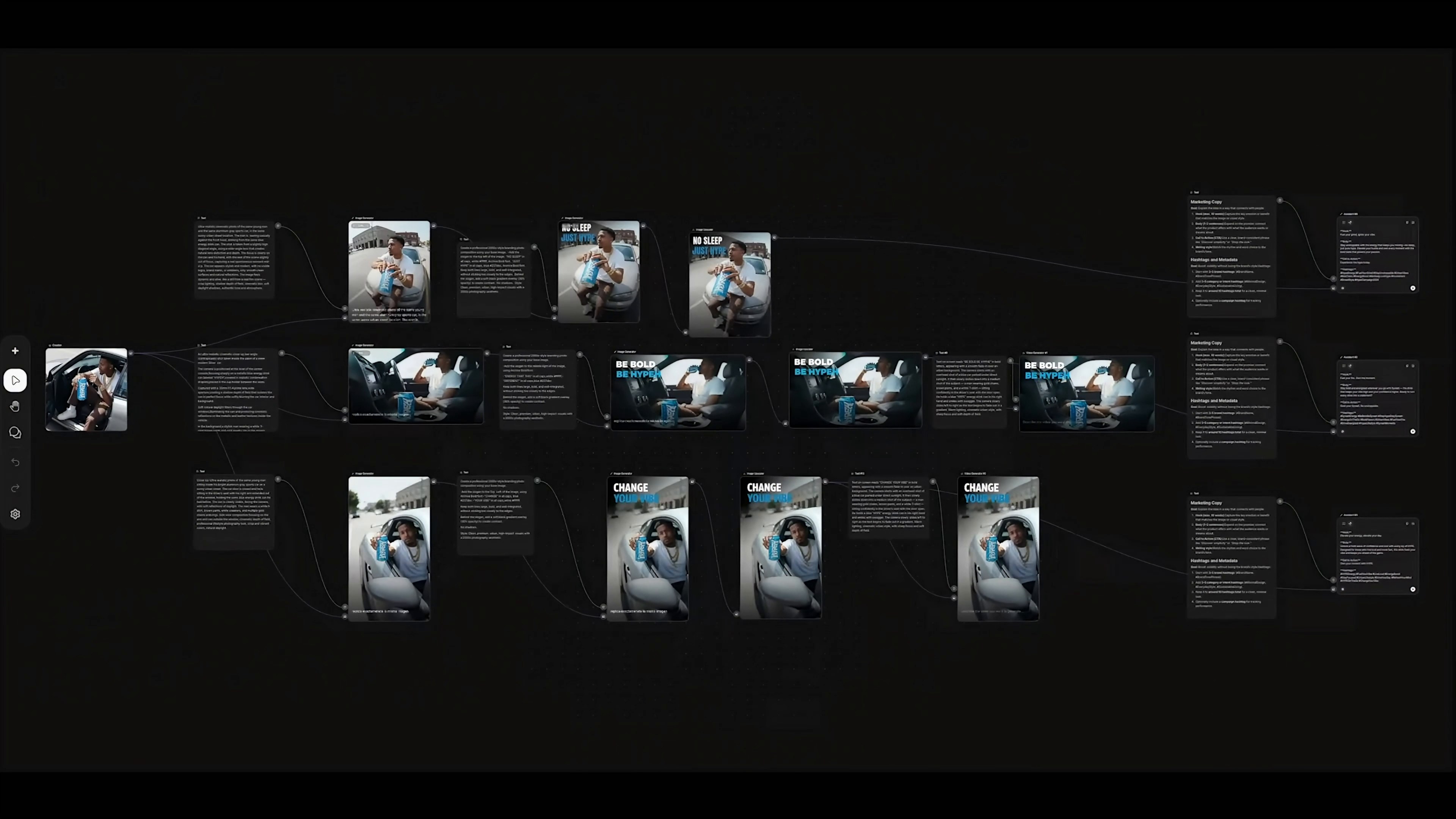
After reducing the canvas, you can see that the three complete branches all start from the same reference map, and each goes through scene generation, brand title, high-definition magnification, dynamic processing and marketing copy. When changing products in the future, what is really worth keeping is this set of nodes and the check order, not a certain paragraph of written dead prompt words.
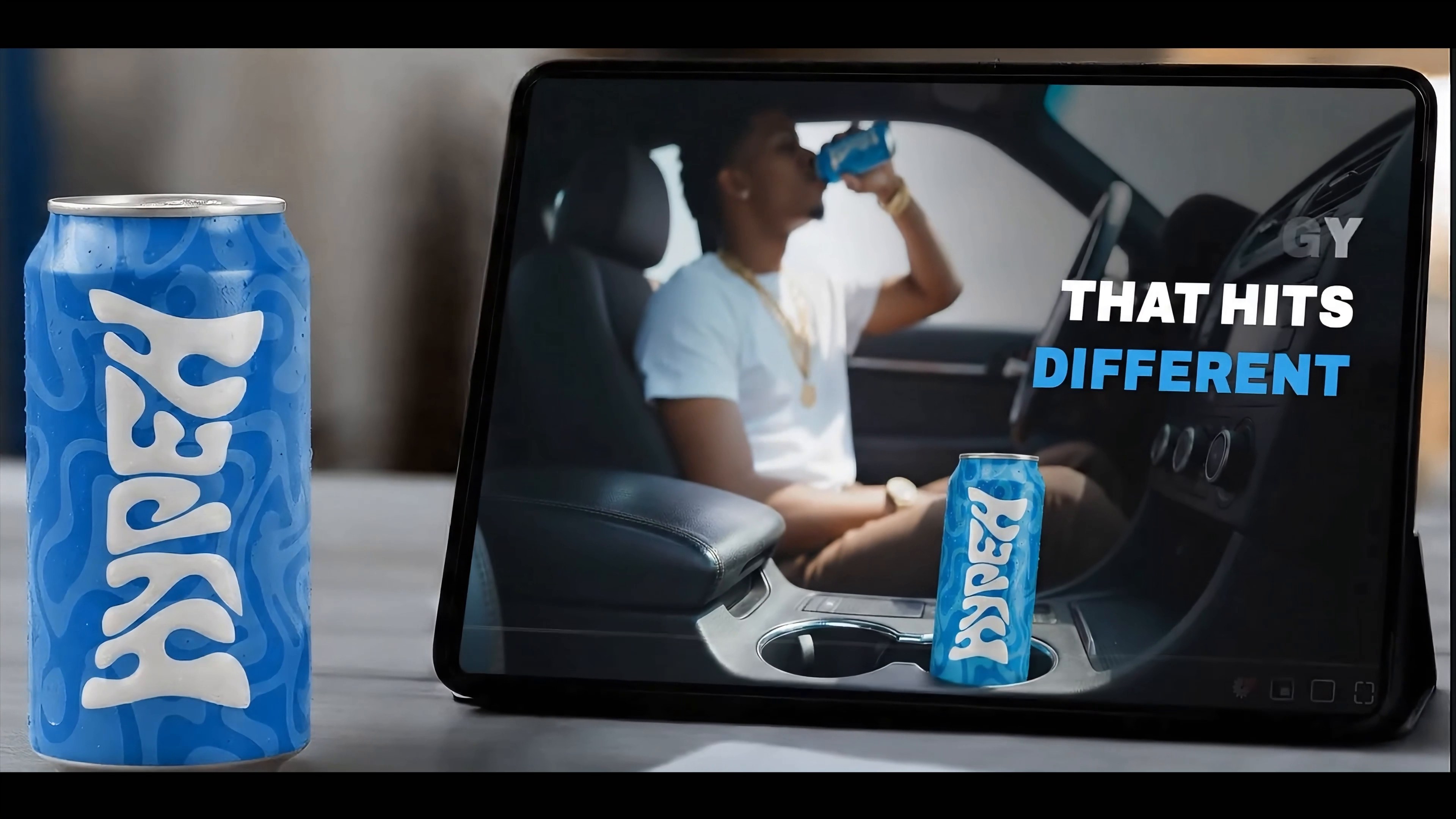
The horizontal version of the results is put into the tablet ad scene, and the close-up product, character action and headline can be set up simultaneously in widescreen. It is more suitable for information flow horizontal version, web page header or display screen, and does not need to hard cut a version from the vertical image.
The vertical version of the results is put into the short video interface of the mobile phone. The characters and the blue tank occupy the center of the picture, the title remains at the top, and the social buttons and copy still have positions. This film presentation shows that the previous separate planning of 9:16 is not an extra step, but a space for the final carrier at the generation stage.
I think the most practical part of this method is not how many sheets are generated at a time, but to fix the actions that are easy to repeat: first lock the unchanged elements, then change the scene according to the layout, add brand layout after confirming the base map, and only enlarge and make dynamics after checking. The process is smooth, the next time you change products, characters or copywriters, the scope of changes will be clear.





It's not easy
this is OK, huh
Particularly professional